Category: App Development

You desire, and we deliver. Our app development service covers all kinds of app development react native, React, Flutter, iOS, Android and much more.

  • React Native Plugins for Developers: Boost Productivity and App Performance

    React Native Plugins for Developers: Boost Productivity and App Performance

    Key Takeaways

    • React Native offers a robust framework for developing cross-platform mobile applications efficiently.
    • Utilising specialised developer tools enhances productivity, code quality, and collaboration.
    • Essential React Native plugins include navigation, state management, UI component libraries, and performance optimisation tools.
    • Key React Native packages for networking, form management, authentication, and animations streamline common development tasks.
    • Best practices in integrating and managing dependencies ensure a maintainable and high-performing application.
    • Engaging with active communities and regularly updating dependencies are crucial for sustainable development.

    React Native Plugins for Developers: Essential Tools for Enhanced Productivity and Performance

    React Native is a prominent open-source framework designed for creating cross-platform mobile applications using JavaScript and React. Known for its efficiency and native-like performance, React Native saves developers time without sacrificing the user experience. The right tools, including top react native plugins and must-have react native packages, are crucial for boosting productivity and enhancing app functionality. This blog post aims to dive deep into essential React Native plugins for developers looking to expand functionality, boost productivity, and ensure top-quality, high-performance apps.

    Overview of React Native Developer Tools

    In the React Native ecosystem, developer tools are instrumental in streamlining the development process. These tools help automate tasks, detect errors early, and enhance code quality, ensuring that your development cycles are faster and more efficient.

    Benefits of Utilising Specialised Developer Tools:

    • Faster Debugging and Code Inspection: Quickly identify and rectify issues to keep your development on track.
    • Improved Code Consistency and Maintainability: Automated tools help maintain a high standard of code quality across teams.
    • Enhanced Collaboration and Deployment Processes: Tools like GitHub streamline workflows and make it easy to manage projects and deployments.
    Boost React native App with plugins

    Popular React Native Developer Tools:

    • Visual Studio Code: This editor is highly customizable, comes with built-in Git, and supports numerous plugins, making it ideal for React Native development.
    • WebStorm: A powerful IDE for JavaScript, providing integrated tools that are useful for React Native developers.
    • Expo: Simplifies the development, testing, and deployment processes for React Native apps.
    • Xcode & Android Studio: Essential tools for native coding and simulation testing.
    • Slack, Jira, GitHub: These tools facilitate communication and project management within development teams, streamlining your workflow.

    Top React Native Plugins

    When it comes to enhancing the functionality and efficiency of your React Native apps, selecting the top plugins is crucial.

    a. Navigation Plugins

    • Overview: Manage screen transitions and user navigation within your apps effectively.
    • Key Plugins:
      • React Navigation: Supports stack, tab, and drawer navigations, plus deep linking and customizable transitions.
      • React Native Navigation: Provides high-performance navigation using native modules.
    • Features and Benefits:
      • Simplifies app navigation.
      • Improves user experiences with smooth transitions.
      • Supports advanced features like deep linking.

    b. State Management Plugins

    • Overview: Manage app states efficiently, crucial for large-scale and complex applications.
    • Key Plugins:
      • Redux: Offers a predictable state container with support for asynchronous actions.
      • MobX: Leverages reactive programming for simpler and scalable state management.
    • Benefits:
      • Facilitates predictable state management.
      • Simplifies debugging and enhances app scalability.

    c. UI Component Libraries

    • Overview: Accelerate UI development with pre-built, customizable components.
    • Key Libraries:
      • NativeBase: Provides cross-platform UI components that adhere to Material Design and iOS standards.
      • React Native Elements: Delivers customizable components for rapid UI development.
    • Benefits:
      • Reduces development time with ready-to-use components.
      • Ensures consistency and enhances customisation options.

    d. Performance Optimisation Plugins

    • Overview: Monitor and improve app performance for a smoother user experience.
    • Key Plugins:
      • React Native Performance: Provides tools for app performance monitoring.
      • Flipper: Offers comprehensive debugging and profiling.
      • Reactotron: Allows real-time state and API inspection.
    • Benefits:
      • Helps identify and resolve performance bottlenecks.
      • Provides detailed insights for real-time debugging.

    Must-Have React Native Packages

    Some packages are essential for handling common development tasks more effectively.

    a. Networking and API Handling

    • Key Packages:
      • Axios facilitates making API requests with features such as interceptors and automatic transformations.
      • Fetch API: A straightforward way to handle network requests.
    • Benefits:
      • Streamlines API interactions and data management.

    b. Form Management

    • Key Packages:
      • Formik: Simplifies the management of form state and validation.
      • React Hook Form: Utilises React hooks for better performance in form management.
    • Benefits:
      • Makes form handling more responsive and user-friendly.

    c. Authentication

    • Key Plugins:
      • Firebase Authentication: Supports various login methods and integrates seamlessly.
      • Auth0: Provides a robust authentication framework.
    • Benefits:
      • Enhances security and simplifies user authentication.

    d. Animation Libraries

    • Key Packages:
      • React Native Reanimated: Allows more complex animations with high performance.
      • Lottie: Seamlessly integrates high-quality animations into your apps.
    • Benefits:
      • Enhances user engagement with smooth and interactive animations.

    How to Integrate These Plugins and Packages

    Integrating these tools into your development workflow can seem daunting, but with the right approach, it’s straightforward.

    Installation:

    • Utilize npm or yarn to install the desired packages (e.g., npm install react-navigation).

    Linking Native Dependencies:

    • Some dependencies may need to be linked to your project manually if auto-linking isn’t available.

    Configuration:

    • Follow the official documentation for each package to configure it properly in your project.

    Best Practices for Managing Dependencies:

    • Maintain consistent versions across environments using lock files.
    • Regularly check for compatibility with peer dependencies to prevent conflicts.

    Best Practices for Using React Native Plugins

    To optimise your use of React Native plugins, follow these guidelines:

    • Choose plugins with active maintenance and strong community support.
    • Regularly update dependencies to leverage new features and patches.
    • Avoid unnecessary plugins to keep your app lightweight and efficient.

    Conclusion

    React Native plugins are pivotal for developers aiming to enhance app productivity and quality. By integrating the discussed tools and adhering to best practices, you can develop more efficient, reliable, and high-performing mobile applications. Engage with the developer community in the comments below to share your experiences and tips.

    Additional Resources

    To further your understanding of React Native plugins, refer to the official documentation and follow tutorials that provide deeper insights into each tool.

    By following the guidelines and integrating the recommended plugins and packages detailed in this blog post, developers can significantly enhance the efficiency and quality of their React Native applications.

    Frequently Asked Questions

    Q1. Do too many plugins slow down a React Native app?

    Yes, excessive or poorly maintained plugins can increase bundle size. Always choose actively maintained and optimised plugins.

    Q2. Can I build custom plugins in React Native?

     Absolutely! Developers can write native modules in Swift/Objective-C (iOS) or Java/Kotlin (Android) and link them with React Native.

    Q3. Are React Native plugins safe to use?


    Trusted plugins from the React Native community or NPM are generally safe. Always review the source code and documentation before use.

    Q4. What’s the difference between a library and a plugin?

    A library provides reusable code (UI kits, state management), while a plugin usually extends functionality by bridging with native device features.

    Q5. How do I keep my plugins up to date?

    Regularly run npm outdated or yarn outdated to track updates and security patches.

  • Comprehensive Guide to React Native Unit Testing

    Comprehensive Guide to React Native Unit Testing

    Comprehensive Guide to React Native Unit Testing

    Key Takeaways

    • React Native unit testing is essential for ensuring code reliability and maintainability.
    • Jest is the preferred testing framework for React Native due to its speed and powerful features.
    • Mocking allows developers to isolate components from external dependencies, facilitating more effective testing.
    • Snapshot testing is effective for capturing and comparing UI changes over time.
    • Adhering to best practices enhances the efficiency and effectiveness of unit tests.

    Testing is the backbone of building reliable and scalable mobile apps. For React Native unit testing ensures that every component and function works as expected—before your app reaches the end users. In 2025, with React Native’s new architecture (Fabric + TurboModules), mastering unit testing is more important than ever.

    React Native unit testing is an indispensable practice in mobile app development, vital for ensuring code reliability and maintainability. This guide delves deep into the what, why, and how of unit testing within the realm of React Native, promising to enhance the robustness and reliability of your codebase.

    React Native unit testing involves verifying individual components of your app—such as functions or UI components—in isolation. This method is crucial for catching bugs early in the development cycle and supporting code changes with confidence. Dive into this guide to explore the myriad benefits and methods of React Native unit testing.

    For more insights, consult these well-detailed sources on the subject:


    Understanding Unit Testing in React Native

    Unit testing specifically for React Native apps is key to maintaining clean and functional code throughout an app’s lifecycle. For React Native, this means:

    • Testing JavaScript functions, classes, or React components in isolation.
    • Employing mocks to isolate components from external dependencies, allowing testers to focus on the unit itself without interference.

    Benefits Of Unit Testing

    The benefits of adopting this practice include:

    • Early bug detection: Prevents future headaches by catching issues early on.
    • Simplified code maintenance: Facilitates easy updates and changes to the code.
    • Improved modularity: Encourages cleaner, more modular code architecture, which simplifies debugging processes.
    • Confidence in refactoring: With a reliable testing suite, developers can refactor confidently, knowing their changes do not break existing functionality.
    • CI/CD facilitation: Seamless integration into continuous integration and deployment pipelines, providing rapid feedback on the team’s code changes.

    Explore more about unit testing in these comprehensive guides:

    Getting Started with React Native Jest Testing

    In the ecosystem of React Native, Jest emerges as the preferred testing framework due to its speed, simplicity in setup, powerful mocking capabilities, and support for snapshot testing.

    Setting up Jest:

    Though Jest often comes preconfigured in many React Native templates, setting up or updating it manually involves the following steps:

    • Install Jest using npm or yarn.
    • Configure the jest.config.js file.
    • Ensure your code is transpile-ready with Babel setup.

    The ease of Jest setup and its comprehensive documentation helps streamline the testing process for developers.

    Key Features of Jest for React Native Unit Testing

    Jest is notably favored for:

    • Built-in Babel and React Native support: Reduces additional setup hassles.
    • Parallel test execution: Speeds up the testing process significantly.
    • Seamless mocking: Simplifies the testing of modules and asynchronous behavior.

    Implementing Snapshot Testing

    Snapshot testing is particularly effective in capturing and comparing versions of a UI component. This method provides a clear distinction between intended and unintended changes during development. Managing snapshots effectively involves:

    • Utilizing Jest’s toMatchSnapshot() to create and manage snapshots.
    • Keeping snapshots concise to ensure they are easily testable and maintainable.
    • Regular reviews and updates of snapshots to align with intentional UI changes.

    Writing Effective Unit Tests for React Native Apps

    To write effective unit tests in React Native, developers should embrace these strategies:

    Strategies for Writing Meaningful Tests:

    • Isolate logic: Test each piece of logic independently.
    • Use descriptive names: Opt for clear and descriptive test names.
    • Mock external dependencies: Simplify testing by mocking APIs and native functionalities.

    Common Test Case Examples:

    • Render components with various props.
    • Validate output accuracy.
    • Simulate user interactions such as button presses and input changes.

    Testing Asynchronous Operations:

    • Utilize async/await or Jest’s done callbacks to handle asynchronous behavior smoothly.

    Best Practices for React Native Unit Testing

    Adhere to these best practices to maximize the efficiency and effectiveness of your React Native unit tests:

    • Keep tests fast and independent: Enhance test frequency and reliability.
    • Organize test files effectively: Maintain clarity by organizing test files properly.
    • Mock wisely: Use realistic data in tests but rely on mocks for complex dependencies.

    Common Challenges and Solutions in Unit Testing React Native

    Challenges such as mocking native modules or managing asynchronous behavior are common in React Native unit testing. Effective solutions include:

    • Advanced mocking: Utilize Jest’s capabilities to simplify complex setups.
    • Use testing libraries: Tools like the React Native Testing Library can help simulate user interactions more effectively.

    Advanced Topics in React Native Unit Testing

    Venture into advanced testing topics such as:

    • React Native Testing Library: For enhanced DOM querying.
    • Jest performance optimization: Tips on speeding up your test suites

    Find out more about these advanced topics in the LogRocket Guide.

    Conclusion

    React Native unit testing is a pillar of high-quality app development, ensuring robustness, detectability, and maintainability of code. By integrating these practices, developers can greatly reduce bugs, improve design quality, and streamline development processes.

    For further reading and resources, consult:

    Embrace these practices and tools to enhance your development workflow and product quality in the React Native ecosystem.

    Frequently Asked Questions

    1. What is React Native unit testing?

    React Native unit testing involves verifying individual components of a React Native application—such as functions, classes, or UI components—in isolation to ensure they work as intended.

    2. Why is unit testing important in mobile app development?

    Unit testing is crucial because it helps identify and fix bugs early in the development cycle, ensures code reliability and maintainability, and facilitates confident code changes and refactoring.

    3. How do you set up Jest in a React Native project?

    Setting up Jest typically involves installing it via npm or yarn, configuring the jest.config.js file, and ensuring your codebase is ready for transpilation with Babel. Many React Native templates come with Jest preconfigured.

    4. What are the best practices for unit testing in React Native?

    Best practices include keeping tests fast and independent, organizing test files effectively, using descriptive test names, mocking external dependencies wisely, and regularly reviewing and updating tests to align with code changes.

    5. What challenges might I face when unit testing React Native apps?

    Common challenges include mocking native modules, managing asynchronous operations, dealing with complex component interactions, and ensuring that tests remain maintainable as the codebase evolves.

  • Mastering React Native UI Libraries: A Comprehensive Guide for 2025

    Mastering React Native UI Libraries: A Comprehensive Guide for 2025

    Key Takeaways

    • React Native UI libraries significantly speed up development and ensure consistent user interfaces across platforms.
    • Top libraries for 2025 include React Native Paper, GlueStack (formerly NativeBase), and React Native Elements.
    • Key selection criteria include performance, community support, customisation options, and comprehensive documentation.
    • Choosing the right library depends on specific project requirements and team capabilities.

    Mastering React Native UI Libraries: A Comprehensive Guide for 2025

    Building visually appealing and highly functional mobile apps is no longer just about coding the backend—it’s about delivering seamless user experiences (UX). In 2025, React Native continues to dominate as a cross-platform framework, and its UI libraries play a critical role in helping developers craft professional, responsive, and engaging interfaces with ease.

    With the rapid proliferation of mobile applications, react native UI libraries have emerged as pivotal resources in streamlining development by offering a myriad of reusable components. These tools not only facilitate speedier app development but also ensure consistency and a polished aesthetic across various platforms, which is why understanding React Native UI frameworks is crucial for any developer in this field.

    stunning React native App With UI Library

     Why UI Libraries Matter in React Native Development?

    React Native UI libraries are fundamental in accelerating React Native development. They provide developers with pre-designed and tested components, such as buttons, inputs, and sliders, which can be reused across multiple projects, thereby reducing the time and effort required to develop new applications. Benefits such as:

    UI libraries are pre-built, customizable components (buttons, modals, forms, navigation bars, etc.) that save developers time and effort. Instead of reinventing the wheel, you can focus on:

    • Consistency: Create a uniform look across iOS and Android.

    • Speed: Faster development with ready-to-use components.

    • Performance: Optimised UI components reduce app lag.

    • Scalability: Easy to adapt when your app grows.

    These efficiencies support quicker project completions, which is essential in a rapidly evolving tech landscape. For more information, visit Algosoft and Antino.

    Understanding React Native UI Frameworks


    In React Native, UI frameworks refer to collections of reusable components, theming tools, and utilities. These frameworks facilitate the design and interaction elements of mobile app development.

    Role and Benefits

    UI frameworks enhance development efficiency by providing standardised components that can fit into various design themes. This not only boosts the visual aesthetics but also ensures user experience consistency across different platforms. For detailed information, refer to Algosoft and Antino.

    Top React Native UI Frameworks


    In 2025, the leading react native UI frameworks noted for their efficiency and aesthetic appeal include:

    • React Native Paper: Known for its Material Design influence. Check out more at Dev. to.
    • GlueStack (formerly NativeBase): Appreciated for its utility-first and customizable nature. More details can be found at Dev. to.
    • React Native Elements: Offers a wide variety of components. Learn more at Antino.

    These frameworks are popular due to their wide selection of components, extensive customisation options, performance optimisations, and strong documentation and community support.

    Best React Native UI Libraries in 2025

    Here’s a curated list of top UI libraries every React Native developer should master in 2025:

    1. React Native Paper

    • Based on Google’s Material Design.

    • Provides clean, customisable components like buttons, cards, dialogues, and navigation.

    • Perfect for apps that need a modern and minimal design.

    • Best for: E-commerce, FinTech, and enterprise apps

    2. NativeBase

    • A universal UI library with cross-platform support.

    • Offers over 40+ components, including theming support.

    • Compatible with both iOS and Android.

    • Best for: Multi-platform apps that require high consistency

    3. React Native Elements

    • Lightweight and highly customizable.

    • Works with any styling framework like Tailwind CSS.

    • Great for developers who want flexibility and design freedom.

    • Best for: Startups and MVPs where speed is key.

    4. Shadcn/UI for React Native(gaining popularity in 2025)

    • Provides a modern, elegant design system.

    • Integrates beautifully with Tailwind CSS.

    • Focused on performance and accessibility.

    • Best for: Modern SaaS and AI-powered apps

    5. React Native Gifted Chat

    • Specialised UI library for chat and messaging apps.

    • Pre-built support for text, images, and custom messages.

    • Saves weeks of development time.
    • Best for: Customer service, social, and community apps.

    6. Lottie for React Native

    • Allows animations and motion graphics.

    • Uses JSON-based animation files from Adobe After Effects.

    • Bring apps to life with smooth and scalable animations.

    •  Best for: Onboarding screens, interactive apps, and games.

    7. React Native Maps

    • Provides maps and geolocation functionality.

    • Supports markers, custom map styles, and navigation.

    • Best for: Travel, delivery, and location-based apps.

    Curated List of Top Libraries

    Heading into 2025, the best react native UI libraries positioned at the forefront include:

    • React Native Paper,
    • GlueStack (NativeBase),
    • React Native Elements,
    • UI Kitten,
    • And React Native Material UI.

    These selections are based on their superior performance, extensive community support, customisation possibilities, and comprehensive documentation.

    Selection Criteria

    The criteria for selecting these top libraries include:

    • Performance: Libraries that ensure smooth and efficient app functionality.
    • Community Support: Strong, engaging communities providing extensive support and updates.
    • Customisation & Theming: Libraries that offer flexible theming and customisation options.
    • Documentation: Well-documented libraries that facilitate easy use for developers.

    Emerging libraries are also innovating with AI-driven layout tools and enhanced performance optimisations, which are covered in detail on Builder.io.

    _React native App With UI Library

    Comparative Analysis: NativeBase vs. React Native Paper

    When comparing NativeBase and React Native Paper, several aspects stand out:

    • Design Focus: NativeBase is utility-first with customizable designs, whereas React Native Paper follows strict Material Design principles.
    • Customisation: NativeBase offers extensive customisation, while React Native Paper provides streamlined theme-based customisation.
    • Performance and accessibility are comparable, with slight variations based on specific project requirements.

    The right choice depends on the specific needs of your project, with NativeBase being ideal for custom, utility-first designs, and React Native Paper excelling in rapid development within Material Design frameworks.

    Conclusion

    In 2025, mastering React Native UI libraries is essential for building apps that are visually engaging, user-friendly, and future-proof. Whether you’re creating an e-commerce app, a finance solution, or an AI-powered mobile app, the right UI library can significantly speed up development, improve user experience, and ensure scalability.

    Selecting the appropriate React Native UI library is crucial for developing applications that are not only efficient but also provide a seamless user experience. This comprehensive guide has an overview of various aspects, from functionality to aesthetic considerations of different libraries, specifically focusing on NativeBase and React Native Paper.

    Developers should consider their project’s specific requirements and team capabilities when choosing between these options to leverage the best of React Native’s extensive UI toolkit.

    For detailed documentation, you may visit nativebase.io for NativeBase and callstack.github.io/react-native-paper for React Native Paper.

    Lastly, for further exploration, you can delve into online tutorials and community forums to enhance your understanding and skills in utilising these libraries effectively.

    Added Internal Links:

    1. Mistakes to Avoid When Developing an App: A Comprehensive Guide
    2. React Native App Development Services
    3. Mastering React Native Components
    4. Top React Native Libraries 2025
    5. React Native Community Support

    Frequently Asked Questions

    What are React Native UI libraries?

    React Native UI libraries are collections of pre-built components, theming tools, and utilities that streamline the development process, ensuring consistency and efficiency across mobile applications.

    Key Takeaways

    • React Native UI libraries significantly speed up development and ensure consistent user interfaces across platforms.
    • Top libraries for 2025 include React Native Paper, GlueStack (formerly NativeBase), and React Native Elements.
    • Key selection criteria include performance, community support, customisation options, and comprehensive documentation.
    • Choosing the right library depends on specific project requirements and team capabilities.

    Mastering React Native UI Libraries: A Comprehensive Guide for 2025

    Building visually appealing and highly functional mobile apps is no longer just about coding the backend—it’s about delivering seamless user experiences (UX). In 2025, React Native continues to dominate as a cross-platform framework, and its UI libraries play a critical role in helping developers craft professional, responsive, and engaging interfaces with ease.

    With the rapid proliferation of mobile applications, react native UI libraries have emerged as pivotal resources in streamlining development by offering a myriad of reusable components. These tools not only facilitate speedier app development but also ensure consistency and a polished aesthetic across various platforms, which is why understanding React Native UI frameworks is crucial for any developer in this field.

    stunning React native App With UI Library

     Why UI Libraries Matter in React Native Development?

    React Native UI libraries are fundamental in accelerating React Native development. They provide developers with pre-designed and tested components, such as buttons, inputs, and sliders, which can be reused across multiple projects, thereby reducing the time and effort required to develop new applications. Benefits such as:

    UI libraries are pre-built, customizable components (buttons, modals, forms, navigation bars, etc.) that save developers time and effort. Instead of reinventing the wheel, you can focus on:

    • Consistency: Create a uniform look across iOS and Android.

    • Speed: Faster development with ready-to-use components.

    • Performance: Optimised UI components reduce app lag.

    • Scalability: Easy to adapt when your app grows.

    These efficiencies support quicker project completions, which is essential in a rapidly evolving tech landscape. For more information, visit Algosoft and Antino.

    Understanding React Native UI Frameworks


    In React Native, UI frameworks refer to collections of reusable components, theming tools, and utilities. These frameworks facilitate the design and interaction elements of mobile app development.

    Role and Benefits

    UI frameworks enhance development efficiency by providing standardised components that can fit into various design themes. This not only boosts the visual aesthetics but also ensures user experience consistency across different platforms. For detailed information, refer to Algosoft and Antino.

    Top React Native UI Frameworks


    In 2025, the leading react native UI frameworks noted for their efficiency and aesthetic appeal include:

    • React Native Paper: Known for its Material Design influence. Check out more at Dev. to.
    • GlueStack (formerly NativeBase): Appreciated for its utility-first and customizable nature. More details can be found at Dev. to.
    • React Native Elements: Offers a wide variety of components. Learn more at Antino.

    These frameworks are popular due to their wide selection of components, extensive customisation options, performance optimisations, and strong documentation and community support.

    Best React Native UI Libraries in 2025

    Here’s a curated list of top UI libraries every React Native developer should master in 2025:

    1. React Native Paper

    • Based on Google’s Material Design.

    • Provides clean, customisable components like buttons, cards, dialogues, and navigation.

    • Perfect for apps that need a modern and minimal design.

    • Best for: E-commerce, FinTech, and enterprise apps

    2. NativeBase

    • A universal UI library with cross-platform support.

    • Offers over 40+ components, including theming support.

    • Compatible with both iOS and Android.

    • Best for: Multi-platform apps that require high consistency

    3. React Native Elements

    • Lightweight and highly customizable.

    • Works with any styling framework like Tailwind CSS.

    • Great for developers who want flexibility and design freedom.

    • Best for: Startups and MVPs where speed is key.

    4. Shadcn/UI for React Native(gaining popularity in 2025)

    • Provides a modern, elegant design system.

    • Integrates beautifully with Tailwind CSS.

    • Focused on performance and accessibility.

    • Best for: Modern SaaS and AI-powered apps

    5. React Native Gifted Chat

    • Specialised UI library for chat and messaging apps.

    • Pre-built support for text, images, and custom messages.

    • Saves weeks of development time.
    • Best for: Customer service, social, and community apps.

    6. Lottie for React Native

    • Allows animations and motion graphics.

    • Uses JSON-based animation files from Adobe After Effects.

    • Bring apps to life with smooth and scalable animations.

    •  Best for: Onboarding screens, interactive apps, and games.

    7. React Native Maps

    • Provides maps and geolocation functionality.

    • Supports markers, custom map styles, and navigation.

    • Best for: Travel, delivery, and location-based apps.

    Curated List of Top Libraries

    Heading into 2025, the best react native UI libraries positioned at the forefront include:

    • React Native Paper,
    • GlueStack (NativeBase),
    • React Native Elements,
    • UI Kitten,
    • And React Native Material UI.

    These selections are based on their superior performance, extensive community support, customisation possibilities, and comprehensive documentation.

    Selection Criteria

    The criteria for selecting these top libraries include:

    • Performance: Libraries that ensure smooth and efficient app functionality.
    • Community Support: Strong, engaging communities providing extensive support and updates.
    • Customisation & Theming: Libraries that offer flexible theming and customisation options.
    • Documentation: Well-documented libraries that facilitate easy use for developers.

    Emerging libraries are also innovating with AI-driven layout tools and enhanced performance optimisations, which are covered in detail on Builder.io.

    _React native App With UI Library

    Comparative Analysis: NativeBase vs. React Native Paper

    When comparing NativeBase and React Native Paper, several aspects stand out:

    • Design Focus: NativeBase is utility-first with customizable designs, whereas React Native Paper follows strict Material Design principles.
    • Customisation: NativeBase offers extensive customisation, while React Native Paper provides streamlined theme-based customisation.
    • Performance and accessibility are comparable, with slight variations based on specific project requirements.

    The right choice depends on the specific needs of your project, with NativeBase being ideal for custom, utility-first designs, and React Native Paper excelling in rapid development within Material Design frameworks.

    Conclusion

    In 2025, mastering React Native UI libraries is essential for building apps that are visually engaging, user-friendly, and future-proof. Whether you’re creating an e-commerce app, a finance solution, or an AI-powered mobile app, the right UI library can significantly speed up development, improve user experience, and ensure scalability.

    Selecting the appropriate React Native UI library is crucial for developing applications that are not only efficient but also provide a seamless user experience. This comprehensive guide has an overview of various aspects, from functionality to aesthetic considerations of different libraries, specifically focusing on NativeBase and React Native Paper.

    Developers should consider their project’s specific requirements and team capabilities when choosing between these options to leverage the best of React Native’s extensive UI toolkit.

    For detailed documentation, you may visit nativebase.io for NativeBase and callstack.github.io/react-native-paper for React Native Paper.

    Lastly, for further exploration, you can delve into online tutorials and community forums to enhance your understanding and skills in utilising these libraries effectively.

    Added Internal Links:

    1. Mistakes to Avoid When Developing an App: A Comprehensive Guide
    2. React Native App Development Services
    3. Mastering React Native Components
    4. Top React Native Libraries 2025
    5. React Native Community Support

    Frequently Asked Questions

    What are React Native UI libraries?

    React Native UI libraries are collections of pre-built components, theming tools, and utilities that streamline the development process, ensuring consistency and efficiency across mobile applications.

    Key Takeaways

    • React Native UI libraries significantly speed up development and ensure consistent user interfaces across platforms.
    • Top libraries for 2025 include React Native Paper, GlueStack (formerly NativeBase), and React Native Elements.
    • Key selection criteria include performance, community support, customisation options, and comprehensive documentation.
    • Choosing the right library depends on specific project requirements and team capabilities.

    Mastering React Native UI Libraries: A Comprehensive Guide for 2025

    Building visually appealing and highly functional mobile apps is no longer just about coding the backend—it’s about delivering seamless user experiences (UX). In 2025, React Native continues to dominate as a cross-platform framework, and its UI libraries play a critical role in helping developers craft professional, responsive, and engaging interfaces with ease.

    With the rapid proliferation of mobile applications, react native UI libraries have emerged as pivotal resources in streamlining development by offering a myriad of reusable components. These tools not only facilitate speedier app development but also ensure consistency and a polished aesthetic across various platforms, which is why understanding React Native UI frameworks is crucial for any developer in this field.

    stunning React native App With UI Library

     Why UI Libraries Matter in React Native Development?

    React Native UI libraries are fundamental in accelerating React Native development. They provide developers with pre-designed and tested components, such as buttons, inputs, and sliders, which can be reused across multiple projects, thereby reducing the time and effort required to develop new applications. Benefits such as:

    UI libraries are pre-built, customizable components (buttons, modals, forms, navigation bars, etc.) that save developers time and effort. Instead of reinventing the wheel, you can focus on:

    • Consistency: Create a uniform look across iOS and Android.

    • Speed: Faster development with ready-to-use components.

    • Performance: Optimised UI components reduce app lag.

    • Scalability: Easy to adapt when your app grows.

    These efficiencies support quicker project completions, which is essential in a rapidly evolving tech landscape. For more information, visit Algosoft and Antino.

    Understanding React Native UI Frameworks


    In React Native, UI frameworks refer to collections of reusable components, theming tools, and utilities. These frameworks facilitate the design and interaction elements of mobile app development.

    Role and Benefits

    UI frameworks enhance development efficiency by providing standardised components that can fit into various design themes. This not only boosts the visual aesthetics but also ensures user experience consistency across different platforms. For detailed information, refer to Algosoft and Antino.

    Top React Native UI Frameworks


    In 2025, the leading react native UI frameworks noted for their efficiency and aesthetic appeal include:

    • React Native Paper: Known for its Material Design influence. Check out more at Dev. to.
    • GlueStack (formerly NativeBase): Appreciated for its utility-first and customizable nature. More details can be found at Dev. to.
    • React Native Elements: Offers a wide variety of components. Learn more at Antino.

    These frameworks are popular due to their wide selection of components, extensive customisation options, performance optimisations, and strong documentation and community support.

    Best React Native UI Libraries in 2025

    Here’s a curated list of top UI libraries every React Native developer should master in 2025:

    1. React Native Paper

    • Based on Google’s Material Design.

    • Provides clean, customisable components like buttons, cards, dialogues, and navigation.

    • Perfect for apps that need a modern and minimal design.

    • Best for: E-commerce, FinTech, and enterprise apps

    2. NativeBase

    • A universal UI library with cross-platform support.

    • Offers over 40+ components, including theming support.

    • Compatible with both iOS and Android.

    • Best for: Multi-platform apps that require high consistency

    3. React Native Elements

    • Lightweight and highly customizable.

    • Works with any styling framework like Tailwind CSS.

    • Great for developers who want flexibility and design freedom.

    • Best for: Startups and MVPs where speed is key.

    4. Shadcn/UI for React Native(gaining popularity in 2025)

    • Provides a modern, elegant design system.

    • Integrates beautifully with Tailwind CSS.

    • Focused on performance and accessibility.

    • Best for: Modern SaaS and AI-powered apps

    5. React Native Gifted Chat

    • Specialised UI library for chat and messaging apps.

    • Pre-built support for text, images, and custom messages.

    • Saves weeks of development time.
    • Best for: Customer service, social, and community apps.

    6. Lottie for React Native

    • Allows animations and motion graphics.

    • Uses JSON-based animation files from Adobe After Effects.

    • Bring apps to life with smooth and scalable animations.

    •  Best for: Onboarding screens, interactive apps, and games.

    7. React Native Maps

    • Provides maps and geolocation functionality.

    • Supports markers, custom map styles, and navigation.

    • Best for: Travel, delivery, and location-based apps.

    Curated List of Top Libraries

    Heading into 2025, the best react native UI libraries positioned at the forefront include:

    • React Native Paper,
    • GlueStack (NativeBase),
    • React Native Elements,
    • UI Kitten,
    • And React Native Material UI.

    These selections are based on their superior performance, extensive community support, customisation possibilities, and comprehensive documentation.

    Selection Criteria

    The criteria for selecting these top libraries include:

    • Performance: Libraries that ensure smooth and efficient app functionality.
    • Community Support: Strong, engaging communities providing extensive support and updates.
    • Customisation & Theming: Libraries that offer flexible theming and customisation options.
    • Documentation: Well-documented libraries that facilitate easy use for developers.

    Emerging libraries are also innovating with AI-driven layout tools and enhanced performance optimisations, which are covered in detail on Builder.io.

    _React native App With UI Library

    Comparative Analysis: NativeBase vs. React Native Paper

    When comparing NativeBase and React Native Paper, several aspects stand out:

    • Design Focus: NativeBase is utility-first with customizable designs, whereas React Native Paper follows strict Material Design principles.
    • Customisation: NativeBase offers extensive customisation, while React Native Paper provides streamlined theme-based customisation.
    • Performance and accessibility are comparable, with slight variations based on specific project requirements.

    The right choice depends on the specific needs of your project, with NativeBase being ideal for custom, utility-first designs, and React Native Paper excelling in rapid development within Material Design frameworks.

    Conclusion

    In 2025, mastering React Native UI libraries is essential for building apps that are visually engaging, user-friendly, and future-proof. Whether you’re creating an e-commerce app, a finance solution, or an AI-powered mobile app, the right UI library can significantly speed up development, improve user experience, and ensure scalability.

    Selecting the appropriate React Native UI library is crucial for developing applications that are not only efficient but also provide a seamless user experience. This comprehensive guide has an overview of various aspects, from functionality to aesthetic considerations of different libraries, specifically focusing on NativeBase and React Native Paper.

    Developers should consider their project’s specific requirements and team capabilities when choosing between these options to leverage the best of React Native’s extensive UI toolkit.

    For detailed documentation, you may visit nativebase.io for NativeBase and callstack.github.io/react-native-paper for React Native Paper.

    Lastly, for further exploration, you can delve into online tutorials and community forums to enhance your understanding and skills in utilising these libraries effectively.

    Added Internal Links:

    1. Mistakes to Avoid When Developing an App: A Comprehensive Guide
    2. React Native App Development Services
    3. Mastering React Native Components
    4. Top React Native Libraries 2025
    5. React Native Community Support

    Frequently Asked Questions

    What are React Native UI libraries?

    React Native UI libraries are collections of pre-built components, theming tools, and utilities that streamline the development process, ensuring consistency and efficiency across mobile applications.

  • React Native with GraphQL: How to Integrate Apollo Client for Better Data Management in Mobile Apps

    React Native with GraphQL: How to Integrate Apollo Client for Better Data Management in Mobile Apps

    Key Takeaways

    • React Native combined with GraphQL offers an efficient and scalable solution for mobile app data management.
    • Apollo Client streamlines state management by automating data caching and updates, reducing development time and bugs.
    • Proper setup of the development environment is essential for successful integration of GraphQL with React Native.
    • Advanced query handling techniques, such as pagination and caching strategies, enhance app performance and scalability.
    • Utilizing reliable resources and tutorials can significantly aid in mastering the integration process.

    React Native with GraphQL: A Comprehensive Integration Guide

    Introduction

    React Native shines as a powerful cross-platform mobile development framework, while GraphQL stands out as a modern data query language for APIs. When combined, React Native with GraphQL creates a synergy that leads to efficient, flexible, and scalable data fetching for mobile apps. This integration not only empowers developers with powerful UI construction but also offers flexible data access, essential for modern mobile application frameworks. This tutorial’s objective is to teach you how to integrate GraphQL into a React Native application using Apollo Client. We’ll cover everything from setup and query handling to best practices. By the end, you’ll be proficient in fetching, displaying, and managing remote data using Apollo Client with GraphQL. For a foundational understanding of mobile app development.

    Benefits of Integrating GraphQL with React Native

    Enhanced Data Fetching Efficiency

    GraphQL’s data fetching efficiency is revolutionary, allowing developers to make precise data requests, avoiding unnecessary payloads and reducing overhead and bandwidth usage. This efficiency is crucial in mobile environments where performance and data usage are critical considerations).

    Improved Performance and Reduced Over-Fetching

    One of GraphQL’s strengths is providing exactly what a component needs, and nothing more. This reduction in over-fetching significantly decreases the app’s load times, enhancing overall performance and user experience.

    Simplified State Management with Apollo Client

    Apollo Client simplifies state management in React Native applications by automating data caching and updates. This minimizes the manual code required to keep the app’s state in sync with remote data, reducing bugs and speeding up development (Djamware Tutorial).

    Setting Up the Development Environment

    Prerequisites

    Ensure you have the essential tools installed:
    • Node.js
    • npm or yarn
    • React Native CLI
    Follow these steps to initialize a new React Native project using TypeScript for type safety, as suggested in Paulo Cappa’s guide:
    npx react-native init MyGraphQLApp --template react-native-template-typescript
    cd MyGraphQLApp
    

    Choosing a GraphQL API

    You can set up a local GraphQL server or use a public GraphQL API for demonstration, such as the SpaceX API or Apollo’s demo server (Pusher Tutorial).

    Introduction to Apollo Client for React Native

    Apollo Client is renowned for its robust handling of data fetching, caching, and UI updates in JavaScript platforms, including React Native. It enables declarative data fetching and provides powerful tools to manage data efficiently.

    Installing Apollo Client in a React Native Project

    To add Apollo Client and GraphQL to your project, run:
    npm install @apollo/client graphql
    # Or with yarn
    yarn add @apollo/client graphql
    
    If necessary, include polyfills like whatwg-fetch for older Android support as described in Djamware’s tutorial.

    Configuring Apollo Client

    Set up the initial configuration for the Apollo Client in a new file (src/apollo/client.js):
    import { ApolloClient, InMemoryCache, HttpLink } from '@apollo/client';
    
    const client = new ApolloClient({
      link: new HttpLink({ uri: 'https://your-graphql-api.com/graphql' }),
      cache: new InMemoryCache(),
    });
    
    export default client;
    
    Substitute 'https://your-graphql-api.com/graphql' with your specific GraphQL endpoint.
    Boost React native App with plugins

    Configuring GraphQL Integration with React Native

    Setting Up ApolloProvider

    To connect Apollo Client to React Native, wrap your application’s root component with ApolloProvider:
    import { ApolloProvider } from '@apollo/client';
    import client from './src/apollo/client';
    
    export default function App() {
      return (
        <ApolloProvider client={client}>
          <MainScreen />
        </ApolloProvider>
      );
    }
    
    This setup enables any component within your app to access the GraphQL API through Apollo Client.

    Handling Queries with Apollo Client in React Native

    Introduction to useQuery Hook

    The useQuery hook is the fundamental tool for executing queries in functional React Native components. This hook automates fetching, caching, and states updating when performing GraphQL operations.

    Example Query Execution

    Define and execute a query within a React Native component:
    import { useQuery, gql } from '@apollo/client';
    
    const GET_ITEMS = gql`
      query {
        items {
          id
          name
        }
      }
    `;
    
    function ItemsList() {
      const { loading, error, data } = useQuery(GET_ITEMS);
    
      if (loading) return <Text>Loading...</Text>;
      if (error) return <Text>Error: {error.message}</Text>;
    
      return (
        <FlatList
          data={data.items}
          keyExtractor={(item) => item.id}
          renderItem={({ item }) => <Text>{item.name}</Text>}
        />
      );
    }
    
    This component manages its loading and error states and renders the fetched data reactively.

    Advanced Query Handling Techniques

    Pagination and Infinite Scrolling

    Implement pagination using Apollo Client’s query variables, and manage updates to handle paginated data efficiently. This approach helps in maintaining performance even with large datasets (Hasura Tutorial).

    Performance Optimization

    Avoid unnecessary re-fetches and use GraphQL fragments to minimize the data fetched in each query, as detailed in Djamware’s tutorial. These strategies keep your app responsive and efficient.

    Caching Strategies

    Leverage Apollo Client’s advanced caching mechanisms to ensure that your app can handle state changes and data updates seamlessly, promising a reliable and swift user experience.

    Conclusion

    Integrating React Native with GraphQL using Apollo Client can significantly enhance data flow, developer experience, and application performance. This combination offers a robust solution for building modern, scalable, and efficient mobile apps. Encourage further exploration and continued learning in GraphQL to adapt these practices for your development requirements better.

    Frequently Asked Questions

    1. How do I integrate GraphQL into my React Native application?

    To integrate GraphQL with React Native, use Apollo Client by installing the necessary packages, configuring the client with your GraphQL endpoint, and wrapping your app with the ApolloProvider. Then, utilize hooks like useQuery to fetch and manage data within your components.

    2. What are the benefits of using Apollo Client with React Native?

    Apollo Client simplifies state management by handling caching and updates automatically, reduces boilerplate code, and provides powerful tools for managing data fetching, which enhances developer productivity and application performance.

    3. Can I use a public GraphQL API for testing with React Native?

    Yes, you can use public GraphQL APIs such as the SpaceX API or Apollo’s demo server for testing and demonstration purposes.

    4. What should I do if my React Native app needs to support older Android versions?

    If your app needs to support older Android versions, consider including polyfills like whatwg-fetch as described in various tutorials to ensure compatibility.

    5. How can I optimize the performance of my GraphQL queries in React Native?

    Optimize performance by implementing pagination, avoiding over-fetching with precise queries, using GraphQL fragments, and leveraging Apollo Client’s caching strategies to minimize unnecessary network requests.
  • AI-Powered Mobile Apps with React Native: Revolutionizing User Experiences

    AI-Powered Mobile Apps with React Native: Revolutionizing User Experiences

    Key Takeaways

    AI and React Native Integration: Combining AI with React Native enhances mobile app functionality and user experience.

    • Advanced Features: AI-powered apps offer chatbots, predictive analytics, and personalised content delivery.
    • Cross-Platform Efficiency: React Native allows for code reuse across iOS and Android, reducing development time and costs.
    • Scalability and Performance: AI functionalities can be seamlessly integrated, ensuring scalable and high-performing applications.
    • Diverse Use Cases: Sectors like e-commerce and healthcare benefit significantly from AI-powered React Native apps.

    AI-Powered Mobile Apps with React Native: Revolutionising User Experiences

    The digital world is witnessing an explosive growth in AI-powered mobile apps, a trend that’s dramatically transforming user interactions across every touchpoint. With React Native, a framework developed by Meta, at the forefront, developers are now able to blend advanced AI capabilities with top-tier app development to create intuitive and intelligent applications. This blog post examines how the integration of AI with React Native is transforming mobile app experiences, providing advanced features such as chatbots, predictive analytics, and personalised content delivery that cater exceptionally well to user needs. Find out more about how AI is enhancing mobile apps here.

    Growth of AI

    The popularity of Artificial Intelligence (AI) in mobile apps has skyrocketed in recent years. In 2024 alone:

    • Generative AI apps—including AI chatbots and AI art generators—earned nearly $1.3 billion in global in-app purchase (IAP) revenue, marking a staggering 180% year-over-year increase on iOS and Google Play platforms Sensor Tower.

    • Total downloads of these generative AI apps approached 1.5 billion—a near 92% increase YoY Sensor Tower.

    • Across all apps that mention “AI” in their name, subtitle, or description, there were 17 billion downloads in 2024, accounting for roughly 13% of all app downloads worldwide, according to Sensor Tower.

    Other insights into the growing AI app market include:

    • Global AI app revenue is projected to reach $3.3 billion for all of 2024, up 51% YoY, based on Sensor Tower’s early estimate of $2 billion in the first eight months, Sensor TowerBusiness Standard.

    • Consumer spending on AI apps—via in-app purchases—surpassed $1.4 billion in 2024, according to analytics firm Appfigures. That represents a 274% increase compared to 2023’s $380 million TAdviser.

    • In just 2024, people spent approximately 7.7 billion hours interacting with AI apps—an extraordinary 347% increase over the previous year. Start.ioTechCrunch.

    These numbers show that AI isn’t just a trend—it’s now a mainstream, consumer-driven force in mobile apps.

    Why React Native + AI Is a Game-Changer?

    Given these exploding AI trends, React Native becomes particularly compelling for developers aiming to harness AI on mobile:

    1. Cross-Platform Efficiency
      Build once—deploy AI-powered features across both iOS and Android with a single codebase.

    2. Integration with Leading AI APIs
      Seamlessly integrate powerful AI services like OpenAI, TensorFlow.js, ML Kit, Google Gemini, and more.

    3. Rapid Feature Delivery & Scalability
      With React Native’s fast development tools and architecture improvements (like Fabric and TurboModules), you can prototype and ship AI features—like chatbots, image recognition, or voice assistants—quickly and efficiently.

    4. User Engagement & Personalisation
      Leverage React Native to deliver experiences that millions of users now expect—from intelligent recommendations to natural conversations, all backed by AI.

    5. Future-Ready App Development
      React Native’s flexibility lets you add advanced AI enhancements over time—whether it’s AR, voice commerce, or predictive personalization—without rewriting your entire app.

    Understanding AI-Powered Mobile Applications

    AI-powered mobile apps are far more than just mobile applications. They’re intelligent systems that enhance app functionality and user interaction through machine learning and data analytics. From image recognition systems that categorise and analyse photos to natural language processing (NLP) which powers chatbots and virtual assistants, AI is setting a new standard in how we interact with our devices.

    Benefits of AI-Powered Mobile Apps with React Native

    Combining Artificial Intelligence (AI) with React Native is reshaping mobile app development. Businesses can now deliver personalised, intelligent, and scalable apps across iOS and Android using a single codebase.

    1. Cross-Platform Cost Efficiency

    • Build once and deploy on both iOS and Android.

    • AI features like chatbots, recommendations, and image recognition can be integrated seamlessly without duplicating work.

    • Saves 30–40% in development and maintenance costs compared to native apps.

    2. Personalised User Experience

    • AI tailors app content, product suggestions, and notifications based on user behaviour.

    • Enhances engagement, loyalty, and conversions.

    3. Faster Time-to-Market

    • React Native’s hot reload and pre-built AI libraries speed up development.

    • Businesses can launch MVPs quickly and add advanced features later.

    4. Improved Performance with New Architecture

    • React Native’s Fabric Renderer and TurboModules ensure AI-powered apps run smoothly.

    • Handles heavy tasks like AR, image recognition, or predictive analytics without lag.

    5. Future-Ready Scalability

    • Easily integrates emerging technologies: AR/VR, voice assistants, and IoT.

    • Apps can grow with user demand without expensive re-engineering.

    6. Increased Revenue Potential

    • AI-driven personalisation increases purchase intent in e-commerce apps.

    • Smarter user interactions boost conversion rates and app monetisation.

    Capabilities of AI-Powered Mobile Apps with React Native

    1. Smart Recommendations

      • Suggests products, music, or videos based on user behaviour.

    2. Natural Language Processing (NLP)

      • Powers chatbots and virtual assistants for 24/7 support.

    3. Computer Vision

      • Enables visual search, barcode scanning, and AR try-ons in fashion, retail, and furniture apps.

    4. Voice Recognition

      • Hands-free navigation, search, and transactions using voice commands.

    5. Predictive Analytics

      • Forecasts user needs, sales trends, and customer churn.

    6. Fraud Detection & Security

      • AI detects suspicious patterns in logins or payments.

      • Supports biometric authentication like Face ID and fingerprints.

    7. Sentiment Analysis

      • Identifies customer mood from messages or reviews to improve service.

    8. Content Automation

      • Generates personalised news feeds, marketing messages, or notifications.

    AI-powered mobile apps built with React Native offer businesses a future-ready, cost-effective, and scalable solution. They bring together the strengths of cross-platform efficiency and intelligent AI capabilities to deliver mobile apps that are smarter, faster, and more engaging.

    Integrating AI into React Native Apps

    Integrating AI into React Native apps involves identifying the AI features that will enhance the app, selecting suitable APIs or libraries, and effectively implementing these functionalities.

    Key Steps for AI Integration:

    1. Determine AI Needs: Understand what AI functionalities will enhance your app.
    2. Select the Right Tools: Decide on suitable AI APIs or libraries like TensorFlow Lite or IBM Watson.
    3. Implementation: Seamlessly integrate these AI functionalities into the React Native app. Learn how

    Popular tools and APIs include TensorFlow Lite, Dialogflow, and OpenAI’s ChatGPT, which enrich React Native apps with cutting-edge AI capabilities. More on popular AI libraries can be found.

    Use Cases of AI-Powered Mobile Apps Built with React Native

    React Native provides the cross-platform foundation, and AI adds intelligence and personalisation. Together, they can power a wide range of mobile applications across industries.

    1. E-commerce & Retail Apps

    • AI-driven product recommendations.Visual search (upload a photo to find similar items).

    • Dynamic pricing and personalised discounts.

    • AR-based try-on for fashion, furniture, and accessories.

     Example: An app like Myntra or Amazon with AI-powered personalisation.

    2. Healthcare & Fitness Apps

    • AI symptom checkers for self-diagnosis.

    • Fitness trackers that adapt workouts using predictive analytics.

    • Mental health chatbots for 24/7 support.

    • Medical image recognition for scan analysis.

     Example: A personal fitness coach app with AI-powered health insights.

    3. FinTech & Banking Apps

    • Fraud detection for secure transactions.

    • AI-powered personal finance managers and budgeting apps.

    • Robo-advisors for investment planning.

    • Voice-enabled banking assistants.

    Example: An app like Mint or Robinhood with AI finance recommendations.

    4. Education & E-Learning Apps

    • Adaptive learning platforms that adjust lessons based on student performance.

    • AI tutors and chatbots for instant help.

    • Speech recognition for language learning.

    • Smart quizzes and progress predictions.

     Example: A Duolingo-style app enhanced with AI tutors.

    5. Travel & Hospitality Apps

    • AI chatbots for hotel and flight booking.

    • Smart itinerary planning based on preferences.

    • Real-time translation for global travellers.

    • Predictive pricing for tickets and accommodations.

    Example: A trip-planning app like Hopper with AI price forecasts.

    6. Entertainment & Media Apps

    • Personalised content recommendations (movies, music, news).

    • AI-based video or music generators.

    • AR/VR gaming with AI opponents.

    • Sentiment analysis for social media feeds.

     Example: A Netflix-style app with AI recommendations.

    7. Customer Service Apps

    • AI chatbots for resolving FAQs.

    • Voice assistants for hands-free support.

    • Sentiment analysis to detect user frustration.

    • Automated ticket generation and tracking.

     Example: An AI-powered support app for retail or telecom companies.

  • Why React Native for E-commerce Apps is the Perfect Choice for 2025?

    Why React Native for E-commerce Apps is the Perfect Choice for 2025?

    Key Takeaways

    • Cross-platform Development: React Native allows for a single codebase across iOS and Android, reducing both development time and costs.
    • Superior Performance: Delivers native-like performance, ensuring fast browsing speeds and high conversion rates.
    • Scalability and Maintainability: Its modular architecture and strong community support make scaling and maintaining e-commerce apps efficient and cost-effective.
    • Rich Feature Set: Offers essential features like reusable components, hot reloading, and seamless integration with native modules.
    • Future-Proof: Adapts to emerging technologies and evolving consumer behaviours, ensuring long-term relevance.

    Why React Native is the Best Choice for E-commerce Apps in 2025

    The digital marketplace is booming, thanks especially to the accelerated growth of mobile commerce. As consumers increasingly turn to their smartphones for shopping, businesses are faced with a pivotal decision: choosing the right technology stack to drive success. React Native for E-commerce Apps emerges as a frontrunner in this arena. Codilar reports significant growth in mobile shopping, underlining the importance of responsive and efficient mobile applications. Furthermore, the choice of technology impacts crucial development aspects including speed, cost, scalability, and overall user experience, making the selection ever more critical (3Brain Technolabs).

    Why Choose React Native for E-commerce Applications Native has gained recognition for its efficiency and adaptability in the mobile app development arena, making it especially suited for e-commerce applications

    1. Cross-Platform Efficiency

    React Native allows you to build apps for iOS and Android from a single codebase, which means:

    • Faster development timelines.

    • Reduced cost of maintaining two separate apps.

    • Consistent user experience across devices.

    2. High Performance for E-commerce Needs

    • React Native’s new architecture (Fabric & TurboModules) in 2025 ensures smoother animations and faster rendering.

    • Supports large product catalogues, quick filtering, and seamless checkout without lag.

    • Integration with native modules helps in performance-heavy tasks like AR product previews and payment gateways.

    3. Rich UI & UX for Online Shopping

    E-commerce success depends on great design and usability. React Native offers:

    • Pre-built UI libraries (React Native Paper, NativeBase).

    • Support for animations, gestures, and transitions that enhance customer experience.

    • Smooth navigation for browsing products, wishlists, and cart management.

    4. Seamless Integration with E-commerce Features

    React Native easily integrates with:

    • Payment gateways (Stripe, PayPal, Razorpay, UPI).

    • Real-time tracking for orders and deliveries.

    • Push notifications for offers and cart reminders.

    • APIs & third-party tools like Shopify, WooCommerce, or custom backend systems.

    5. Faster Time-to-Market

    • Ready-to-use libraries speed up development.
    • Hot Reload feature allows instant updates without recompiling the whole app.
    • Perfect for startups and enterprises aiming for quick MVP launches.

    6. Cost-Effective Development

    • One team can handle both iOS and Android development.

    • Lower upfront investment while still ensuring high-quality performance.

    • Ideal for businesses that want to maximise ROI on app development.

    7. Future-Ready with Advanced Tech

    In 2025, React Native continues evolving:

    • AI-powered product recommendations can be easily integrated.

    • AR/VR support for virtual try-ons in fashion or furniture apps.

    • Voice commerce features via integration with Alexa and Google Assistant.

    8. Strong Community & Support

    • Backed by Meta and the open-source community.

    • Regular updates, bug fixes, and security patches.

    • Huge ecosystem of plugins for e-commerce development.

    React Native remains the top choice for e-commerce apps in 2025 because it blends speed, cost-effectiveness, and performance with cutting-edge features like AI, AR, and seamless cross-platform development. It’s a future-ready solution for businesses aiming to deliver a smooth, engaging, and scalable shopping experience.

    React Native Advantages

    As a leading framework used by developers across the globe, React Native facilitates the creation of seamless, robust mobile commerce platforms.

    Cross-platform Capabilities

    One of React Native’s most compelling features is its ability to let developers use a single codebase to launch apps across multiple platforms (iOS and Android). This cross-platform capability conserves resources and slashes development costs, making it ideal for startups and companies with constrained budgets.

    Performance Benefits

    Next, the framework’s ability to deliver native-like performance is crucial for maintaining fast browsing speeds and securing high conversion rates – key for any e-commerce business.

    Faster Time-to-Market

    React Native comes packed with features like hot reloading and access to a vast library ecosystem, which streamlines the development process. These features enable quicker iterations and updates, significantly speeding up time-to-market.

    Reusable Components

    By using reusable components Solutions Squares, developers can ensure a consistent UI/UX across different platforms, which is essential for maintaining brand identity and user satisfaction. This includes modular elements like product cards and cart buttons. 

    Hot Reloading

    The hot reloading feature in React Native enhances developer productivity by reflecting code changes instantly, thereby speeding up debugging and feature enhancement timelines. (React Native Expert)

    Integration with Native Modules

    React Native eases integration with native modules, thereby enriching the app with advanced functionalities such as secure payment processing and tailored user experiences. (React Native Expert, 3Brain Technolabs)

    Smooth Animations and Transitions

    Engaging animations and seamless transitions are crucial for user retention. React Native makes implementing these smooth, eye-catching animations straightforward, thus enhancing user engagement. (React Native Expert)

    Customised User Interfaces

    Brand identity can be strongly conveyed through customised user interfaces, which are easily achievable with React Native. Tailoring the app’s aesthetics to match the company’s theme strengthens brand recognition. (Codilar)

    Responsive Design

    React Native’s responsive design capabilities ensure that e-commerce apps provide optimal usability across all device sizes, from smartphones to tablets. (React Native Expert, 3Brain Technolabs)

    Modular Architecture

    The framework’s modular architecture simplifies the process of updating existing features and integrating new ones, thereby supporting scalable app solutions. (3Brain Technolabs, Lucenta Solutions)

    Community Support and Ecosystem

    A robust, active global community Solutions Squares of developers means that support and resources are readily available, facilitating easier enhancements and troubleshooting. (3Brain Technolabs, PagePro)

    Lower Maintenance Costs

    With a single code base to manage across multiple platforms, maintenance overheads are significantly reduced, lowering long-term operational costs.

    The scalability and maintainability advantages provided by React Native ensure that e-commerce platforms can evolve with growing business demands efficiently and cost-effectively.

    Case Studies: Successful E-commerce Apps Using React Native

    React Native has become a go-to framework for building high-performance e-commerce apps. Its ability to deliver a native-like experience with a single codebase has attracted global brands. Below are some case studies highlighting successful e-commerce apps powered by React Native.

    1. Walmart

    • Challenge: Walmart wanted to improve its mobile app performance while reducing development costs for both iOS and Android.

    • Solution: Switched to React Native for cross-platform development.

    • Outcome:

      • 95% of the codebase is shared across platforms.

      • Faster time-to-market with consistent UI.

      • Significant improvement in performance and user engagement.

    2. Shopify

    • Challenge: Shopify needed a solution for merchants to manage their online stores seamlessly on mobile.

    • Solution: Adopted React Native to unify Android and iOS apps.

    • Outcome:

      • Enabled real-time store management (inventory, orders, payments).

      • Reduced development effort and maintenance costs.

      • Scalable app that supports thousands of merchants globally.

    3. Amazon (Prime Now)

    • Challenge: Amazon wanted a fast, lightweight app for its Prime Now delivery service.

    • Solution: Built the app using React Native for speed and performance.

    • Outcome:

      • Delivered real-time updates for grocery and essentials delivery.

      • Smooth navigation and checkout experience.

      • Successfully scaled across multiple global markets.

    4. Nike

    • Challenge: Nike needed a platform to engage customers with personalized shopping experiences.

    • Solution: Integrated React Native to power parts of its mobile commerce experience.

    • Outcome:

      • Improved app performance with a modern UI.

      • Seamless checkout and in-app marketing campaigns.

      • Boosted conversions and customer loyalty.

    5. Myntra (India’s Fashion E-commerce Giant)

    • Challenge: Myntra wanted a feature-rich app with smooth performance during high-traffic sales.

    • Solution: Adopted React Native for key features and cross-platform optimisation.

    • Outcome:

      • Faster app updates during “Big Sale” events.

      • Enhanced browsing, filtering, and cart management.

      • Improved scalability and user retention.

    These case studies show that React Native is not just a trend but a proven framework powering some of the world’s most successful e-commerce apps in 2025.

    Cost-Effectiveness of Developing E-commerce Apps with React Native

    Building an e-commerce app requires balancing performance, speed, and cost. React Native has emerged as one of the most cost-effective solutions for businesses in 2025.


    cost of react native e-commerce application development

    1. Single Codebase for Two Platforms

    • Traditional development requires separate iOS and Android teams.

    • With React Native, a single codebase runs on both platforms.

    • This reduces development costs by 30–40% compared to native app development.

    2. Reduced Development Time

    • Features like Hot Reloading and ready-to-use libraries accelerate development.

    • Faster time-to-market means businesses start generating revenue sooner.

    • Perfect for startups or businesses aiming for a quick MVP launch.

    3. Lower Maintenance & Updates Costs

    • Instead of maintaining two apps, you only manage one codebase.

    • Updates, bug fixes, and feature rollouts become cheaper and quicker.

    • Saves long-term operational expenses.

    4. Pre-Built E-commerce Integrations

    • Easy integration with payment gateways, product catalogues, push notifications, and APIs.

    • Reduces the need for expensive custom coding.

    • Many third-party plugins are open-source, cutting down costs further.

    5. Scalability Without Extra Cost

    • React Native supports high-traffic apps without requiring separate rebuilding.

    • Businesses can scale features (chatbots, AR product views, AI recommendations) without rewriting the entire app.

    • This avoids costly redevelopment.

    6. Smaller Development Teams

    • A React Native project typically needs one unified team instead of two.

    • Saves on hiring, salaries, and management overhead.

    • Especially beneficial for SMEs and startups with limited budgets.

    7. Cloud & Testing Cost Savings

    • Works seamlessly with emulators, simulators, and cloud-based testing.

    • Cuts costs for physical device testing.

    • Faster QA cycles reduce total project expenditure.

    React Native is highly cost-effective for e-commerce apps because it:

    • Cuts down on development and maintenance costs.

    • Shortens time-to-market.

    • Requires smaller teams and fewer resources.

    • Supports future scalability without heavy reinvestment.

    For businesses in 2025, React Native offers the best balance of affordability, performance, and long-term ROI for e-commerce app development.

    Features for a React Native E-commerce App

    Features of react native e-commerce app development

    User Features

    1. Onboarding & Authentication

      • Easy sign-up/login (Email, Phone, Social logins).

      • OTP and biometric authentication (Face ID, Fingerprint).

    2. Product Browsing & Search

      • Smart search with filters (category, price, rating, brand).

      • Voice search and AI-powered recommendations.

      • Barcode/QR code scanner for quick product lookup.

    3. Product Pages

      • High-quality images with zoom & 360° view.

      • Product details, specifications, and reviews.

      • AR try-on (fashion, eyewear, furniture).

    4. Cart & Checkout

      • Add/remove items easily.

      • Multiple payment gateways (UPI, PayPal, Stripe, Apple Pay, Google Pay).

      • One-click checkout & saved addresses.

    5. Order Management

      • Real-time order tracking.

      • Order history and re-order option.

      • Push notifications for delivery updates.

    6. Personalization

      • AI-driven product recommendations.

      • Personalised offers and discounts.

      • Wishlist & favourites management.

    7. Customer Engagement

      • Push notifications for sales & abandoned cart reminders.

      • In-app chat support or chatbot.

      • Loyalty points and rewards system.

    Admin & Business Features

    1. Product & Inventory Management

      • Add, update, and manage product catalogues.

      • Stock alerts and low-inventory notifications.

    2. Order & Payment Management

      • Centralised order dashboard.

      • Refunds, returns, and exchange handling.

    3. Analytics & Insights

      • Sales reports and revenue tracking.

      • Customer behaviour analytics.

      • Heatmaps for product engagement.

    4. Marketing Tools

      • Discount codes, referral programs.

      • Push notification campaigns.

      • Social media integration.

    Advanced Features (2025-Ready)

    • AI-powered Chatbots for 24/7 support.

    • AR Shopping (try products virtually).

    • Voice Commerce (Alexa/Google Assistant integration).

    • Subscription Models (for groceries, essentials).

    • Multi-language & Multi-currency support for global reach.

    • Offline Mode for browsing previously loaded products.

    A React Native e-commerce app can include all standard shopping features plus advanced AI, AR, and personalisation tools to create a future-ready shopping experience. Its flexibility allows businesses to scale features as needed without rebuilding from scratch.

    Conclusion

    React Native for E-commerce Apps stands out as an exemplary choice for businesses targeting efficiency, scalability, and cost-effectiveness. It offers not just superior user experiences but also aligns with financial objectives, boosting overall return on investment. For any business aiming to thrive in the competitive arena of mobile commerce, React Native provides a robust, adaptable, and future-proof framework that promises substantial long-term benefits. Explore the strategic advantage of React Native by consulting with knowledgeable developers and reviewing successful project portfolios. Embrace the future of e-commerce with React Native and secure your place at the forefront of mobile commerce innovation.

    Ready to leverage React Native for your e-commerce platform? Consult our experts today, view our portfolio of successful projects, and join our community to stay updated on the latest in mobile commerce. Contact us for a personalised consultation, and follow us on LinkedIn, Twitter, and Facebook for more insights.

    Frequently Asked Questions

    1. What is React Native?

    React Native is a JavaScript framework developed by Facebook for building native mobile applications using React.

    2. Why is React Native suitable for e-commerce apps?

    React Native offers cross-platform development, high performance, and a rich set of features that are essential for creating responsive and scalable e-commerce applications.

    3. How does React Native reduce development costs?

    By enabling developers to use a single codebase for both iOS and Android platforms, React Native significantly cuts down on development time and resources.

    4. Can React Native apps perform as well as native apps?

    Yes, React Native apps can achieve performance close to native apps, especially with optimised code and leveraging native modules when necessary.

    5. What are some successful e-commerce apps built with React Native?

    Notable examples include Walmart, Myntra, Puma, and Flipkart, all of which have successfully implemented React Native for their mobile commerce platforms.

  • How to Set Up a React Native Emulator for Development Efficiency?

    How to Set Up a React Native Emulator for Development Efficiency?

    Key Takeaways

    • Setting up a React Native emulator is essential for efficient mobile development.
    • Emulators provide a versatile environment for testing across different platforms without physical devices.
    • Understanding the differences between iOS and Android emulators helps in optimising the development process.
    • Proper installation and configuration of the necessary tools are crucial for a seamless setup.
    • Following best practices and troubleshooting common issues ensures a robust development environment.

    How to Set Up a React Native Emulator for Efficient Mobile Development

    React Native is revolutionising cross-platform mobile development, leveraging JavaScript and React to create dynamic apps for both iOS and Android platforms. A cornerstone of this process is the React Native emulator setup. By using an emulator, developers can test and develop their applications more efficiently without the need for physical devices. This tutorial is designed to guide you through the steps of setting up a React Native emulator, ensuring a smooth and productive development cycle.

    Understanding React Native Emulators

    What Are Emulators?

    Emulators are sophisticated software programs that replicate mobile device environments on your computer. This allows developers to execute and test applications as though they are running on actual devices. These tools are indispensable in the development process, providing a flexible and efficient testing environment (Learn More).

    Roles in React Native Development

    The primary roles of emulators in React Native development include facilitating the testing and execution of applications across diverse device environments without the physical need for these devices. They are especially useful in cross-platform development scenarios where consistency across platforms is crucial.

    iOS vs. Android Emulators

    • iOS Emulators: These are available only on macOS and require Xcode to run. They mimic iOS devices exclusively.
    • Android Emulators: Available on Windows, macOS, and Linux, Android emulators are versatile and accessible via Android Studio.

    Each type of emulator serves its platform’s specific development needs by offering tailored functionalities and features.

    Why Use an Emulator for React Native?

    • Faster Testing – Instantly run apps without connecting physical devices.

    • Cross-Platform Debugging – Check how your app looks and performs on both iOS and Android.

    • Development Efficiency – Use Hot Reloading or Fast Refresh for real-time changes.

    • Cost-Effective – No need to purchase multiple physical devices.

    Benefits Over Physical Devices

    • Access to multiple device profiles and operating systems instantly.
    • Simulation capabilities for various screen sizes and network conditions.
    • Enhanced debugging speed and safer testing methods without the risk of damaging physical devices.

    For detailed insights into the advantages of using emulators, visit Dev. to.

    Prerequisites for Setting Up React Native Emulator

    System Requirements

    Ensure your system meets these prerequisites:

    • iOS: A macOS with the most current version to support Xcode.
    • Android: A compatible version of Windows, macOS, or Linux.

    Essential Tools Installation

    1. Node.js and npm: These form the backbone for managing packages and running commands needed for React Native. Download them from the Node.js official website.
    2. React Native CLI: Install globally using npm install -g react-native-cli or employ npx for individual projects. 
    3. Code Editor: Visual Studio Code is recommended, along with its React Native Tools for enhanced development efficiency. 
    4. Android Studio and Xcode (macOS only): These are essential for Android and iOS emulator setups, respectively. 

    For comprehensive setup instructions, refer to the resources available at Dev. to and Groove Technology.

    Installing React Native Emulator

    Step-by-Step Installation Guide

    1. Install Node.js and npm:
      • Download and install from Node.js.
      • Confirm the installation by checking the versions in the terminal using node -v and npm -v.
    2. Install React Native CLI:

      Run using npm install -g react-native-cli.

    3. Create a React Native Project:

      Initialise your project with npx react-native init MyProject.

    4. Set Up Your Code Editor:

      Equip Visual Studio Code with React Native Tools for a streamlined coding experience.

    5. Configure Environment Variables:

      Set and verify the ANDROID_HOME path and update system paths to include Android SDK tools.

    Verifying the Installation

    Ensure that your emulator is correctly set up by running npx react-native run-android or npx react-native run-ios. This step confirms that the emulator launches and the app runs as expected.

    Setting Up iOS and Android Emulators for React Native

    iOS Emulator Configuration

    • Install Xcode: Available via the Mac App Store. Ensure that necessary components are installed via Xcode > Preferences > Components.
    • Run Your App: Use npx react-native run-ios within your project directory.

    Android Emulator Configuration

    • Install Android Studio: Download from the Android Studio website.
    • Configure Android Virtual Device (AVD): Set up AVD via AVD Manager in Android Studio, selecting suitable device profiles and system images.

    Managing and Optimising Emulators

    Optimise your emulator by adjusting RAM and CPU settings and enabling hardware acceleration to enhance performance. Manage multiple emulator instances by creating different AVDs to effectively mirror varied device settings.

    Best Practices and Troubleshooting

    Regular updates and consistent testing on both emulators and physical devices ensure a robust development setup—Troubleshoot common issues by ensuring correct installation, updating SDKs, and maximising system resources.Tips for Development Efficiency
    • Use Fast Refresh for instant code updates.

    • Run multiple emulators (Android + iOS) to test cross-platform UI.

    • Adjust emulator performance (RAM, CPU cores) for smoother testing.

    • Use React Native Debugger for advanced debugging.

     Best React Native Emulator for Development in 2025

    When developing a React Native app, testing on an emulator is essential. The best emulator depends on whether you’re targeting Android or iOS.

    Best Android Emulator for React Native

     
    1. Android Studio Emulator (Official)

      • Official Google-supported emulator.

      • Provides accurate testing for different Android versions and devices.

      • Integrated with Android Studio, making debugging easier.

      • Best for realistic device simulation.

    2. Genymotion

      • Cloud-based & desktop emulator.

      • Faster than Android Studio on many machines.

      • Supports different Android versions and device models.

      • Useful for enterprise teams needing scalable cloud testing.

    Best iOS Emulator for React Native

    1. Xcode iOS Simulator (Official)

      • Comes with Apple’s Xcode IDE.

      • Essential for testing iOS apps.

      • Provides access to all the latest iOS versions and devices.

      • Required if you plan to publish to the App Store.

     Note: iOS Simulator only works on macOS.

     Bonus Options for Cross-Platform Testing

    • Expo Go App

      • Let’s you preview React Native apps instantly on a physical device.

      • Lightweight, no heavy setup needed.

      • Best for quick prototyping.

    • LambdaTest & BrowserStack (Cloud Testing)

      • Test React Native apps on real devices in the cloud.

      • Great for QA teams working remotely.

      • Ensures apps perform well across multiple devices & OS versions.

     Recommendation

    • For Android: Use Android Studio Emulator (official & reliable).

    • For iOS: Use Xcode Simulator (Apple’s official tool).

    • For fast testing: Use Expo Go on real devices.

    • For scalability, use Genymotion or cloud platforms.


    react native expert emulators to boost development

    Conclusion and Further Resources

    Setting up a React Native emulator plays a pivotal role in efficient application development and testing. Follow this guide to establish a well-optimised development environment and explore additional resources like the React Native Environment Setup and community forums for continuous learning and support.

    By adhering to these guidelines, you’ll position yourself for successful, efficient mobile app development with React Native.

    Frequently Asked Questions

    1. What is a React Native emulator?

    A React Native emulator is a tool that mimics mobile device environments on your computer, allowing developers to test and run React Native applications without needing physical devices.

    2. Why should I use an emulator instead of a physical device?

    Emulators provide a flexible and efficient testing environment, allowing you to simulate multiple device configurations and operating systems without the need for multiple physical devices.

    3. What are the system requirements for setting up a React Native emulator?

    For iOS emulators, you need a macOS system with the latest version of Xcode. For Android emulators, compatible versions of Windows, macOS, or Linux are required along with Android Studio.

    4. How do I verify that my emulator setup is correct?

    You can verify the setup by running npx react-native run-android or npx react-native run-ios in your project directory. If the emulator launches and the app runs successfully, the setup is correct.

    5. What are some common issues when setting up emulators, and how to troubleshoot them?

    Common issues include installation errors, environment variable misconfigurations, and performance lag. Troubleshooting involves verifying installations, updating SDKs, ensuring correct environment variables, and optimising system resources.

    Do I need both Android and iOS emulators?

    If you’re building cross-platform apps, yes. Otherwise, you can use just one.

    Q2: Can I run iOS Simulator on Windows? No. iOS Simulator requires macOS. You can use cloud-based Mac services.

    Q3: Is a real device better than an emulator?Emulators are great for development speed. However, real devices are recommended for final testing (performance, sensors, battery usage).
     
  • How iOS And Android Development Differ?

    How iOS And Android Development Differ?

    Android and iOS are the two dominant players in the smartphone market.  Android holds a significantly larger market share compared to iOS. As per an update in January 2022, Android accounted for approximately 72% of the global smartphone user base, while iOS had around 27% of the market. Further, this means that a larger portion of the global population uses Android devices, such as smartphones and tablets.

    App developers and businesses need to consider these market share dynamics. When deciding which platform(s) to target for their apps. Android’s larger user base offers a broader reach. 

    iOS’s user demographic is often associated with higher disposable income and increased willingness to spend on apps and in-app purchases. As such, the choice between iOS and Android development often depends on various factors. However, before this, let’s get to know about the difference between IOS and Android app development.

    Android vs IOS development

    What is The Difference Between iOS vs. Android Development?


    Usually, it’s inaccurate to say that iOS development is inherently better than Android development, or vice versa. The decision between iOS vs. Android development depends on various factors, and what’s “better” can vary depending on your specific needs and circumstances. The development of iOS and Android apps differs in several key ways. Here are some of the primary differences between the two platforms:

    • Programming Languages:

    iOS and Android app development involves different programming languages. Here are the primary languages for each platform. Developers can use Swift or Objective-C for iOS app development. Swift is the newer and more preferred language, known for its simplicity and safety features. Here are the programming languages for iOS vs Android Development:

    1. Swift: Swift is Apple’s modern and preferred programming language for iOS app development. It’s known for its safety features, concise syntax, and performance improvements compared to its predecessor, Objective-C. Swift is widely used for creating new iOS apps and is considered more user-friendly by many developers.
    2. Objective-C: While Swift has largely replaced Objective-C for new iOS development projects, Objective-C is still relevant for maintaining legacy iOS apps. Moreover, some older iOS apps and libraries were written in Objective-C, and it’s possible to integrate Objective-C code into Swift projects.

    Android App Development:


    Android app development primarily involves Java or Kotlin. Kotlin has become increasingly popular due to its modern features and improved syntax. 

    1. Kotlin: Kotlin is the modern, officially supported programming language for Android app development. It was introduced as an alternative to Java and has gained popularity for its concise syntax, null safety, and enhanced features. Moreover, many new Android projects are now written in Kotlin, and it’s the recommended language by Google for Android development.
    2. Java: Java has been the traditional language for Android app development for many years. While it’s still widely used, especially for maintaining older apps, Google’s focus has shifted toward promoting Kotlin for new Android projects. Additionally, Java remains relevant in the Android development ecosystem.

    The choice between Swift and Objective-C for iOS and Kotlin and Java for Android often depends on the developer’s familiarity with the language, the specific project requirements, and personal preferences. Both Swift and Kotlin offer advantages over their predecessors (Objective-C and Java), making app development more efficient and user-friendly.

    • Development Environments:

    iOS vs. Android app development use distinct development environments or integrated development environments (IDEs).

    Developers use Xcode, Apple’s integrated development environment (IDE), for iOS app development. Xcode is known for its robust tools and features. Android Studio is the official IDE for Android app development, offering a comprehensive set of tools for designing, coding, and testing Android applications. However, both Xcode and Android Studio are competent development environments with integrated tools for designing, coding, testing, and debugging apps.

    Indeed, the choice between them often depends on the platform you’re targeting, your familiarity with the IDE, and personal preferences. Developers for both iOS and Android have access to extensive resources, documentation, and community support to aid in app development using their respective IDEs.

    • UI/UX Design:

    Usually, User Interface (UI) and User Experience (UX) design are crucial yet important aspects of app development. However, each platform has its design guidelines and principles that developers and designers should follow to create user-friendly and visually appealing apps. Both iOS and Android design systems prioritise consistency, clarity, and usability, but they have their unique characteristics. Designers and developers should follow the respective design guidelines for the platform they are targeting to create an app that feels native and familiar to users. Additionally, testing and user feedback are essential in refining the UI/UX for a successful mobile app.

    iOS App Design:


    iOS apps follow Apple’s Human Interface Guidelines (HIG), which provide design standards and principles for creating a consistent and intuitive user experience.

    1. Human Interface Guidelines (HIG): Apple provides Human Interface Guidelines for iOS that outline design principles and best practices. Designers and developers should follow these guidelines to create a consistent and intuitive user experience.
    2. Skeuomorphic vs. Flat Design: iOS design has transitioned from skeuomorphic design (mimicking real-world objects) to flat design with iOS 7 and beyond. The current trend is a balance between visual depth and simplicity.
    3. Typography: iOS favours a clean and legible typography style, with a focus on using the San Francisco font for text elements. Proper spacing and alignment are crucial for readability.
    4. Navigation: iOS typically employs a tab bar or navigation bar at the bottom of the screen for primary navigation. The back button is a core element for app navigation.
    5. Use of Gestures: iOS often incorporates swipe gestures and the use of gestures like pinch and zoom for user interactions.

    Android App Design:


    Android apps adhere to Material Design guidelines, which offer design principles and components for creating a cohesive and visually appealing user interface.

    1. Material Design Guidelines: Google’s Material Design guidelines offer a comprehensive set of design principles and components for creating visually pleasing and consistent Android apps. Material Design focuses on layers, shadows, and meaningful motion.
    2. Material Theming: Material Theming allows for the customisation of Material Design components to create a unique brand identity while adhering to Material Design principles.
    3. Typography: Android design emphasises using the Roboto font family for a modern and clean look. Typography choices are critical for readability and consistency.
    4. Navigation: Android commonly uses a navigation drawer (side navigation) or a bottom navigation bar for primary navigation. Up and back navigation are core components for maintaining user flow.
    5. Floating Action Button (FAB): Material Design encourages the use of a floating action button for the most important action within an app.
    6. Motion and Animation: Material Design incorporates meaningful animations to guide user interactions and provide visual feedback.

    Device Fragmentation:

    • iOS: Apple has a limited number of device models, which makes it easier to ensure app compatibility across various iOS devices.
    • Android: Android has a more fragmented ecosystem with a wide range of device manufacturers, screen sizes, and hardware configurations, making it more challenging to ensure consistent app performance.

    App Distribution:

    • iOS: iOS apps are distributed through the Apple App Store, and all apps go through a review process to maintain quality and security.
    • Android: Android apps can be distributed through the Google Play Store, but you also have the option to distribute apps through other channels, which provides more flexibility but potentially introduces security risks.

    Monetisation Options:

    • iOS: iOS users tend to spend more on apps and in-app purchases, making it a lucrative platform for monetisation.
    • Android: Android users often prefer free apps, making ad-based monetisation more common, but there are also opportunities for in-app purchases and premium apps.

    Development Community:

    Both iOS and Android have large and active developer communities, with online forums, documentation, and resources for support and knowledge sharing.

    Development Ecosystem:

    • iOS apps are closely integrated with Apple’s ecosystem, including services like iCloud and Apple Pay.
    • Android apps are integrated with Google’s ecosystem, offering services like Google Drive and Google Maps.

    In summary, while both iOS and Android app development share some common principles, they also have distinct differences in terms of programming languages, development tools, design guidelines, device fragmentation, and distribution methods. The choice between the two depends on your project goals, target audience, and your personal preferences as a developer. It’s common for many app developers to choose to develop for both platforms to reach a broader audience.

    Who Is Better: iOS vs. Android Development?

    ios development

    • Audience and Market Share:

    Generally, iOS devices, such as iPhones and iPads, are more expensive than many Android alternatives. As a result, iOS users tend to have higher disposable incomes. This can be an advantage for businesses targeting users who are more likely to spend on premium apps, in-app purchases, and services.

    Besides, OS users are often more engaged with their devices, making them valuable for apps that require user interaction or frequent engagement, such as productivity and entertainment apps.

    Further, Apple has a dedicated and loyal customer base. iOS users are known for their brand loyalty and often prefer Apple’s ecosystem of products and services.

    iOS has a more affluent user base, which can be advantageous for certain types of apps, particularly those with a focus on monetization through in-app purchases or premium pricing. Android has a larger global market share, so if you want to reach a broader audience, it might be a better choice. Android stands as the world’s most widely adopted operating system, boasting more than 2.5 billion active users distributed across over 190 countries.

    Android market share

    • Development Languages:

    iOS development primarily uses Swift or Objective-C, which are both considered user-friendly and offer a strong ecosystem.
    Android development uses Java or Kotlin. Kotlin has gained popularity for its modern features and concise syntax.

    • Development Tools:

    iOS App Development Tools:


    Here is the list of the IOS App development tools that a developer needs.

    1. Xcode: Xcode is Apple’s official integrated development environment (IDE) for iOS app development. It provides a comprehensive set of tools for designing, coding, testing, and debugging iOS applications. Xcode includes an interface builder, code editor, and a range of debugging and performance analysis tools.
    2. Swift and Objective-C: iOS app development primarily involves using the Swift programming language, which is the preferred and more modern language. However, Objective-C is still in use, especially for maintaining legacy apps. Developers can write code in either language within Xcode.
    3. iOS Simulator: Xcode includes an iOS simulator, which allows developers to test their apps on virtual iOS devices with various screen sizes and hardware configurations.
    4. Interface Builder: Within Xcode, Interface Builder is a visual tool for designing user interfaces. It’s used in conjunction with Swift or Objective-C to create the app’s user interface.
    5. Debugging Tools: Xcode offers debugging tools, including LLDB (Low-Level Debugger), which helps developers find and fix issues in their code.

    Android App Development Tools:


    Here is a list of Android app development:

    1. Android Studio: Android Studio is the official IDE for Android app development. It’s based on IntelliJ IDEA and offers a wide range of features, including a code editor, visual layout editor, and tools for debugging and performance profiling.
    2. Java and Kotlin: Android app development can be done using either Java or Kotlin as the programming language. Kotlin has become increasingly popular due to its modern features and concise syntax.
    3. Android Emulator: Android Studio includes an Android Emulator, allowing developers to test their apps on virtual Android devices with different screen sizes and configurations.
    4. XML Layout Editor: Android Studio provides a visual editor for creating XML layouts, which define the user interface of Android apps.
    5. Android Debug Bridge (ADB): ADB is a command-line tool that helps developers communicate with Android devices and emulators, install and debug apps, and access various device features.
    6. Android Profiler: Android Studio includes a set of profiling tools that help developers optimize their app’s performance by tracking CPU, memory, and network usage.

    However, both Xcode and Android Studio offer powerful development environments, and the choice between them often comes down to personal preference, the programming languages you’re comfortable with, and the platform you’re targeting.

    Besides, developers for both iOS and Android can access a wealth of resources, documentation, and community support to aid in the app development process.

    Xcode is the official integrated development environment (IDE) for iOS, while Android Studio is used for Android development. Both are powerful tools with robust features, but it often comes down to personal preference.

    • Fragmentation:

    Android has a more fragmented device ecosystem, with numerous screen sizes and hardware configurations. This can make Android development more challenging when it comes to ensuring compatibility.

    • App Approval Process:

    The App Store review process for iOS apps is known for its strict guidelines, which can be a pro or a con depending on your perspective. It ensures a certain level of quality and security, but can lead to rejection. Further, the Google Play Store has a more lenient review process, making it easier to get your app published.

    • Monetization:

    iOS users tend to spend more on apps and in-app purchases, making it a lucrative platform for developers.
    Android users tend to prefer free apps, so monetisation might be more challenging through paid downloads or in-app purchases.

    • Open Source vs. Closed Ecosystem:

    Android is open source, which provides more flexibility but can lead to security concerns.
    iOS is a closed ecosystem, offering more control and security but less flexibility for developers.

    • Development Community:

    Both platforms have large and active developer communities, which can be a valuable resource for support and knowledge.

    In short, to answer which is better, iOS vs Android development, it depends on your project’s goals, target audience, and your personal preferences as a developer. Many organisations choose to develop both platforms to reach the widest possible audience. It’s essential to consider these factors and conduct thorough research before deciding which platform is right for your specific app or project.

  • How To Calculate The Cost Of React Native App?

    How To Calculate The Cost Of React Native App?


    Key Takeaways

    • React Native development costs vary based on complexity, design requirements, and team location.
    • Choosing the right pricing model, such as hourly rates or fixed pricing, can significantly impact your budget.
    • The geographical location of the development team affects hourly rates and overall costs.
    • Optimising features and employing efficient project management can help manage and reduce costs.
    • Maintenance and additional services are crucial for the long-term success and scalability of your app.

    Understanding the React Native App Cost for Mobile Development

    When venturing into the world of mobile app development, one crucial aspect that often takes precedence in planning and decision-making is the cost involved. React Native app needs careful consideration to ensure the development process aligns with budget expectations and project goals.

    In this comprehensive guide, we will delve into what influences the cost to build a React Native app, compare it with other development frameworks, and provide actionable insights on how to optimise your budget effectively.

    Why Budgeting Is Essential in App Development?

    Effective budgeting is pivotal in avoiding overruns and ensuring your project remains on track. Here, we will cover several factors like cost drivers, pricing models, and comparisons with other frameworks, which will aid in making informed decisions. For a deeper understanding of the overall cost of developing a mobile app, refer to Decoding the Cost of Developing a Mobile App: Crucial Factors, Hidden Expenses & Expert Insights.

    Why Choose React Native for Cost-Efficient App Development?

    1. Single Codebase for iOS & Android – Reduces time and cost of development.

    2. Faster Time-to-Market – Shared components speed up development.

    3. Large Community Support – Easier to find skilled developers and ready-made libraries.

    4. Scalable & Flexible – Ideal for startups, SMEs, and enterprises alike.

    What Influences the Cost to Build a React Native App?

    Generally cost of react native can be estimated with the type of project and the estimated time of work. Here in this table, you will get a rough estimation.

    varios cost of react native project

    The cost of building a React Native application depends on multiple factors, ranging from the complexity of the app to the level of customisation required. Below are the key elements that influence overall pricing.

    1. App Complexity

    The complexity of features plays the most important role in determining cost. A simple app with static pages, basic login, and profile management will cost much less compared to a complex application that includes real-time tracking, chat systems, or AR/VR integration.

    App Type Features Included Approx. Development Hours Cost Impact
    Basic Login, profile, static pages 250–400 hrs Low
    Medium Payment gateway, maps, API integration 400–800 hrs Medium
    Complex Real-time sync, IoT, AR/VR, advanced animations 800+ hrs High

    2. Design and User Experience (UI/UX)

    A well-crafted UI/UX is critical for user retention, but it adds to the development cost. If the app uses pre-designed templates, the cost is lower. However, if the client demands custom animations, branding-specific themes, and interactive elements, the pricing will rise.


    3. Platform Choice

    React Native allows building for both iOS and Android with a single codebase. However, if an app requires platform-specific native modules (like Face ID for iOS or custom Android integrations), additional effort is needed. This increases development time and cost.


    4. Third-Party Integrations

    Integrating features such as social media login, push notifications, chat systems, or analytics tools directly affects the price. The more integrations needed, the higher the complexity and budget.


    5. Backend Development and APIs

    Apps that require real-time data synchronization, cloud storage, or custom backend infrastructure will need additional development hours. For instance, building a simple app that connects with Firebase is cheaper compared to creating a custom backend with complex APIs.


    6. Team Expertise and Location

    The cost of hiring React Native developers varies across regions. Agencies in North America and Europe usually charge more per hour, whereas agencies in Asia and Eastern Europe are comparatively cost-effective. Highly experienced teams, though more expensive, can deliver scalable apps faster.

    Region Average Hourly Rate
    North America $80 – $150
    Europe $60 – $120
    Asia/India $25 – $50

    7. App Maintenance and Updates

    The launch of an app is not the end of the journey. Regular updates, bug fixes, and support for the latest OS versions require ongoing maintenance. This adds a recurring cost that agencies should always communicate to clients.


    8. Testing and Quality Assurance

    To ensure smooth performance, testing is mandatory. Simple apps may only require basic manual testing, while complex apps with multiple integrations need extensive automated testing. The more testing cycles, the higher the cost—but also the better the final product.


    9. Deployment and App Store Publishing

    Finally, the cost also includes preparing and submitting the app to the Apple App Store and Google Play Store. If frequent updates or compliance changes are needed, this will add to the long-term expense.


    Understanding the React Native App Cost for Mobile Development

    When venturing into the world of mobile app development, one crucial aspect that often takes precedence in planning and decision-making is the cost involved. Additionally, a React Native app needs careful consideration to ensure the development process aligns with budget expectations and project goals.

    In this comprehensive guide, we will delve into what influences the cost to build a React Native app, compare it with other development frameworks, and provide actionable insights on how to optimise your budget effectively.

    Why Budgeting Is Essential in App Development?

    Effective budgeting is pivotal in avoiding overruns and ensuring your project remains on track. According to Netguru and Appinventiv, understanding the detailed expenditures involved can significantly affect the overall success of your app development project.

    We will cover several factors like cost drivers, pricing models, and comparisons with other frameworks, which will aid in making informed decisions. For a deeper understanding of the overall cost of developing a mobile app, refer to Decoding the Cost of Developing a Mobile App: Crucial Factors, Hidden Expenses & Expert Insights.

    Why Choose React Native for Cost-Efficient App Development?

    1. Single Codebase for iOS & Android – Reduces time and cost of development.

    2. Faster Time-to-Market – Shared components speed up development.

    3. Large Community Support – Easier to find skilled developers and ready-made libraries.

    4. Scalable & Flexible – Ideal for startups, SMEs, and enterprises alike.

    cost estimation react native project

    Which Factors Influence the Cost to Build a React Native App?

    • Development Complexity

    Complexity in development is a major cost driver. Simple features like user authentication might cost less, while adding real-time chat or third-party integrations can significantly increase the budget.

    The integration of third-party services alone can add between $3,000 $15,000 per feature. More details can be found on sources like Netguru, Kumohq, and Tekrevol.

    • Design Requirements

    Choosing between a basic template and a custom-designed UI/UX also impacts the cost. Custom designs, requiring more expertise and time, tend to be more expensive. Moreover, specific cost implications of design choices are discussed further in references from Netguru and Tekrevol.

    • Development Team Location

    The geographical location of your development team is crucial as it affects hourly rates. For instance, developers in North America might charge about $100–$150 per hour, whereas in Asia, the rates could be as low as $20–$50 per hour.

    Additionally, for insights specific to e-commerce app development costs in India, see E-commerce Application Development Cost in India.

    • Project Timeline

    Rush projects can also spike the costs since they require more resources over a shorter period. Understanding the nuances of project timelines and their impact on costs can be further explored in sources like Netguru and Tekrevol.


    Cost Optimisation Strategies for React Native Apps

    Optimising the cost of a React Native app requires a strategic approach from the initial planning phase to the final deployment. By focusing on efficiency, reusability, and smart resource allocation, you can significantly reduce development expenses without compromising on quality.

    • Start with an MVP (Minimum Viable Product).

    Launching a simple version of your app with only the core, essential features first allows you to get to market faster and at a lower cost. Further, this approach helps you validate your product idea and gather crucial user feedback early on. You can then use this feedback to prioritise future features, ensuring you only spend money on what your users truly need, avoiding wasted development effort.

    • Use Pre-Built UI Libraries and Components.

    Building custom user interface (UI) components from scratch is time-consuming and expensive. Leveraging pre-built UI libraries like React Native Paper, NativeBase, or React Native Elements can save significant development time and resources. Indeed, these libraries provide a wide array of ready-to-use, customizable components that follow design guidelines, ensuring a consistent and professional look and feel for your app.

    • Leverage Open-Source Plugins and Packages.

    For common functionalities such as push notifications, payment gateways, or authentication, avoid building solutions from the ground up. Moreover, the React Native ecosystem offers a vast repository of high-quality, open-source plugins and packages. By using these, your developers can quickly integrate a feature, rather than spending time on complex coding and debugging.

    • Adopt Agile Development Methodology.

    An Agile approach, which involves breaking down the project into short, iterative cycles, offers greater flexibility and control over the development process. Further, this method allows for regular check-ins and feedback sessions, enabling you to make adjustments and re-prioritise tasks as needed. This iterative process helps in identifying and addressing potential issues early, preventing costly rework later in the project.

    • Outsource to Experienced Agencies.

    Hiring an in-house team can be a significant financial commitment. Further, outsourcing your project to an experienced React Native development agency can be a more cost-effective solution. Agencies often have a well-defined process and a team of specialised developers, designers, and project managers, providing a high level of expertise at a predictable cost.

    • Prioritise Code Reusability

    The core principle of React Native is code reusability across iOS and Android. To fully optimise costs, ensure your developers maximise this potential by writing modular, reusable code. This strategy not only reduces the amount of code needed but also simplifies maintenance and future updates.

    Cost optimisation straregies

    Breakdown of React Native Development Pricing

    Hourly Rates vs. Fixed Pricing

    Choosing between hourly and fixed pricing models depends on your project’s clarity and scope. Hourly rates provide flexibility, while fixed pricing offers predictability. Moreover, each model’s pros and cons are critical to consider when budgeting.

    Typical Pricing Structures

    • Simple Apps: Cost between $10,000 and $35,000, taking about 2–6 months to develop. More details can be found at Appinventiv and Tekrevol.
    • Medium Complexity Apps: Likely to cost between $35,000 and $80,000, with development times ranging from 4–9 months.
    • Complex Apps: These can range from $80,000 to over $300,000, needing 6–12+ months of development time.

    Additional Costs

    Budgeting for maintenance, updates, hosting, and backend services is crucial. Additionally, maintenance might require an additional 15–20% of the initial development cost annually. Hosting and backend expenses vary significantly based on complexity.

    Further reading on this can be found at Kumohq. For comprehensive insights on React Native development services and their costs, visit Harnessing React Native App Development Services for Seamless Multi-Platform Mobile Apps.

    Cost to Build React Native App: Detailed Estimates

    The costs of building a React Native app can broadly be classified into basic, intermediate, and advanced based on features and integrations. Moreover, estimated costs range from $10,000 for basic apps up to $300,000+ for highly advanced apps with extensive functionalities. More specific estimates are available at sources like Atharva System, Appinventiv, and Tekrevol.

    Comparing React Native App Cost with Other Frameworks

    The cost-effectiveness of React Native becomes apparent when compared to other development frameworks like Native Development or Flutter/Xamarin.

    React Native tends to be 25–50% less costly and allows faster development cycles, benefiting significantly in terms of both cost and time due to its reusable components and single codebase approach. Moreover, comparisons can be explored in greater detail using resources from Kumohq and Appinventiv.

    Optimising Your React Native Development Budget

    Strategically choosing the features to implement, selecting the right development partner, and employing efficient project management methodologies like Agile can greatly optimise your budget. Prioritising a Minimum Viable Product (MVP) can also help keep initial costs down while allowing room for scalability. Further insights can be gathered from Tekrevol.

    Additionally, for advanced budgeting techniques and integrating services like Firebase, refer to Enhancing Mobile Apps: Comprehensive Guide to React Native with Firebase Integration.

    Case Studies: Real-World React Native App Costs

    Discussing real-world case studies of projects varying in complexity helps illustrate potential cost scenarios and the importance of sound budget management to avoid overruns.

    Hidden Costs to Consider

    • App Store & Play Store submission fees

    • Backend infrastructure and hosting (AWS, Firebase, or custom server)

    • Security enhancements (encryption, authentication)

    • Licensing fees for premium plugins or APIs

    Breakdown of React Native Development Pricing

    Hourly Rates vs. Fixed Pricing

    Choosing between hourly and fixed pricing models depends on your project’s clarity and scope. Hourly rates provide flexibility, while fixed pricing offers predictability. Further, each model’s pros and cons are critical to consider when budgeting.

    Typical Pricing Structures

    • Simple Apps: Cost between $10,000 and $35,000, taking about 2–6 months to develop. More details can be found at Appinventiv and Tekrevol.
    • Medium Complexity Apps: Likely to cost between $35,000 and $80,000, with development times ranging from 4–9 months.
    • Complex Apps: These can range from $80,000 to over $300,000, needing 6–12+ months of development time.

    Additional Costs

    Budgeting for maintenance, updates, hosting, and backend services is crucial. Maintenance might require an additional 15–20% of the initial development cost annually. Furthermore, hosting and backend expenses vary significantly based on complexity.

    Further reading on this can be found at Kumohq. For comprehensive insights on React Native development services and their costs, visit Harnessing React Native App Development Services for Seamless Multi-Platform Mobile Apps.

    Cost to Build React Native App: Detailed Estimates

    The costs of building a React Native app can broadly be classified into basic, intermediate, and advanced based on features and integrations. Estimated costs range from $10,000 for basic apps up to $300,000+ for highly advanced apps with extensive functionalities. More specific estimates are available at sources like Atharva System, Appinventiv, and Tekrevol.

    Comparing React Native App Cost with Other Frameworks

    The cost-effectiveness of React Native becomes apparent when compared to other development frameworks like Native Development or Flutter/Xamarin.

    React Native tends to be 25–50% less costly and allows faster development cycles, benefiting significantly in terms of both cost and time due to its reusable components and single codebase approach. Comparisons can be explored in greater detail using resources from Kumohq and Appinventiv.

    Optimising Your React Native Development Budget

    Strategically choosing the features to implement, selecting the right development partner, and employing efficient project management methodologies like Agile can greatly optimise your budget. Additionally, prioritising a Minimum Viable Product (MVP) can also help keep initial costs down while allowing room for scalability. Further insights can be gathered from Tekrevol.

    Additionally, for advanced budgeting techniques and integrating services like Firebase, refer to Enhancing Mobile Apps: Comprehensive Guide to React Native with Firebase Integration.

    Case Studies: Real-World React Native App Costs

    Discussing real-world case studies of projects varying in complexity helps illustrate potential cost scenarios and the importance of sound budget management to avoid overruns.

    Hidden Costs to Consider

    • App Store & Play Store submission fees

    • Backend infrastructure and hosting (AWS, Firebase, or custom server)

    • Security enhancements (encryption, authentication)

    • Licensing fees for premium plugins or APIs

    exact cost of react native project

    Conclusion

    In short, we have covered the critical aspects that determine the React Native app cost and how to efficiently plan and manage your budget. Investing in experienced development teams and thorough planning ensures you produce a scalable and high-quality mobile app. Moreover, we encourage you to reach out with your project specifics for a tailored cost estimate that meets your development needs.

    Interested in getting an exact estimate for your React Native app or need consultation on your app development project? Contact us through our contact form or direct contact links provided here. We’re here to help you make your app development journey as smooth and cost-effective as possible.

    Additional Resources

    For more insights on budgeting and best practices in app development, visit our blog on React Native development pricing. Additionally, utilise tools like cost calculators and check out our planning guides to aid in your app development projects.

    Frequently Asked Questions

    1. How much does it typically cost to develop a mobile app?

    The cost can range from $5,000 for a simple app to over $300,000 for a highly complex app, depending on various factors like design complexity, features, and development platform.

    The development timeline can vary from a few months to over a year, depending on the app’s complexity and the development process.

    If performance and access to device-specific features are critical, native development is preferable. If budget and development speed are priorities, hybrid development may be suitable.

    Prioritizing features for an MVP, utilizing cross-platform development, and outsourcing to cost-effective regions are effective strategies to manage costs.

    Regular maintenance ensures your app remains competitive, secure, and compatible with the latest devices and operating systems.

  • Which Are Best Practices For React Native Update?

    Which Are Best Practices For React Native Update?

    Key Takeaways

    • Regular updates enhance app performance and security.
    • Keeping React Native up-to-date minimises risks like compatibility issues.
    • Understanding the latest React Native versions is crucial for optimal performance.
    • Following a structured upgrade guide ensures a smooth transition.
    • Implementing best practices in maintenance boosts app reliability and longevity.

    Comprehensive Guide to React Native Update: Best Practices for Upgrading Your React Native Version

    Introduction

    Updating a React Native app to a newer framework version is crucial to maintain its competitiveness and robustness in the fast-paced world of mobile applications. The process, known as a React Native update, involves not just enhancing the app with new features but ensuring it remains secure, efficient, and ahead of technology curves. This post dives deep into the best practices for upgrading your React Native version, focusing on the steps and strategies that facilitate efficient updates. Upgrading your React Native app to the latest version is essential for performance improvements, bug fixes, and access to new features. However, the update process can be tricky if not handled carefully. This guide walks you through the importance of updating React Native, the challenges developers face, and the best practices for a seamless upgrade. React Native, managed by Meta, is a prime choice for developers due to its cross-platform capabilities and vibrant ecosystem. These updates often bundle performance optimisations, critical security patches, and innovative features, making them indispensable for a top-performing app (source: Web and Crafts, Atomic Digital Labs). Planning to upgrade your React Native app but worried about compatibility issues? Our experts can help you migrate seamlessly with zero downtime.
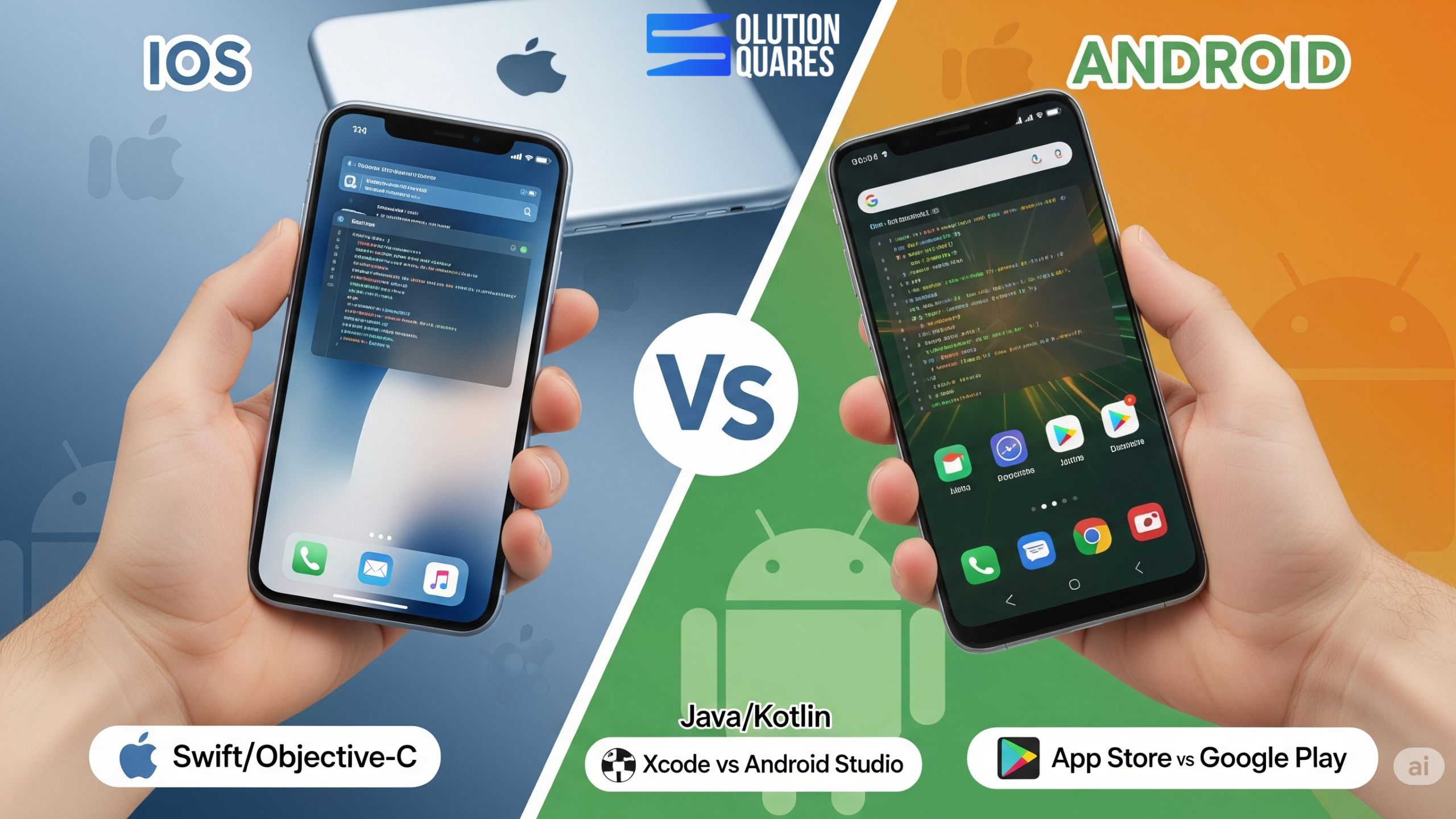
    upgrade react native

    Why Updating React Native is Essential

    Performing React Native maintenance through regular updates is integral to any development strategy. Here’s why keeping your React Native app updated is critical:
    • Performance Improvements: Updates can lead to faster iOS builds, decreased APK sizes, and enhanced rendering, which collectively boost app performance and user experience (source: Web and Crafts, Bacancy Technology).
    • Security Patches: These fix vulnerabilities, protecting user data and preserving the integrity of your business.
    • New Features and Tools: Each update may introduce new functionalities that allow for more stable and innovative app development (source: Atomic Digital Labs, React Native Blog 2025).
    • Risks of Neglecting Updates: Skipping updates can lead to severe issues like compatibility problems, use of deprecated APIs, and increased difficulty in future migrations (source: Web and Crafts, Atomic Digital Labs).

    Understanding the Latest React Native Versions

    React Native Update – What’s New?

    • React Native 0.81 (August 2025):
      • Added support for Android 16 and introduced experimental precompiled iOS builds for faster deployment.
      • Deprecated SafeAreaView, which necessitates adjustments in existing code (source: React Native Blog 2025).
    • React Native 0.80:

    Compatibility Considerations:

    Updates often require upgrades to Node.js and Xcode, alongside a review of potentially breaking changes that could affect dependencies and build setups (source: React Native Blog 2025). For a complete guide on prerequisites for React Native development, see A Complete Guide For Prerequisites For React Native Development.

    Step-by-Step Guide to Upgrading React Native Version

    Preparation Before Upgrading

    Before initiating an upgrade, it is essential to:
    • Backup Everything: Ensure you have a complete backup of your project’s code and dependencies.
    • Set Up a Test Environment: This helps in validating changes without affecting the production setup (source: Bacancy Technology). For detailed setup instructions, refer to our How to Build a React Native App.

    Detailed Upgrade Steps

    1. Consult Official Resources: Start with the React Native upgrade guide and the changelog for detailed instructions on the target version.
    2. Update Dependencies: Modify package.json to include the latest versions of React, React Native, and Metro.
    3. Address Breaking Changes: Make necessary code adjustments to align with new platform requirements (source: React Native Blog 2025). For strategies on handling breaking changes, check our React Native Testing Strategies.
    4. Rebuild the App: Use package managers like npm or yarn to reinstall packages and rebuild your app for both iOS and Android platforms.
    up to date react native

    Post-Upgrade Verification and Testing

    Test thoroughly to fix any runtime errors, ensure that all functionalities work as expected, and confirm compatibility with third-party plugins and libraries (source: Bacancy Technology, React Native Blog 2025). Additionally, our React Native Performance Optimisation 2025 provides advanced tips for post-upgrade optimisation.

    Best Practices for React Native Maintenance

    • Establish a Maintenance Routine: Regular updates should be part of the maintenance schedule.
    • Utilise Update Automation Tools: Tools like Dependabot can help in keeping dependencies up to date. For more on maintaining your development environment, see Prerequisite React Native Development.
    • Monitor Application Health: Use tools like Sentry to detect and handle issues early.

    Common Challenges When Upgrading React Native

    When upgrading, developers often face challenges such as:
    • Breaking Changes and Deprecated APIs: It’s crucial to review the detailed release notes provided with each update (source: React Native Blog 2025).
    • Third-Party Compatibility Issues: Ensure all modules and plugins used in the app are compatible with the new version.
    • Native Dependencies – Issues with iOS and Android native modules can arise.

    • Time-Consuming Testing – Full regression testing is required to ensure app stability.

    Case Studies and Success Stories

    • Discord: Improved load times significantly by reducing Time-to-Interactive on Android platforms through updates (source: Atomic Digital Labs).
    • Various Development Teams: Reported that incremental and well-planned updates align with community best practices and lead to smoother transitions (source: Web and Crafts, Atomic Digital Labs).

    Future of React Native Updates

    Future updates aim to enhance React Native by integrating it closely with React’s latest versions, focusing on modularity, improved TypeScript support, and better tooling (source: Lucent Innovation, Bacancy Technology, React Native Blog).

    Additional Resources

    For more detailed steps on upgrading React Native, check the React Native Upgrade Helper and stay updated with the React Native Changelog. Also, consider engaging with community channels like Reactiflux Discord and GitHub Discussions for support and tips.

    Best Practices for React Native Updates

    1. Use a Version Control System (Git) – Commit frequently to track changes.

    2. Maintain a Testing Suite – Automate testing to catch bugs early.

    3. Stay Aligned with Community Updates – Follow the React Native GitHub for release notes.

    4. Use TypeScript – Helps catch issues early during migration.

    5. Keep Dependencies Updated Regularly – Don’t wait too long between updates.

    react native updating process

    Conclusion

    Regular React Native updates and consistent maintenance are vital to keeping your app reliable, secure, and in line with current technologies. By being proactive about upgrades, developers can reduce technical debt, future-proof their applications, and align with the best industry practices.

    FAQ

    1. How often should I update my React Native version?

    It’s recommended to update React Native whenever a new stable version is released to take advantage of performance improvements, new features, and security patches.

    2. What are the risks of not updating React Native regularly?

    Neglecting updates can lead to compatibility issues, security vulnerabilities, deprecated API usage, and increased technical debt, making future updates more challenging.

    3. How can I minimise downtime during the React Native upgrade process?

    Setting up a test environment, thoroughly testing the new version before deployment, and following a step-by-step upgrade guide can help minimise downtime and ensure a smooth transition.

    4. Are there tools that can assist with automating React Native updates?

    Yes, tools like Dependabot can help automate dependency updates, and the React Native Upgrade Helper provides detailed guidance for each version upgrade.

    5. What should I do if a third-party plugin is not compatible with the new React Native version?

    Check if there’s an updated version of the plugin, look for alternative plugins, or consider contributing to the plugin’s repository to add compatibility with the new React Native version.