Tag: react native app

  • Why React Native for Wearable Apps?

    Why React Native for Wearable Apps?

    Key Takeaways

    • React Native for wearable apps empower cross-platform development, enabling faster, cost-effective deployment on both Android Wear OS and Apple watchOS.
    • Wearable app development demands optimization for smaller screens, limited battery, and unique inputs like touch gestures and voice commands.
    • Proper adaptation includes responsive design, native module integration, and managing power efficiency to maximize device performance.
    • React Native’s single codebase approach greatly reduces development effort while maintaining native hardware integration capabilities.
    • Future trends indicate expanding wearable capabilities and deeper IoT integration, where React Native continues evolving to meet emerging needs.

    React Native for Wearable: Empowering Cross-Platform Wearable App Development

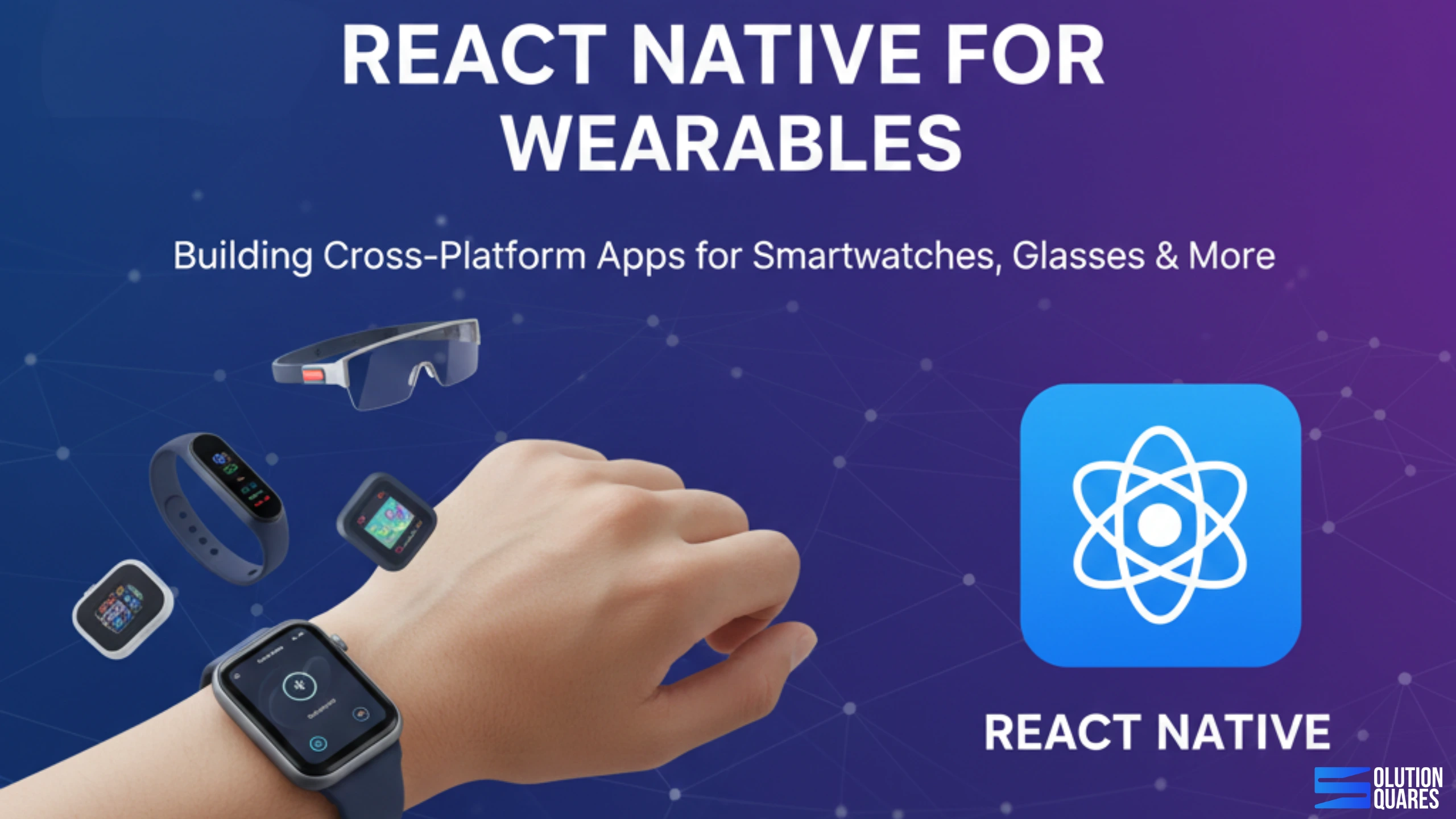
    In the ever-evolving world of technology, React Native for wearable applications has emerged as a transformative framework, enabling businesses to build robust applications for wearables with a single codebase.

    This powerful JavaScript-based framework is integral to developing applications for smartwatches, fitness trackers, and health monitoring systems.

    The demand for seamless, user-friendly applications is growing, and React Native fulfils this demand by providing a consistent development experience across various platforms.

    According to industry insights, “React Native has emerged as a transformative framework for wearable device application development” (Accelfintech).

    Cross-Platform Capability

    One of the standout features of React Native for wearable development is its ability to leverage the “write-once-deploy-everywhere” approach. With this framework, developers can create applications that run on multiple platforms, including Android Wear OS and Apple watchOS, thus maximizing return on investment (ROI) while maintaining uniformity across devices.

    This capability significantly reshapes the economics of wearable app development, allowing companies to enter broader markets without proportionately increasing complexity or costs (Accelfintech).

    To explore how React Native offers similar cross-platform efficiency for broader mobile and desktop environments—including smartwatches and wearables—see this comprehensive guide on React Native for iOS, Android, and wearables.

    Why Develop a Wearable App?

    Wearable devices have transformed how people track health, manage productivity, and interact with technology—and the industry is growing faster than ever.

    As smartwatches, fitness trackers, AR/VR glasses, and health-monitoring wearables become part of everyday life, businesses are shifting their focus toward delivering seamless wearable experiences. At SolutionSquares, we help organisations turn this opportunity into reality by delivering high-performing React Native wearable applications.

    Growth Of the Wearable Market Globally

    The global wearable industry is experiencing rapid expansion, driven by rising health awareness, advancements in sensors and AI, and wider use across fitness, healthcare, and smart-device ecosystems.

    Recent reports show the market growing from around USD 84–102 billion in 2024–2025 to USD 186–532 billion by 2030–2034, with growth rates between 13% and 20%+ CAGR. Smartwatches and fitness bands remain dominant, while medical wearables, AR/VR devices, and smart clothing are emerging strongly.

    North America leads in adoption, but Asia-Pacific is the fastest-growing region, supported by increasing digital adoption and rising incomes. Key challenges include battery limitations, data privacy concerns, and lack of standardisation, but overall demand signals strong multi-year growth.

    Why React Native Is Ideal for Wearable App Development

    React Native has become one of the most reliable frameworks for building cross-platform mobile applications. Its strengths become even more powerful when applied to the world of wearable tech:

     

    react native for mobile application development

    1. One Codebase for Multiple Wearables


    React Native allows developers to build apps for Android WearOSand Apple watchOS using a unified codebase. This means faster development, consistent visual design, and reduced long-term maintenance costs.

    2. Real-Time Data Handling for Health & Fitness


    Most wearable apps rely on continuous streams of data—steps, heart rate, sleep cycles, notifications. React Native integrates smoothly with health APIs such as Google Fit, Apple HealthKit, and custom sensor SDKs, enabling real-time data processing with low latency.

    3. Smooth Performance & Lightweight UI


    Wearables require extremely efficient, optimised interfaces due to small screens and limited hardware resources. React Native’s component-based architecture allows us to build clean, uncluttered, responsive UIs that feel natural on any wearable device.

    4. Rapid Development + Strong Community Support


    The extensive React Native ecosystem—including libraries, plugins, and community extensions—shortens development time without sacrificing quality. Clients benefit from faster time-to-market and future-proof solutions.

    Key Differences from Traditional Mobile Development


    When transitioning from traditional mobile development to wearable applications, developers must adapt to significant design and optimization priorities.

    Wearable apps prioritize simplification, focusing on minimalistic interfaces due to their smaller screen sizes. As stated in research, “Battery management becomes a critical design constraint” (Accelfintech).

    The efficient handling of asynchronous data is paramount in fitness and health monitoring applications, making power management and optimization essential aspects of wearable app design.

    For advanced strategies in optimizing React Native performance and battery efficiency—key for wearables—review the React Native performance optimization guide for 2025

    Comparison with Other Frameworks

    To make informed decisions about using React Native for wearable applications, businesses should compare it with other available frameworks.

    Dimension React Native Native Development Flutter Kotlin Multiplatform
    Development Speed Fast (single codebase) Slow (separate teams) Very fast Fast
    Performance Good (with optimization) Excellent Excellent Excellent
    Battery Efficiency Good (careful optimization needed) Excellent Excellent Excellent
    Code Reusability High (shared codebase) None (separate) High High
    Community & Resources Mature & extensive (Accelfintech) Large but fragmented Growing Emerging
    Hardware Integration Requires native modules (Accelfintech) Native-first Strong Strong
    Learning Curve Moderate (JavaScript) Steep (platform-specific) Moderate (Dart) Moderate (Kotlin)


    React Native’s primary advantage is its ability to leverage existing JavaScript expertise. However, for performance-critical applications—especially in sectors like healthcare where real-time sensor processing is essential—businesses may consider alternative frameworks such as Flutter for superior performance at the cost of smaller developer communities (Accelfintech).

    For a more detailed head-to-head analysis of React Native versus Flutter and other frameworks, refer to The Only React Native vs Flutter Comparison You’ll Ever Need.
    React Native wearable application development

    Use Cases and Real-World Examples

    Highlighting Success Stories

    Numerous high-profile companies are successfully leveraging React Native for wearable applications, showcasing the framework’s capabilities.

    1. Tesla Smartwatch App: Designed with React Native, Tesla’s smartwatch application allows users to control vehicle functions directly from their wrists, including unlocking doors and monitoring battery status. This app exemplifies how React Native can efficiently handle real-time connectivity while performing optimally on constrained hardware.
    2. Strava Fitness Tracking: Strava uses React Native to maintain consistent experiences across mobile and wearable components, enabling athletes to monitor their workouts in real-time. This application illustrates how to handle continuous sensor data streams (GPS, heart rate) while optimizing for battery life (Accelfintech).
    3. FitTrack: Another application built with React Native, FitTrack, engages users by providing dedicated fitness tracking functionality. Its cross-platform deployment aspect underlines how businesses can efficiently operate across multiple wearable ecosystems without managing separate codebases.

    If you want to explore more on health and fitness wearable app development and the features React Native empowers in these sectors, don’t miss the Health & Fitness App guide for React Native.

    How SolutionSquares Builds Superior Wearable Apps

    At SolutionSquares, we combine strategic thinking, technical excellence, and user-centered design to create wearable applications that deliver real business value.

    • Expert Integration with Wearable Hardware

    From Bluetooth Low Energy (BLE) devices to custom fitness sensors and IoT devices, we integrate wearables with mobile apps to ensure seamless data flow and accurate tracking.

    • Elegant, Minimalist Wearable UI Design

    Our design team creates sleek interfaces built specifically for small-screen usability—ensuring clarity, readability, and intuitive navigation.

    • Battery-Friendly Architecture

    Wearable users demand long-lasting battery performance. We implement optimized processes, efficient background execution, and lightweight data sync, helping apps perform well without draining device power.

    • Custom Health & Activity Tracking Features

    We build features such as:

    1. Step, calorie, and heart rate monitoring

    2. Sleep analysis dashboards

    3. Workout & sports tracking

    4. Stress, SpO2, and fitness alerts

    5. VO2 max & advanced insights (where supported)

    • Enterprise-Grade Security

    SolutionSquares follows strict security standards, including encrypted communication, secure authentication, and protected data storage—critical for medical, fitness, and enterprise applications.

    Industries We Serve with React Native Wearable Apps

    Our wearable solutions empower businesses across multiple sectors:

    • Healthcare & Telemedicine – Remote health monitoring, patient tracking, digital therapy support

    • Fitness & Wellness – Smart coaching, gym integration, personalized workout systems

    • Corporate Productivity – Employee monitoring, safety apps, smart notifications

    • Retail & Payments – Contactless transactions, loyalty programs, in-store experiences

    • IoT & Smart Living – Smart home control, automation, remote device management

    Whether you are launching a fitness startup or upgrading enterprise workflows, Wearable App development can unlock entirely new ways of engaging your audience.

    Why Businesses Trust SolutionSquares

    • Specialized React Native team with hands-on expertise in wearable ecosystems

    • Proven ability to integrate apps with WatchOS, WearOS, BLE sensors, and IoT platforms

    • Strong experience in UI/UX for compact screens

    • Track record of delivering fast, robust, scalable applications

    • End-to-end services—from strategy to design, development, and maintenance

    We don’t just build apps. We help you shape digital experiences that match your brand, delight users, and grow your business.

    Ready to Build Your Wearable App?

    If you’re looking to turn your innovative idea into a functional, high-performing wearable app, SolutionSquares is here to help. We combine technical excellence with user-focused design to deliver apps that stand out in a competitive market.

    Let’s build your next wearable innovation together.
    Contact us at SolutionSquares.com to get started.

    Future Trends and Evolving Technologies

    Emerging Wearable Capabilities

    As technology advances, the wearable sector is expanding to include more sophisticated devices, such as continuous glucose monitoring devices and advanced biosensors. React Native’s ability to integrate with platforms like HealthKit and Health Connect positions it favorably for these emerging use cases. Recent insights indicate that “continuous glucose monitoring devices and blood pressure monitors…” are becoming increasingly relevant (Blog Xmartlabs).

    For a comprehensive look at leveraging React Native for healthcare and medical wearable apps, see this detailed guide to healthcare app development.

    IoT and Smart System Integration

    The integration of wearables within broader IoT ecosystems offers excellent growth opportunities. React Native applications can coordinate functions across multiple connected devices, encompassing smart homes and connected fitness equipment. While React Native’s strength in cross-platform mobile development sets the stage for this expanded ecosystem, the framework must continue evolving to handle IoT-specific requirements, such as edge computing (Accelfintech).

    Framework Evolution

    The community’s ongoing commitment to enhancing React Native for wearable applications suggests that improvements in performance profiling tools, dedicated UI libraries for wearables, and refined integration with new wearable operating systems will strengthen its competitive position in the market. As mentioned, “React Native continues maturing specifically for wearable use cases” (Blog Xmartlabs).

     

    React Native wearable app developer company

    Conclusion

    As wearables continue to reshape the way people live, work, and stay healthy, businesses that invest in smart, intuitive wearable applications gain a powerful advantage.

    With React Native’s flexibility and efficiency—combined with SolutionSquares’ expertise in UI/UX, sensor integrations, performance optimization, and secure architecture—we help companies turn their vision into high-impact wearable experiences.

    Whether you are launching a new health platform, building a fitness companion, or enhancing enterprise productivity, our team is ready to deliver innovative, future-ready solutions.

    Partner with SolutionSquares and bring your wearable app idea to life with reliability, performance, and smart design. 

    Frequently Asked Questions

    1. Why is React Native a good choice for developing wearable apps?

    React Native enables cross-platform development with a single codebase, reducing costs and accelerating time-to-market. Its capability to integrate with native modules allows access to wearable-specific hardware features, making it ideal for wearable app development.

    2. What challenges do developers face when building apps for wearables with React Native?

    Developers must overcome hardware constraints such as smaller screen sizes, limited battery life, and lower processing power. Additionally, they need to optimize performance and adapt UI/UX to suit unique input methods like gestures and voice commands.

    3. How does React Native handle performance optimization on wearables?

    By using pure components, minimizing re-renders, and employing native module integration for heavy operations, React Native apps balance responsiveness with power efficiency.
    Developers are encouraged to follow advanced optimization guides such as the React Native performance optimization guide for 2025.

    4. Can React Native apps access wearable-specific sensors like heart-rate monitors?

    Yes, through native module integration and hardware-specific APIs, React Native apps can access device sensors like heart-rate monitors, accelerometers, and more, enabling rich functionality tailored to wearables.

    5. What future trends should businesses consider when selecting React Native for wearable development?

    The growth of sophisticated biosensors, integration with health platforms such as HealthKit, and expansion of IoT ecosystems mean that React Native will need continual enhancements. Its evolving ecosystem indicates strong potential to support emerging wearable use cases efficiently.

  • Why Choose React Native For Mobil App Development?

    Why Choose React Native For Mobil App Development?

    Key Takeaways

    • Cost-Effectiveness: React Native reduces development costs by up to 40%.
    • Cross-Platform Capabilities: Single codebase for both iOS and Android platforms.
    • Faster Development and Deployment: Features like Hot Reloading accelerate the process.
    • Reusability of Code and Components: Streamlines development and simplifies maintenance.
    • Native-Like Performance: Offers performance comparable to native apps.
    • Extensive Library Support: Access to a vast range of plugins and community contributions.
    • Easy Integration with Third-Party Services and APIs: Seamlessly connects with essential services.
    When businesses need to launch a mobile app quickly, cost-effectively, and without sacrificing performance, React Native stands out as one of the best choices. Built and backed by Meta (Facebook), React Native enables developers to build high-quality iOS and Android apps using a single codebase — saving both time and money. Apps made with React Native are redefining the mobile app development landscape, presenting a cost-effective and efficient solution for businesses looking to build high-quality applications for iOS and Android platforms.With its rising popularity in the app development industry, React Native stands out as a powerful framework that admirably balances cost, efficiency, and scalability, making it an ideal choice for developers and enterprises alike.

    What is React Native?

    React Native is a dynamic JavaScript framework designed for building mobile apps that operate seamlessly on both iOS and Android from a single codebase. It utilizes the robust React library to deliver native-like user experiences, marrying the best aspects of JavaScript and the native application environment. Introduced by Facebook in 2015, React Native has matured significantly, expanding its capabilities to support not just mobile platforms but also web, Windows, macOS, TVs, and even embedded devices.

    Benefits of Developing Apps with React Native

    Developing apps with React Native comes with several transformative advantages:

    Cost-Effectiveness

    React Native drastically reduces development costs—by up to 40%—by allowing developers to use a single codebase for both iOS and Android platforms. This unified development process negates the need for multiple teams and cuts down the development and maintenance costs substantially.

    Cross-Platform Capabilities

    The framework’s write-once, deploy-everywhere approach ensures that businesses can target both iOS and Android users without extra effort or expense.This capability is pivotal for companies looking to maximize reach while minimizing investment.

    Faster Development and Deployment Cycles

    React Native includes features like Hot Reloading, which lets developers see changes instantly without recompiling the entire app, thus speeding up the iteration cycles significantly. Enhanced build tools complement these development efficiencies, accelerating the time-to-market.

    Reusability of Code and Components

    The framework allows for high reusability of code and UI components, which streamlines the development process and eases subsequent maintenance efforts. This reusability not only reduces the initial development time but also simplifies future app updates.
    React Native application Agency

    Key Features of Apps Made with React Native

    React Native apps come packed with features that enhance performance and user experience:

    Native-Like Performance and User Experience

    Thanks to React Native’s capability to directly compile to native app components, it manages to deliver performances that are nearly indistinguishable from native apps. Ongoing optimization efforts further refine this aspect, ensuring users receive top-notch app responsiveness and smoothness.

    Hot Reloading

    This feature is a true game-changer, enabling instant feedback for any code changes made by the developers. By eliminating the need for recompilation, Hot Reloading significantly reduces development time and enhances developer productivity.

    Extensive Library Support and Community Contributions

    A robust and vibrant community around React Native continually enhances its capabilities through an extensive range of third-party plugins, UI kits, and modules. This ecosystem ensures that developers have access to a wealth of resources that aid in incorporating diverse functionalities effortlessly.

    Easy Integration with Third-Party Services and APIs

    React Native smoothly integrates with numerous essential services such as analytics tools, payment gateways, and social media platforms, which play a pivotal role in modern app functionalities and user engagement strategies.

    Trusted by Global Brands

    Top companies like Instagram, Tesla, Pinterest, Walmart, and Coinbase use React Native to power their mobile apps — proving its scalability, stability, and performance at scale.

    Major companies like Facebook, Instagram, Airbnb, and Netflix have embraced React Native, benefiting from its shared codebase capabilities, swift feature deployment, and ability to scale efficiently for a global audience. The framework has been instrumental in handling complex functionalities such as real-time updates and rich media content, which are staples in these applications.

    App Development Process Using React Native

    The development cycle for a React Native app is streamlined and developer-friendly:

    Setting Up the Development Environment

    Begin by installing essential tools like Node.js, the React Native CLI, and Expo, which collectively provide a solid foundation for React Native development.

    Designing UI/UX with React Native Components

    Utilize the wide array of customizable components available within React Native or integrate TypeScript to improve code quality and maintainability.

    Implementing Functionalities and Integrating APIs

    Connect your app logic with backend services and third-party APIs to enrich the app with necessary features.

    Testing and Debugging

    Employ React Native’s built-in debugging tools and enhanced error reporting features to ensure your app is robust and free from critical issues before it hits the market.

    Deployment to App Stores

    Make use of tools like Expo and EAS (Expo Application Services) for efficient deployments and updates directly to the Apple App Store and Google Play Store.

    Best Practices for Efficient App Development with React Native

    Adopting best practices such as code modularization, TypeScript usage, leveraging community libraries, and adhering to platform-specific design guidelines ensures high-quality, maintainable, and user-friendly apps.

    Comparing React Native to Other App Development Frameworks

    React Native stands out in the ecosystem of app development frameworks due to its cross-platform capabilities and cost-effectiveness. However, it’s essential to consider how it stacks up against other popular frameworks:
    Framework Advantages Drawbacks
    React Native Cross-platform, large community, cost-effective, native-like performance Some performance limits for highly complex graphics
    Swift/Kotlin (Native) Best performance, full hardware access Double development cost and time
    Flutter Leading Android cross-platform, flexible UI, good performance Smaller talent pool, less mature for web
    Xamarin Strong for Microsoft-focused projects Less community support, slower adoption
    React Native’s market position is exceptionally strong, being the most popular non-native framework on the App Store and second on Google Play, trailing only platform-native technologies. This demonstrates its widespread acceptance and trust within the developer community.

    Cost Considerations in App Development with React Native

    One of the most compelling reasons to choose React Native is the significant cost savings associated with its use. A unified codebase means less duplicated effort across iOS and Android development, translating to lower costs and faster delivery times.

    Future of Apps Made with React Native

    Looking ahead, the trajectory for React Native is set to soar even higher. Anticipated enhancements include expanded platform support (including desktop and TVs), deeper integrations with cutting-edge technologies like AI and machine learning, and robust security features designed to protect user data. These forward-looking developments ensure that React Native remains at the forefront of mobile app development technology, adapting to meet the ever-evolving demands of the market and tech landscape.

    Looking to Build a React Native App?

    We specialize in custom React Native development — from MVPs to full-scale enterprise solutions.

    •  Faster delivery timelines
    •  Secure & scalable architecture
    •  Ongoing support & optimisation

    Book a Free Consultation Today and Turn Your App Vision into Reality.

    Conclusion

    Given its extensive benefits—from cost savings and cross-platform capabilities to native-like performance—it’s clear why Apps made with React Native are a top choice for developers and businesses worldwide. If you’re considering embarking on a new app development project, React Native offers a robust, scalable, and efficient avenue to bring your vision to life.

    Additional Resources

    For those looking to dive deeper into React Native, here are some valuable resources: By choosing React Native, you not only embrace a cost-effective app development solution but also invest in a technology robust enough to meet the future needs of digital business landscapes. Ready to start your React Native project? The resources above will guide you through every step of the process, from initial setup to final deployment. Happy coding!

    Frequently Asked Questions

    1. How much does it typically cost to develop a mobile app?

    The cost can range from $5,000 for a simple app to over $300,000 for a highly complex app, depending on various factors like design complexity, features, and development platform.

    2. How long does it take to develop a mobile app?

    The development timeline can vary from a few months to over a year, depending on the app’s complexity and the development process.

    3. Should I choose native or hybrid app development?

    If performance and access to device-specific features are critical, native development is preferable. If budget and development speed are priorities, hybrid development may be suitable.

    4. What are some cost-saving strategies for app development?

    Prioritizing features for an MVP, utilizing cross-platform development, and outsourcing to cost-effective regions are effective strategies to manage costs.

    5. Why is ongoing maintenance important for my app?

    Regular maintenance ensures your app remains competitive, secure, and compatible with the latest devices and operating systems.
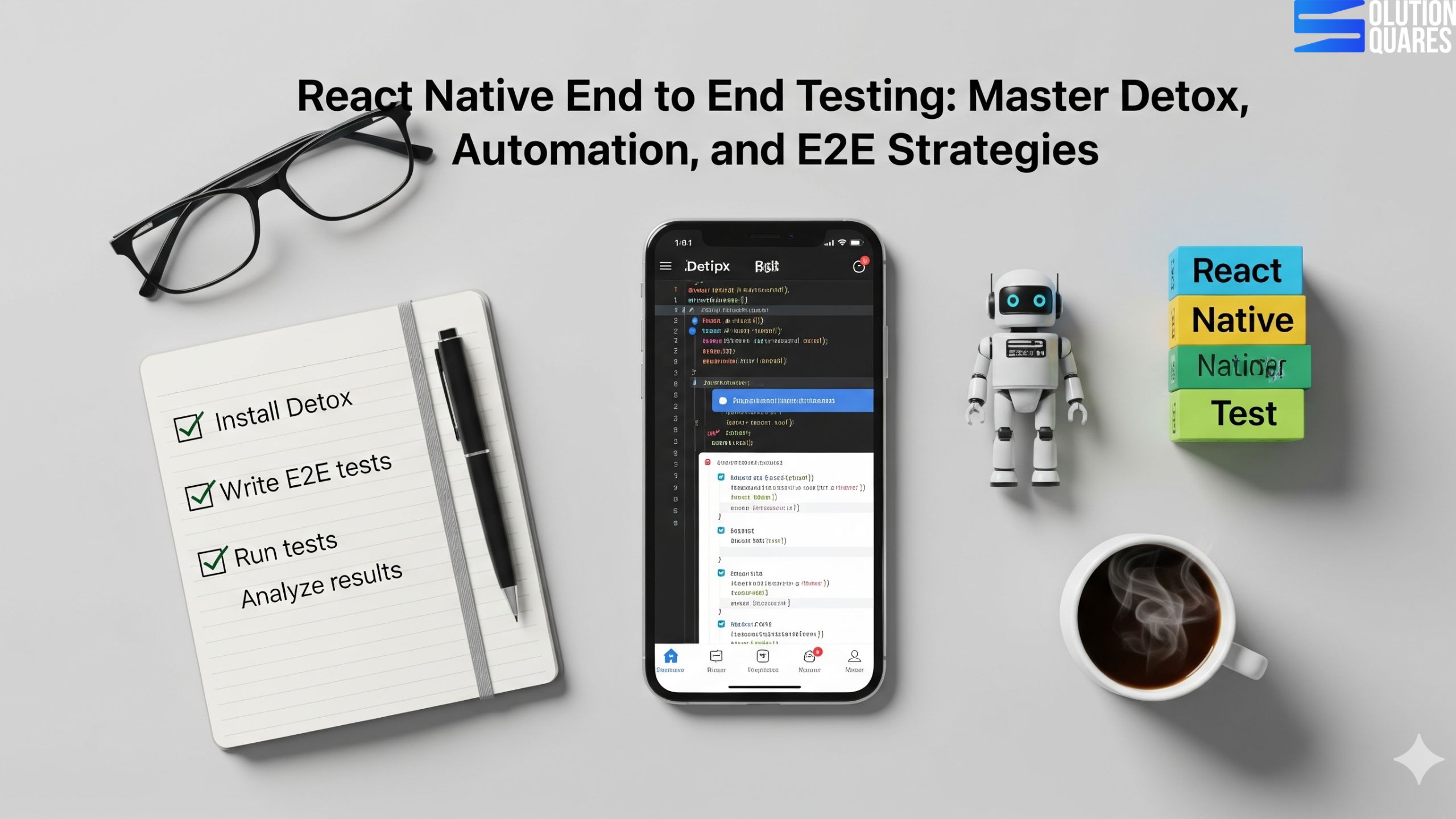
  • React Native End to End Testing: Master Detox, Automation, and E2E Strategies

    React Native End to End Testing: Master Detox, Automation, and E2E Strategies

    Key Takeaways

    • End-to-end (e2e) testing ensures the complete workflow of a React Native app functions as intended.
    • Detox is a reliable framework for e2e testing, offering synchronisation and CI/CD integration.
    • Automation testing enhances efficiency by replicating complex user interactions.
    • Setting up e2e testing with Detox involves installation, configuration, and writing test scripts.
    • Common challenges in e2e testing include flaky tests and slow execution, which can be mitigated with proper strategies.
    React Native end-to-end testing is critical for confirming that your application works flawlessly from a user’s viewpoint. Recognising the importance of testing is key to delivering quality, dependable, and user-friendly React Native applications. This guide will provide you with an understanding of e2e testing React Native apps, the benefits of using Detox as a testing framework, and how automation enhances the efficiency of the testing process.

    Understanding End-to-End (e2e) Testing

    In the realm of software development, e2e testing refers to a method that simulates real user behaviours to verify the complete workflow of an app. This type of testing ensures that all integrated components function collectively as intended, making it a crucial step in the software development lifecycle.
    • Differences from Other Testing Types:
      • Unit Tests: Focus on individual functions.
      • Integration Tests: Evaluate the interactions between integrated units.
      • E2E Tests: Look at the full application’s functionality.
    By implementing e2e testing, you detect UI issues and enhance the reliability of your app, ensuring a seamless user experience.

    Automation Testing in React Native

    Automation testing proves essential in modern app development by using tools to execute tests automatically, which improves coverage and reduces the chances of human error. Automated tests can replicate complex user paths like sign-ups or transactions without intervention, freeing developers to focus on more critical matters. Automation particularly helps with:
    • Regression Testing – ensuring new changes don’t disrupt existing functionality.
    • Repetitive Scenarios – avoiding the monotony and errors of manual testing.

    Introduction to Detox Testing

    Detox stands out in the e2e testing sphere by providing a reliable, faster testing process specifically for React Native apps. Supporting both iOS and Android platforms, Detox allows for comprehensive testing across devices.
    • Key Features:
      • Synchronisation: Awaits app stability before testing.
      • CI/CD Integration: Smooth insertion into automation pipelines.
      • Device Versatility: Functionality across simulators and real devices.
    Confirm the superiority of Detox over other tools such as Appium or Maestro using this detailed comparison.

    Setting Up React Native e2e Testing with Detox

    Starting with Detox involves several straightforward steps, which include installing the CLI, configuring your project, and setting up testing environments for both iOS and Android platforms. Key setup steps include:
    • Step 1: Installation via npm or yarn.
    • Step 2: Configuration for your specific project environment.
    • Step 3: Write your first test scripts, generally using Jest.

    Implementing Automation Testing with Detox

    Detox simplifies writing test scripts with its robust API, capable of handling most user interaction simulations. Examples include:
    • User Authentication Tests: Validate login and logout functionalities.
    • Navigation Tests: Ensure flawless user journeys from one screen to another.

    Overcoming Challenges in React Native e2e Testing

    Common challenges such as flaky tests, slow executions, and complexities in environment setup are prevalent in e2e testing. Solutions include:
    • Flakiness Reduction: Use Detox’s synchronisation to ensure stability.
    • Execution Speed: Optimise CI setups and run tests in parallel.
    React native Testing automation

    Conclusion

    React Native end-to-end testing, particularly through frameworks like Detox and coupled with automation, ensures the delivery of reliable and high-quality applications. Embracing these practices not only addresses early-stage bugs but also complements the agile development process. Start implementing these techniques to enhance your product’s reliability and market competitiveness.

    Frequently Asked Questions

    1. What is end-to-end (e2e) testing in React Native?
    End-to-end (e2e) testing in React Native simulates real user interactions to verify that the entire application workflow functions correctly, ensuring all integrated components work together seamlessly.
    Detox is preferred for e2e testing in React Native because it offers reliable synchronisation, integrates smoothly with CI/CD pipelines, and supports testing across multiple devices and platforms efficiently.
    Automation testing benefits React Native development by increasing test coverage, reducing human error, speeding up the testing process, and allowing developers to focus on more critical aspects of app development.
    Common challenges in e2e testing include flaky tests, slow test execution, and complex environment setups. These can be overcome by using synchronisation tools like Detox, optimising CI configurations, and running tests in parallel.
    Integrating Detox with CI/CD pipelines involves configuring your CI tool to install dependencies, build the app, set up the testing environment, and execute Detox test scripts as part of the pipeline stages.
    • Unit tests check individual functions/components.

    • Integration tests check how modules work together.

    • E2E tests simulate real user journeys across the app.

    Yes, for React Native apps specifically. Detox is optimised for RN and synchronises well with its asynchronous behaviour, while Appium is broader but heavier.


    Focus on critical user flows (login, checkout, navigation). Don’t try to E2E test every single detail — that’s what unit/integration tests are for.
  • Mastering React Native UI Libraries: A Comprehensive Guide for 2025

    Mastering React Native UI Libraries: A Comprehensive Guide for 2025

    Key Takeaways

    • React Native UI libraries significantly speed up development and ensure consistent user interfaces across platforms.
    • Top libraries for 2025 include React Native Paper, GlueStack (formerly NativeBase), and React Native Elements.
    • Key selection criteria include performance, community support, customisation options, and comprehensive documentation.
    • Choosing the right library depends on specific project requirements and team capabilities.

    Mastering React Native UI Libraries: A Comprehensive Guide for 2025

    Building visually appealing and highly functional mobile apps is no longer just about coding the backend—it’s about delivering seamless user experiences (UX). In 2025, React Native continues to dominate as a cross-platform framework, and its UI libraries play a critical role in helping developers craft professional, responsive, and engaging interfaces with ease.

    With the rapid proliferation of mobile applications, react native UI libraries have emerged as pivotal resources in streamlining development by offering a myriad of reusable components. These tools not only facilitate speedier app development but also ensure consistency and a polished aesthetic across various platforms, which is why understanding React Native UI frameworks is crucial for any developer in this field.

    stunning React native App With UI Library

     Why UI Libraries Matter in React Native Development?

    React Native UI libraries are fundamental in accelerating React Native development. They provide developers with pre-designed and tested components, such as buttons, inputs, and sliders, which can be reused across multiple projects, thereby reducing the time and effort required to develop new applications. Benefits such as:

    UI libraries are pre-built, customizable components (buttons, modals, forms, navigation bars, etc.) that save developers time and effort. Instead of reinventing the wheel, you can focus on:

    • Consistency: Create a uniform look across iOS and Android.

    • Speed: Faster development with ready-to-use components.

    • Performance: Optimised UI components reduce app lag.

    • Scalability: Easy to adapt when your app grows.

    These efficiencies support quicker project completions, which is essential in a rapidly evolving tech landscape. For more information, visit Algosoft and Antino.

    Understanding React Native UI Frameworks


    In React Native, UI frameworks refer to collections of reusable components, theming tools, and utilities. These frameworks facilitate the design and interaction elements of mobile app development.

    Role and Benefits

    UI frameworks enhance development efficiency by providing standardised components that can fit into various design themes. This not only boosts the visual aesthetics but also ensures user experience consistency across different platforms. For detailed information, refer to Algosoft and Antino.

    Top React Native UI Frameworks


    In 2025, the leading react native UI frameworks noted for their efficiency and aesthetic appeal include:

    • React Native Paper: Known for its Material Design influence. Check out more at Dev. to.
    • GlueStack (formerly NativeBase): Appreciated for its utility-first and customizable nature. More details can be found at Dev. to.
    • React Native Elements: Offers a wide variety of components. Learn more at Antino.

    These frameworks are popular due to their wide selection of components, extensive customisation options, performance optimisations, and strong documentation and community support.

    Best React Native UI Libraries in 2025

    Here’s a curated list of top UI libraries every React Native developer should master in 2025:

    1. React Native Paper

    • Based on Google’s Material Design.

    • Provides clean, customisable components like buttons, cards, dialogues, and navigation.

    • Perfect for apps that need a modern and minimal design.

    • Best for: E-commerce, FinTech, and enterprise apps

    2. NativeBase

    • A universal UI library with cross-platform support.

    • Offers over 40+ components, including theming support.

    • Compatible with both iOS and Android.

    • Best for: Multi-platform apps that require high consistency

    3. React Native Elements

    • Lightweight and highly customizable.

    • Works with any styling framework like Tailwind CSS.

    • Great for developers who want flexibility and design freedom.

    • Best for: Startups and MVPs where speed is key.

    4. Shadcn/UI for React Native(gaining popularity in 2025)

    • Provides a modern, elegant design system.

    • Integrates beautifully with Tailwind CSS.

    • Focused on performance and accessibility.

    • Best for: Modern SaaS and AI-powered apps

    5. React Native Gifted Chat

    • Specialised UI library for chat and messaging apps.

    • Pre-built support for text, images, and custom messages.

    • Saves weeks of development time.
    • Best for: Customer service, social, and community apps.

    6. Lottie for React Native

    • Allows animations and motion graphics.

    • Uses JSON-based animation files from Adobe After Effects.

    • Bring apps to life with smooth and scalable animations.

    •  Best for: Onboarding screens, interactive apps, and games.

    7. React Native Maps

    • Provides maps and geolocation functionality.

    • Supports markers, custom map styles, and navigation.

    • Best for: Travel, delivery, and location-based apps.

    Curated List of Top Libraries

    Heading into 2025, the best react native UI libraries positioned at the forefront include:

    • React Native Paper,
    • GlueStack (NativeBase),
    • React Native Elements,
    • UI Kitten,
    • And React Native Material UI.

    These selections are based on their superior performance, extensive community support, customisation possibilities, and comprehensive documentation.

    Selection Criteria

    The criteria for selecting these top libraries include:

    • Performance: Libraries that ensure smooth and efficient app functionality.
    • Community Support: Strong, engaging communities providing extensive support and updates.
    • Customisation & Theming: Libraries that offer flexible theming and customisation options.
    • Documentation: Well-documented libraries that facilitate easy use for developers.

    Emerging libraries are also innovating with AI-driven layout tools and enhanced performance optimisations, which are covered in detail on Builder.io.

    _React native App With UI Library

    Comparative Analysis: NativeBase vs. React Native Paper

    When comparing NativeBase and React Native Paper, several aspects stand out:

    • Design Focus: NativeBase is utility-first with customizable designs, whereas React Native Paper follows strict Material Design principles.
    • Customisation: NativeBase offers extensive customisation, while React Native Paper provides streamlined theme-based customisation.
    • Performance and accessibility are comparable, with slight variations based on specific project requirements.

    The right choice depends on the specific needs of your project, with NativeBase being ideal for custom, utility-first designs, and React Native Paper excelling in rapid development within Material Design frameworks.

    Conclusion

    In 2025, mastering React Native UI libraries is essential for building apps that are visually engaging, user-friendly, and future-proof. Whether you’re creating an e-commerce app, a finance solution, or an AI-powered mobile app, the right UI library can significantly speed up development, improve user experience, and ensure scalability.

    Selecting the appropriate React Native UI library is crucial for developing applications that are not only efficient but also provide a seamless user experience. This comprehensive guide has an overview of various aspects, from functionality to aesthetic considerations of different libraries, specifically focusing on NativeBase and React Native Paper.

    Developers should consider their project’s specific requirements and team capabilities when choosing between these options to leverage the best of React Native’s extensive UI toolkit.

    For detailed documentation, you may visit nativebase.io for NativeBase and callstack.github.io/react-native-paper for React Native Paper.

    Lastly, for further exploration, you can delve into online tutorials and community forums to enhance your understanding and skills in utilising these libraries effectively.

    Added Internal Links:

    1. Mistakes to Avoid When Developing an App: A Comprehensive Guide
    2. React Native App Development Services
    3. Mastering React Native Components
    4. Top React Native Libraries 2025
    5. React Native Community Support

    Frequently Asked Questions

    What are React Native UI libraries?

    React Native UI libraries are collections of pre-built components, theming tools, and utilities that streamline the development process, ensuring consistency and efficiency across mobile applications.

    Key Takeaways

    • React Native UI libraries significantly speed up development and ensure consistent user interfaces across platforms.
    • Top libraries for 2025 include React Native Paper, GlueStack (formerly NativeBase), and React Native Elements.
    • Key selection criteria include performance, community support, customisation options, and comprehensive documentation.
    • Choosing the right library depends on specific project requirements and team capabilities.

    Mastering React Native UI Libraries: A Comprehensive Guide for 2025

    Building visually appealing and highly functional mobile apps is no longer just about coding the backend—it’s about delivering seamless user experiences (UX). In 2025, React Native continues to dominate as a cross-platform framework, and its UI libraries play a critical role in helping developers craft professional, responsive, and engaging interfaces with ease.

    With the rapid proliferation of mobile applications, react native UI libraries have emerged as pivotal resources in streamlining development by offering a myriad of reusable components. These tools not only facilitate speedier app development but also ensure consistency and a polished aesthetic across various platforms, which is why understanding React Native UI frameworks is crucial for any developer in this field.

    stunning React native App With UI Library

     Why UI Libraries Matter in React Native Development?

    React Native UI libraries are fundamental in accelerating React Native development. They provide developers with pre-designed and tested components, such as buttons, inputs, and sliders, which can be reused across multiple projects, thereby reducing the time and effort required to develop new applications. Benefits such as:

    UI libraries are pre-built, customizable components (buttons, modals, forms, navigation bars, etc.) that save developers time and effort. Instead of reinventing the wheel, you can focus on:

    • Consistency: Create a uniform look across iOS and Android.

    • Speed: Faster development with ready-to-use components.

    • Performance: Optimised UI components reduce app lag.

    • Scalability: Easy to adapt when your app grows.

    These efficiencies support quicker project completions, which is essential in a rapidly evolving tech landscape. For more information, visit Algosoft and Antino.

    Understanding React Native UI Frameworks


    In React Native, UI frameworks refer to collections of reusable components, theming tools, and utilities. These frameworks facilitate the design and interaction elements of mobile app development.

    Role and Benefits

    UI frameworks enhance development efficiency by providing standardised components that can fit into various design themes. This not only boosts the visual aesthetics but also ensures user experience consistency across different platforms. For detailed information, refer to Algosoft and Antino.

    Top React Native UI Frameworks


    In 2025, the leading react native UI frameworks noted for their efficiency and aesthetic appeal include:

    • React Native Paper: Known for its Material Design influence. Check out more at Dev. to.
    • GlueStack (formerly NativeBase): Appreciated for its utility-first and customizable nature. More details can be found at Dev. to.
    • React Native Elements: Offers a wide variety of components. Learn more at Antino.

    These frameworks are popular due to their wide selection of components, extensive customisation options, performance optimisations, and strong documentation and community support.

    Best React Native UI Libraries in 2025

    Here’s a curated list of top UI libraries every React Native developer should master in 2025:

    1. React Native Paper

    • Based on Google’s Material Design.

    • Provides clean, customisable components like buttons, cards, dialogues, and navigation.

    • Perfect for apps that need a modern and minimal design.

    • Best for: E-commerce, FinTech, and enterprise apps

    2. NativeBase

    • A universal UI library with cross-platform support.

    • Offers over 40+ components, including theming support.

    • Compatible with both iOS and Android.

    • Best for: Multi-platform apps that require high consistency

    3. React Native Elements

    • Lightweight and highly customizable.

    • Works with any styling framework like Tailwind CSS.

    • Great for developers who want flexibility and design freedom.

    • Best for: Startups and MVPs where speed is key.

    4. Shadcn/UI for React Native(gaining popularity in 2025)

    • Provides a modern, elegant design system.

    • Integrates beautifully with Tailwind CSS.

    • Focused on performance and accessibility.

    • Best for: Modern SaaS and AI-powered apps

    5. React Native Gifted Chat

    • Specialised UI library for chat and messaging apps.

    • Pre-built support for text, images, and custom messages.

    • Saves weeks of development time.
    • Best for: Customer service, social, and community apps.

    6. Lottie for React Native

    • Allows animations and motion graphics.

    • Uses JSON-based animation files from Adobe After Effects.

    • Bring apps to life with smooth and scalable animations.

    •  Best for: Onboarding screens, interactive apps, and games.

    7. React Native Maps

    • Provides maps and geolocation functionality.

    • Supports markers, custom map styles, and navigation.

    • Best for: Travel, delivery, and location-based apps.

    Curated List of Top Libraries

    Heading into 2025, the best react native UI libraries positioned at the forefront include:

    • React Native Paper,
    • GlueStack (NativeBase),
    • React Native Elements,
    • UI Kitten,
    • And React Native Material UI.

    These selections are based on their superior performance, extensive community support, customisation possibilities, and comprehensive documentation.

    Selection Criteria

    The criteria for selecting these top libraries include:

    • Performance: Libraries that ensure smooth and efficient app functionality.
    • Community Support: Strong, engaging communities providing extensive support and updates.
    • Customisation & Theming: Libraries that offer flexible theming and customisation options.
    • Documentation: Well-documented libraries that facilitate easy use for developers.

    Emerging libraries are also innovating with AI-driven layout tools and enhanced performance optimisations, which are covered in detail on Builder.io.

    _React native App With UI Library

    Comparative Analysis: NativeBase vs. React Native Paper

    When comparing NativeBase and React Native Paper, several aspects stand out:

    • Design Focus: NativeBase is utility-first with customizable designs, whereas React Native Paper follows strict Material Design principles.
    • Customisation: NativeBase offers extensive customisation, while React Native Paper provides streamlined theme-based customisation.
    • Performance and accessibility are comparable, with slight variations based on specific project requirements.

    The right choice depends on the specific needs of your project, with NativeBase being ideal for custom, utility-first designs, and React Native Paper excelling in rapid development within Material Design frameworks.

    Conclusion

    In 2025, mastering React Native UI libraries is essential for building apps that are visually engaging, user-friendly, and future-proof. Whether you’re creating an e-commerce app, a finance solution, or an AI-powered mobile app, the right UI library can significantly speed up development, improve user experience, and ensure scalability.

    Selecting the appropriate React Native UI library is crucial for developing applications that are not only efficient but also provide a seamless user experience. This comprehensive guide has an overview of various aspects, from functionality to aesthetic considerations of different libraries, specifically focusing on NativeBase and React Native Paper.

    Developers should consider their project’s specific requirements and team capabilities when choosing between these options to leverage the best of React Native’s extensive UI toolkit.

    For detailed documentation, you may visit nativebase.io for NativeBase and callstack.github.io/react-native-paper for React Native Paper.

    Lastly, for further exploration, you can delve into online tutorials and community forums to enhance your understanding and skills in utilising these libraries effectively.

    Added Internal Links:

    1. Mistakes to Avoid When Developing an App: A Comprehensive Guide
    2. React Native App Development Services
    3. Mastering React Native Components
    4. Top React Native Libraries 2025
    5. React Native Community Support

    Frequently Asked Questions

    What are React Native UI libraries?

    React Native UI libraries are collections of pre-built components, theming tools, and utilities that streamline the development process, ensuring consistency and efficiency across mobile applications.

    Key Takeaways

    • React Native UI libraries significantly speed up development and ensure consistent user interfaces across platforms.
    • Top libraries for 2025 include React Native Paper, GlueStack (formerly NativeBase), and React Native Elements.
    • Key selection criteria include performance, community support, customisation options, and comprehensive documentation.
    • Choosing the right library depends on specific project requirements and team capabilities.

    Mastering React Native UI Libraries: A Comprehensive Guide for 2025

    Building visually appealing and highly functional mobile apps is no longer just about coding the backend—it’s about delivering seamless user experiences (UX). In 2025, React Native continues to dominate as a cross-platform framework, and its UI libraries play a critical role in helping developers craft professional, responsive, and engaging interfaces with ease.

    With the rapid proliferation of mobile applications, react native UI libraries have emerged as pivotal resources in streamlining development by offering a myriad of reusable components. These tools not only facilitate speedier app development but also ensure consistency and a polished aesthetic across various platforms, which is why understanding React Native UI frameworks is crucial for any developer in this field.

    stunning React native App With UI Library

     Why UI Libraries Matter in React Native Development?

    React Native UI libraries are fundamental in accelerating React Native development. They provide developers with pre-designed and tested components, such as buttons, inputs, and sliders, which can be reused across multiple projects, thereby reducing the time and effort required to develop new applications. Benefits such as:

    UI libraries are pre-built, customizable components (buttons, modals, forms, navigation bars, etc.) that save developers time and effort. Instead of reinventing the wheel, you can focus on:

    • Consistency: Create a uniform look across iOS and Android.

    • Speed: Faster development with ready-to-use components.

    • Performance: Optimised UI components reduce app lag.

    • Scalability: Easy to adapt when your app grows.

    These efficiencies support quicker project completions, which is essential in a rapidly evolving tech landscape. For more information, visit Algosoft and Antino.

    Understanding React Native UI Frameworks


    In React Native, UI frameworks refer to collections of reusable components, theming tools, and utilities. These frameworks facilitate the design and interaction elements of mobile app development.

    Role and Benefits

    UI frameworks enhance development efficiency by providing standardised components that can fit into various design themes. This not only boosts the visual aesthetics but also ensures user experience consistency across different platforms. For detailed information, refer to Algosoft and Antino.

    Top React Native UI Frameworks


    In 2025, the leading react native UI frameworks noted for their efficiency and aesthetic appeal include:

    • React Native Paper: Known for its Material Design influence. Check out more at Dev. to.
    • GlueStack (formerly NativeBase): Appreciated for its utility-first and customizable nature. More details can be found at Dev. to.
    • React Native Elements: Offers a wide variety of components. Learn more at Antino.

    These frameworks are popular due to their wide selection of components, extensive customisation options, performance optimisations, and strong documentation and community support.

    Best React Native UI Libraries in 2025

    Here’s a curated list of top UI libraries every React Native developer should master in 2025:

    1. React Native Paper

    • Based on Google’s Material Design.

    • Provides clean, customisable components like buttons, cards, dialogues, and navigation.

    • Perfect for apps that need a modern and minimal design.

    • Best for: E-commerce, FinTech, and enterprise apps

    2. NativeBase

    • A universal UI library with cross-platform support.

    • Offers over 40+ components, including theming support.

    • Compatible with both iOS and Android.

    • Best for: Multi-platform apps that require high consistency

    3. React Native Elements

    • Lightweight and highly customizable.

    • Works with any styling framework like Tailwind CSS.

    • Great for developers who want flexibility and design freedom.

    • Best for: Startups and MVPs where speed is key.

    4. Shadcn/UI for React Native(gaining popularity in 2025)

    • Provides a modern, elegant design system.

    • Integrates beautifully with Tailwind CSS.

    • Focused on performance and accessibility.

    • Best for: Modern SaaS and AI-powered apps

    5. React Native Gifted Chat

    • Specialised UI library for chat and messaging apps.

    • Pre-built support for text, images, and custom messages.

    • Saves weeks of development time.
    • Best for: Customer service, social, and community apps.

    6. Lottie for React Native

    • Allows animations and motion graphics.

    • Uses JSON-based animation files from Adobe After Effects.

    • Bring apps to life with smooth and scalable animations.

    •  Best for: Onboarding screens, interactive apps, and games.

    7. React Native Maps

    • Provides maps and geolocation functionality.

    • Supports markers, custom map styles, and navigation.

    • Best for: Travel, delivery, and location-based apps.

    Curated List of Top Libraries

    Heading into 2025, the best react native UI libraries positioned at the forefront include:

    • React Native Paper,
    • GlueStack (NativeBase),
    • React Native Elements,
    • UI Kitten,
    • And React Native Material UI.

    These selections are based on their superior performance, extensive community support, customisation possibilities, and comprehensive documentation.

    Selection Criteria

    The criteria for selecting these top libraries include:

    • Performance: Libraries that ensure smooth and efficient app functionality.
    • Community Support: Strong, engaging communities providing extensive support and updates.
    • Customisation & Theming: Libraries that offer flexible theming and customisation options.
    • Documentation: Well-documented libraries that facilitate easy use for developers.

    Emerging libraries are also innovating with AI-driven layout tools and enhanced performance optimisations, which are covered in detail on Builder.io.

    _React native App With UI Library

    Comparative Analysis: NativeBase vs. React Native Paper

    When comparing NativeBase and React Native Paper, several aspects stand out:

    • Design Focus: NativeBase is utility-first with customizable designs, whereas React Native Paper follows strict Material Design principles.
    • Customisation: NativeBase offers extensive customisation, while React Native Paper provides streamlined theme-based customisation.
    • Performance and accessibility are comparable, with slight variations based on specific project requirements.

    The right choice depends on the specific needs of your project, with NativeBase being ideal for custom, utility-first designs, and React Native Paper excelling in rapid development within Material Design frameworks.

    Conclusion

    In 2025, mastering React Native UI libraries is essential for building apps that are visually engaging, user-friendly, and future-proof. Whether you’re creating an e-commerce app, a finance solution, or an AI-powered mobile app, the right UI library can significantly speed up development, improve user experience, and ensure scalability.

    Selecting the appropriate React Native UI library is crucial for developing applications that are not only efficient but also provide a seamless user experience. This comprehensive guide has an overview of various aspects, from functionality to aesthetic considerations of different libraries, specifically focusing on NativeBase and React Native Paper.

    Developers should consider their project’s specific requirements and team capabilities when choosing between these options to leverage the best of React Native’s extensive UI toolkit.

    For detailed documentation, you may visit nativebase.io for NativeBase and callstack.github.io/react-native-paper for React Native Paper.

    Lastly, for further exploration, you can delve into online tutorials and community forums to enhance your understanding and skills in utilising these libraries effectively.

    Added Internal Links:

    1. Mistakes to Avoid When Developing an App: A Comprehensive Guide
    2. React Native App Development Services
    3. Mastering React Native Components
    4. Top React Native Libraries 2025
    5. React Native Community Support

    Frequently Asked Questions

    What are React Native UI libraries?

    React Native UI libraries are collections of pre-built components, theming tools, and utilities that streamline the development process, ensuring consistency and efficiency across mobile applications.

  • AI-Powered Mobile Apps with React Native: Revolutionizing User Experiences

    AI-Powered Mobile Apps with React Native: Revolutionizing User Experiences

    Key Takeaways

    AI and React Native Integration: Combining AI with React Native enhances mobile app functionality and user experience.

    • Advanced Features: AI-powered apps offer chatbots, predictive analytics, and personalised content delivery.
    • Cross-Platform Efficiency: React Native allows for code reuse across iOS and Android, reducing development time and costs.
    • Scalability and Performance: AI functionalities can be seamlessly integrated, ensuring scalable and high-performing applications.
    • Diverse Use Cases: Sectors like e-commerce and healthcare benefit significantly from AI-powered React Native apps.

    AI-Powered Mobile Apps with React Native: Revolutionising User Experiences

    The digital world is witnessing an explosive growth in AI-powered mobile apps, a trend that’s dramatically transforming user interactions across every touchpoint. With React Native, a framework developed by Meta, at the forefront, developers are now able to blend advanced AI capabilities with top-tier app development to create intuitive and intelligent applications. This blog post examines how the integration of AI with React Native is transforming mobile app experiences, providing advanced features such as chatbots, predictive analytics, and personalised content delivery that cater exceptionally well to user needs. Find out more about how AI is enhancing mobile apps here.

    Growth of AI

    The popularity of Artificial Intelligence (AI) in mobile apps has skyrocketed in recent years. In 2024 alone:

    • Generative AI apps—including AI chatbots and AI art generators—earned nearly $1.3 billion in global in-app purchase (IAP) revenue, marking a staggering 180% year-over-year increase on iOS and Google Play platforms Sensor Tower.

    • Total downloads of these generative AI apps approached 1.5 billion—a near 92% increase YoY Sensor Tower.

    • Across all apps that mention “AI” in their name, subtitle, or description, there were 17 billion downloads in 2024, accounting for roughly 13% of all app downloads worldwide, according to Sensor Tower.

    Other insights into the growing AI app market include:

    • Global AI app revenue is projected to reach $3.3 billion for all of 2024, up 51% YoY, based on Sensor Tower’s early estimate of $2 billion in the first eight months, Sensor TowerBusiness Standard.

    • Consumer spending on AI apps—via in-app purchases—surpassed $1.4 billion in 2024, according to analytics firm Appfigures. That represents a 274% increase compared to 2023’s $380 million TAdviser.

    • In just 2024, people spent approximately 7.7 billion hours interacting with AI apps—an extraordinary 347% increase over the previous year. Start.ioTechCrunch.

    These numbers show that AI isn’t just a trend—it’s now a mainstream, consumer-driven force in mobile apps.

    Why React Native + AI Is a Game-Changer?

    Given these exploding AI trends, React Native becomes particularly compelling for developers aiming to harness AI on mobile:

    1. Cross-Platform Efficiency
      Build once—deploy AI-powered features across both iOS and Android with a single codebase.

    2. Integration with Leading AI APIs
      Seamlessly integrate powerful AI services like OpenAI, TensorFlow.js, ML Kit, Google Gemini, and more.

    3. Rapid Feature Delivery & Scalability
      With React Native’s fast development tools and architecture improvements (like Fabric and TurboModules), you can prototype and ship AI features—like chatbots, image recognition, or voice assistants—quickly and efficiently.

    4. User Engagement & Personalisation
      Leverage React Native to deliver experiences that millions of users now expect—from intelligent recommendations to natural conversations, all backed by AI.

    5. Future-Ready App Development
      React Native’s flexibility lets you add advanced AI enhancements over time—whether it’s AR, voice commerce, or predictive personalization—without rewriting your entire app.

    Understanding AI-Powered Mobile Applications

    AI-powered mobile apps are far more than just mobile applications. They’re intelligent systems that enhance app functionality and user interaction through machine learning and data analytics. From image recognition systems that categorise and analyse photos to natural language processing (NLP) which powers chatbots and virtual assistants, AI is setting a new standard in how we interact with our devices.

    Benefits of AI-Powered Mobile Apps with React Native

    Combining Artificial Intelligence (AI) with React Native is reshaping mobile app development. Businesses can now deliver personalised, intelligent, and scalable apps across iOS and Android using a single codebase.

    1. Cross-Platform Cost Efficiency

    • Build once and deploy on both iOS and Android.

    • AI features like chatbots, recommendations, and image recognition can be integrated seamlessly without duplicating work.

    • Saves 30–40% in development and maintenance costs compared to native apps.

    2. Personalised User Experience

    • AI tailors app content, product suggestions, and notifications based on user behaviour.

    • Enhances engagement, loyalty, and conversions.

    3. Faster Time-to-Market

    • React Native’s hot reload and pre-built AI libraries speed up development.

    • Businesses can launch MVPs quickly and add advanced features later.

    4. Improved Performance with New Architecture

    • React Native’s Fabric Renderer and TurboModules ensure AI-powered apps run smoothly.

    • Handles heavy tasks like AR, image recognition, or predictive analytics without lag.

    5. Future-Ready Scalability

    • Easily integrates emerging technologies: AR/VR, voice assistants, and IoT.

    • Apps can grow with user demand without expensive re-engineering.

    6. Increased Revenue Potential

    • AI-driven personalisation increases purchase intent in e-commerce apps.

    • Smarter user interactions boost conversion rates and app monetisation.

    Capabilities of AI-Powered Mobile Apps with React Native

    1. Smart Recommendations

      • Suggests products, music, or videos based on user behaviour.

    2. Natural Language Processing (NLP)

      • Powers chatbots and virtual assistants for 24/7 support.

    3. Computer Vision

      • Enables visual search, barcode scanning, and AR try-ons in fashion, retail, and furniture apps.

    4. Voice Recognition

      • Hands-free navigation, search, and transactions using voice commands.

    5. Predictive Analytics

      • Forecasts user needs, sales trends, and customer churn.

    6. Fraud Detection & Security

      • AI detects suspicious patterns in logins or payments.

      • Supports biometric authentication like Face ID and fingerprints.

    7. Sentiment Analysis

      • Identifies customer mood from messages or reviews to improve service.

    8. Content Automation

      • Generates personalised news feeds, marketing messages, or notifications.

    AI-powered mobile apps built with React Native offer businesses a future-ready, cost-effective, and scalable solution. They bring together the strengths of cross-platform efficiency and intelligent AI capabilities to deliver mobile apps that are smarter, faster, and more engaging.

    Integrating AI into React Native Apps

    Integrating AI into React Native apps involves identifying the AI features that will enhance the app, selecting suitable APIs or libraries, and effectively implementing these functionalities.

    Key Steps for AI Integration:

    1. Determine AI Needs: Understand what AI functionalities will enhance your app.
    2. Select the Right Tools: Decide on suitable AI APIs or libraries like TensorFlow Lite or IBM Watson.
    3. Implementation: Seamlessly integrate these AI functionalities into the React Native app. Learn how

    Popular tools and APIs include TensorFlow Lite, Dialogflow, and OpenAI’s ChatGPT, which enrich React Native apps with cutting-edge AI capabilities. More on popular AI libraries can be found.

    Use Cases of AI-Powered Mobile Apps Built with React Native

    React Native provides the cross-platform foundation, and AI adds intelligence and personalisation. Together, they can power a wide range of mobile applications across industries.

    1. E-commerce & Retail Apps

    • AI-driven product recommendations.Visual search (upload a photo to find similar items).

    • Dynamic pricing and personalised discounts.

    • AR-based try-on for fashion, furniture, and accessories.

     Example: An app like Myntra or Amazon with AI-powered personalisation.

    2. Healthcare & Fitness Apps

    • AI symptom checkers for self-diagnosis.

    • Fitness trackers that adapt workouts using predictive analytics.

    • Mental health chatbots for 24/7 support.

    • Medical image recognition for scan analysis.

     Example: A personal fitness coach app with AI-powered health insights.

    3. FinTech & Banking Apps

    • Fraud detection for secure transactions.

    • AI-powered personal finance managers and budgeting apps.

    • Robo-advisors for investment planning.

    • Voice-enabled banking assistants.

    Example: An app like Mint or Robinhood with AI finance recommendations.

    4. Education & E-Learning Apps

    • Adaptive learning platforms that adjust lessons based on student performance.

    • AI tutors and chatbots for instant help.

    • Speech recognition for language learning.

    • Smart quizzes and progress predictions.

     Example: A Duolingo-style app enhanced with AI tutors.

    5. Travel & Hospitality Apps

    • AI chatbots for hotel and flight booking.

    • Smart itinerary planning based on preferences.

    • Real-time translation for global travellers.

    • Predictive pricing for tickets and accommodations.

    Example: A trip-planning app like Hopper with AI price forecasts.

    6. Entertainment & Media Apps

    • Personalised content recommendations (movies, music, news).

    • AI-based video or music generators.

    • AR/VR gaming with AI opponents.

    • Sentiment analysis for social media feeds.

     Example: A Netflix-style app with AI recommendations.

    7. Customer Service Apps

    • AI chatbots for resolving FAQs.

    • Voice assistants for hands-free support.

    • Sentiment analysis to detect user frustration.

    • Automated ticket generation and tracking.

     Example: An AI-powered support app for retail or telecom companies.

  • Which Are Best Practices For React Native Update?

    Which Are Best Practices For React Native Update?

    Key Takeaways

    • Regular updates enhance app performance and security.
    • Keeping React Native up-to-date minimises risks like compatibility issues.
    • Understanding the latest React Native versions is crucial for optimal performance.
    • Following a structured upgrade guide ensures a smooth transition.
    • Implementing best practices in maintenance boosts app reliability and longevity.

    Comprehensive Guide to React Native Update: Best Practices for Upgrading Your React Native Version

    Introduction

    Updating a React Native app to a newer framework version is crucial to maintain its competitiveness and robustness in the fast-paced world of mobile applications. The process, known as a React Native update, involves not just enhancing the app with new features but ensuring it remains secure, efficient, and ahead of technology curves. This post dives deep into the best practices for upgrading your React Native version, focusing on the steps and strategies that facilitate efficient updates. Upgrading your React Native app to the latest version is essential for performance improvements, bug fixes, and access to new features. However, the update process can be tricky if not handled carefully. This guide walks you through the importance of updating React Native, the challenges developers face, and the best practices for a seamless upgrade. React Native, managed by Meta, is a prime choice for developers due to its cross-platform capabilities and vibrant ecosystem. These updates often bundle performance optimisations, critical security patches, and innovative features, making them indispensable for a top-performing app (source: Web and Crafts, Atomic Digital Labs). Planning to upgrade your React Native app but worried about compatibility issues? Our experts can help you migrate seamlessly with zero downtime.
    upgrade react native

    Why Updating React Native is Essential

    Performing React Native maintenance through regular updates is integral to any development strategy. Here’s why keeping your React Native app updated is critical:
    • Performance Improvements: Updates can lead to faster iOS builds, decreased APK sizes, and enhanced rendering, which collectively boost app performance and user experience (source: Web and Crafts, Bacancy Technology).
    • Security Patches: These fix vulnerabilities, protecting user data and preserving the integrity of your business.
    • New Features and Tools: Each update may introduce new functionalities that allow for more stable and innovative app development (source: Atomic Digital Labs, React Native Blog 2025).
    • Risks of Neglecting Updates: Skipping updates can lead to severe issues like compatibility problems, use of deprecated APIs, and increased difficulty in future migrations (source: Web and Crafts, Atomic Digital Labs).

    Understanding the Latest React Native Versions

    React Native Update – What’s New?

    • React Native 0.81 (August 2025):
      • Added support for Android 16 and introduced experimental precompiled iOS builds for faster deployment.
      • Deprecated SafeAreaView, which necessitates adjustments in existing code (source: React Native Blog 2025).
    • React Native 0.80:

    Compatibility Considerations:

    Updates often require upgrades to Node.js and Xcode, alongside a review of potentially breaking changes that could affect dependencies and build setups (source: React Native Blog 2025). For a complete guide on prerequisites for React Native development, see A Complete Guide For Prerequisites For React Native Development.

    Step-by-Step Guide to Upgrading React Native Version

    Preparation Before Upgrading

    Before initiating an upgrade, it is essential to:
    • Backup Everything: Ensure you have a complete backup of your project’s code and dependencies.
    • Set Up a Test Environment: This helps in validating changes without affecting the production setup (source: Bacancy Technology). For detailed setup instructions, refer to our How to Build a React Native App.

    Detailed Upgrade Steps

    1. Consult Official Resources: Start with the React Native upgrade guide and the changelog for detailed instructions on the target version.
    2. Update Dependencies: Modify package.json to include the latest versions of React, React Native, and Metro.
    3. Address Breaking Changes: Make necessary code adjustments to align with new platform requirements (source: React Native Blog 2025). For strategies on handling breaking changes, check our React Native Testing Strategies.
    4. Rebuild the App: Use package managers like npm or yarn to reinstall packages and rebuild your app for both iOS and Android platforms.
    up to date react native

    Post-Upgrade Verification and Testing

    Test thoroughly to fix any runtime errors, ensure that all functionalities work as expected, and confirm compatibility with third-party plugins and libraries (source: Bacancy Technology, React Native Blog 2025). Additionally, our React Native Performance Optimisation 2025 provides advanced tips for post-upgrade optimisation.

    Best Practices for React Native Maintenance

    • Establish a Maintenance Routine: Regular updates should be part of the maintenance schedule.
    • Utilise Update Automation Tools: Tools like Dependabot can help in keeping dependencies up to date. For more on maintaining your development environment, see Prerequisite React Native Development.
    • Monitor Application Health: Use tools like Sentry to detect and handle issues early.

    Common Challenges When Upgrading React Native

    When upgrading, developers often face challenges such as:
    • Breaking Changes and Deprecated APIs: It’s crucial to review the detailed release notes provided with each update (source: React Native Blog 2025).
    • Third-Party Compatibility Issues: Ensure all modules and plugins used in the app are compatible with the new version.
    • Native Dependencies – Issues with iOS and Android native modules can arise.

    • Time-Consuming Testing – Full regression testing is required to ensure app stability.

    Case Studies and Success Stories

    • Discord: Improved load times significantly by reducing Time-to-Interactive on Android platforms through updates (source: Atomic Digital Labs).
    • Various Development Teams: Reported that incremental and well-planned updates align with community best practices and lead to smoother transitions (source: Web and Crafts, Atomic Digital Labs).

    Future of React Native Updates

    Future updates aim to enhance React Native by integrating it closely with React’s latest versions, focusing on modularity, improved TypeScript support, and better tooling (source: Lucent Innovation, Bacancy Technology, React Native Blog).

    Additional Resources

    For more detailed steps on upgrading React Native, check the React Native Upgrade Helper and stay updated with the React Native Changelog. Also, consider engaging with community channels like Reactiflux Discord and GitHub Discussions for support and tips.

    Best Practices for React Native Updates

    1. Use a Version Control System (Git) – Commit frequently to track changes.

    2. Maintain a Testing Suite – Automate testing to catch bugs early.

    3. Stay Aligned with Community Updates – Follow the React Native GitHub for release notes.

    4. Use TypeScript – Helps catch issues early during migration.

    5. Keep Dependencies Updated Regularly – Don’t wait too long between updates.

    react native updating process

    Conclusion

    Regular React Native updates and consistent maintenance are vital to keeping your app reliable, secure, and in line with current technologies. By being proactive about upgrades, developers can reduce technical debt, future-proof their applications, and align with the best industry practices.

    FAQ

    1. How often should I update my React Native version?

    It’s recommended to update React Native whenever a new stable version is released to take advantage of performance improvements, new features, and security patches.

    2. What are the risks of not updating React Native regularly?

    Neglecting updates can lead to compatibility issues, security vulnerabilities, deprecated API usage, and increased technical debt, making future updates more challenging.

    3. How can I minimise downtime during the React Native upgrade process?

    Setting up a test environment, thoroughly testing the new version before deployment, and following a step-by-step upgrade guide can help minimise downtime and ensure a smooth transition.

    4. Are there tools that can assist with automating React Native updates?

    Yes, tools like Dependabot can help automate dependency updates, and the React Native Upgrade Helper provides detailed guidance for each version upgrade.

    5. What should I do if a third-party plugin is not compatible with the new React Native version?

    Check if there’s an updated version of the plugin, look for alternative plugins, or consider contributing to the plugin’s repository to add compatibility with the new React Native version.
  • How To Feature-Rich Mobile App Development with React Native Integration?

    How To Feature-Rich Mobile App Development with React Native Integration?

    Key Takeaways

    • React Native enables cross-platform mobile app development with a unified JavaScript codebase.
    • Integration with native modules and third-party services enhances app functionality and user experience.
    • Utilising integrations can lead to significant cost savings and reduced development timelines.
    • The active React Native community provides continuous support and resources for developers.

    In today’s digital world, users expect mobile apps to be seamless, fast, and feature-rich. React Native has emerged as a leading choice for cross-platform development, enabling businesses to build native-like apps for both iOS and Android using a single JavaScript codebase.

    Its true power lies in integration—with third-party tools, APIs, and native modules—allowing developers to deliver advanced features, cost efficiency, and smooth user experiences. This makes React Native a go-to framework for building high-performing, future-ready mobile applications.

    Why React Native?

    React Native, developed by Meta, is a robust framework that allows agencies and businesses to build high-performance, cross-platform apps using a single codebase. This means your app can run smoothly on both iOS and Android, reducing development time and cost without compromising quality.

    Key advantages include:


    • Faster Development – One codebase for multiple platforms.

    • Cost Efficiency – Lower expenses compared to building two separate native apps.

    • Scalability – Perfect for MVPs and large-scale applications alike.

    • Rich UI/UX – Native-like user experience with customizable design.

    • Future-Proof – Supported by a strong developer community and frequent updates.

    Unlocking Business Potential with React Native Integration

    For agencies and clients, React Native offers more than just speed and savings—it unlocks true business potential. By integrating React Native into your digital strategy, you can:

    • Reach a Wider Audience: Serve both Android and iOS users with one app.

    • Accelerate Time-to-Market: Launch faster and gain a competitive edge.

    • Simplify Maintenance: Updates and fixes are applied across platforms simultaneously.

    • Enable Growth-Ready Solutions: Add advanced features like AI, IoT, or real-time chat seamlessly.

    At Solution Squares, we specialise in harnessing the power of React Native to build apps that aren’t just functional but also strategic business tools. Our approach focuses on aligning your app with your business goals—whether it’s customer engagement, revenue generation, or process optimisation.

    Why Partner with Solution Squares?

    • Proven expertise in React Native app development.

    • A client-focused approach with tailored solutions.

    • End-to-end support from ideation to deployment.

    • Scalable and secure applications built for long-term growth.

    Ready to Take the Next Step?

    Your mobile app has the potential to transform your business—don’t let technology barriers slow you down. With React Native integration by Solution Squares, you get speed, efficiency, and quality under one roof. Get in touch today!

    Understanding React Native Integration

    React Native Integration involves integrating the React Native application with native device features, external APIs, or third-party libraries to expand its functionalities. Moreover, this form of integration serves as a bridge connecting the JavaScript-based framework with platform-specific components written in native languages such as Swift, Objective-C, Java, or Kotlin.

    Types of Integration 

    React Native allows developers to connect mobile apps with a wide range of third-party services and APIs. This makes apps more powerful, user-friendly, and business-ready. Here are the most common integrations:

    1. Payment Gateways

    React Native apps can be integrated with secure payment solutions such as Stripe, PayPal, Razorpay, Braintree, or Square.

    • Stripe – Widely used for online payments and subscriptions.

    • PayPal – A trusted option for global transactions.

    • Razorpay – Popular in India, supporting UPI, wallets, and cards.
      These integrations allow users to pay directly within the app, making transactions fast and secure.


    2. Social Logins

    Adding login options via Google, Facebook, Apple, or LinkedIn improves user experience by reducing sign-up friction. Instead of creating new accounts, users can sign in instantly with their existing credentials.


    3. Push Notifications

    Push notifications keep users engaged by sending real-time updates, offers, or reminders. React Native integrates with services like Firebase Cloud Messaging (FCM), OneSignal, or Amazon SNS to deliver notifications across both Android and iOS.


    4. Real-Time Chat and Video Calls

    For apps that need communication features, React Native supports integrations with tools like Socket.IO, Twilio, or Agora. These allow businesses to add live chat, video conferencing, or voice calls directly into the application.


    5. Maps and Geolocation Services

    Apps with delivery, travel, or location-based services can integrate Google Maps, Apple Maps, or Mapbox. Features include real-time navigation, location tracking, geofencing, and custom route planning.


    6. Analytics and Tracking Tools

    React Native integrates with Google Analytics, Firebase Analytics, Mixpanel, or Amplitude to track user behaviour, measure engagement, and provide insights for business decisions. These tools help agencies and businesses improve app performance and ROI.


    In short, React Native integration makes it possible to build apps that are not only feature-rich but also tailored to your business goals—whether it’s secure payments, smooth onboarding, customer engagement, or data-driven growth.


    Importance of Integrations in React Native

      Indeed, with the integration of third-party libraries and native modules, developers can craft feature-rich, scalable mobile applications optimised for both major platforms, inclusive of functionalities such as push notifications, geographic positioning, and real-time data synchronisation.   Furthermore, the adoption of existing solutions through integration minimises development timelines and reduces the cost involved, significantly influencing the overall project budgets positively.
    React native integration service provider

    Third-Party Integrations in React Native


    Third-party integrations enable rapid, effective incorporation of extensive features into React Native apps, leveraging external libraries and services that extend beyond basic functionalities. Examples of popular libraries and services are:

    • Firebase:

    Firebase offers a comprehensive backend solution with real-time database capabilities, authentication systems, and cloud functions. Learn how to integrate with Firebase.

    • Redux:

    Redux facilitates efficient state management for React Native applications, ensuring smooth data flow across components.

    • Axios:

    Axios simplifies the execution of HTTP requests, making it easier to interact with web-based services and APIs.

    Addressing Challenges and Setting Trends for Future Integrations

    Like any technology, React Native comes with challenges—

    1. performance tuning,
    2. third-party plugin dependencies,
    3. staying updated with frequent releases.

    At Solution Squares, we see these as opportunities to innovate. We don’t just solve today’s problems—we prepare your app for tomorrow. From AI-driven personalisation to IoT integrations and next-gen user experiences (AR/VR, voice, gesture controls), we’re constantly aligning your mobile strategy with future trends. This ensures your app isn’t just relevant at launch, but remains a long-term business asset.


    Conclusion

    React Native Integration is a cornerstone in developing powerful mobile applications that are both cost-effective and robust. By harnessing the strengths of third-party integration and the dynamic React Native community, developers can significantly enhance app functionality and operational efficiency.   We encourage you to delve into the myriad of integration options available and to actively participate in the React Native community for enriched learning and solution-oriented collaboration.  

    Frequently Asked Questions

    1. Why should my business choose React Native for app development?

    React Native enables faster development, reduced cost, and cross-platform reach. With a single codebase, your app can run smoothly on both iOS and Android, ensuring a wider audience and consistent performance.

    2. Is React Native suitable for complex applications?

    Yes. React Native supports complex features such as real-time chat, IoT integration, AR/VR, and AI-powered tools through native modules and third-party libraries. It is scalable enough for both startups and enterprise-level solutions.

    3. Can React Native apps match the performance of fully native apps?

    For most use cases, yes. React Native apps deliver near-native performance. For very performance-heavy tasks, developers can integrate native code directly to maintain speed and a smooth user experience.

  • How To Boost App Efficiency With React Native App VS Code?

    How To Boost App Efficiency With React Native App VS Code?

    Key Takeaways

    • React Native enables efficient cross-platform mobile app development using a single JavaScript codebase.
    • Visual Studio Code (VS Code) offers a lightweight, highly customizable environment tailored for React Native development.
    • Key benefits of React Native include code reusability, native-like experience, live & hot reloading, and lower maintenance costs.
    • VS Code enhances productivity with features like rich extensions, built-in Git support, and IntelliSense.
    • Proper setup and configuration of VS Code are crucial for optimising the React Native development workflow.

    Introduction

    In the competitive world of mobile app development, efficiency and productivity are everything. Agencies and businesses want high-quality apps built faster, without compromising on performance.

    React Native, combined with Visual Studio Code (VS Code), has become the go-to development setup that empowers teams to deliver powerful apps at speed.

    This guide explores how React Native and VS Code work together to streamline workflows, improve collaboration, and maximise productivity.

    Why Choose React Native for App Development?

    React Native is an industry-leading framework that enables the creation of cross-platform mobile applications using JavaScript and React.

    This approach allows developers to perform iOS and Android app development simultaneously using a single codebase, which significantly enhances efficiency (PagePro).

    In the competitive software development market, the choice of development environment is crucial as it affects productivity, workflow smoothness, and code quality. This blog focuses on “React Native App VS Code,” detailing the advantages of using Visual Studio Code (VS Code) for React Native development.

    It provides insights into setup procedures, best practices, advanced tips, and comparative analysis with other Integrated Development Environments (IDEs).

    Overview of React Native

    React Native simplifies mobile app development, allowing for a single codebase for both Android and iOS platforms. This not only cuts down development time but also reduces costs significantly (PagePro).

    Key Benefits of React Native

    • Code Reusability: Up to 95% of the code can be used across different platforms, providing swift deliveries and cost efficiency (Grazitti).
    • Native-like Experience: React Native incorporates native UI components to deliver a responsive and immersive user experience (PagePro).
    • Live & Hot Reloading: Immediate feedback on code alterations speeds up the development process (Grazitti).
    • Lower Maintenance Costs: Simplified updates and bug fixes due to a unified codebase lead to reduced maintenance efforts (PagePro).
    • Smaller Team Requirements: A streamlined team can efficiently handle development for both iOS and Android platforms (Cleart).
    • Faster Time-to-Market: Reusable code saves time, reducing development cycles.
    • Strong Ecosystem: A vast collection of libraries and third-party integrations.

    • Scalability: Apps can grow with your business needs.

    • Cross-Platform Power: Write once in JavaScript, deploy on both iOS and Android.

    Introduction to Visual Studio Code (VS Code)


    react native VS Code service provider


    Overview of VS Code

    Visual Studio Code is a lightweight, open-source editor by Microsoft, extensively used in web and mobile app development due to its versatility and powerful features.

    When it comes to React Native app development, choosing the right IDE (Integrated Development Environment) can make or break your workflow. While there are several editors out there, Visual Studio Code (VS Code) has emerged as the most popular and developer-friendly choice in 2025.

    Packed with extensions, integrations, and productivity hacks, VS Code helps developers code faster, debug better, and build apps more efficiently..

    Key Features of VS Code

    • Rich Extension Ecosystem: VS Code supports a myriad of programming languages and frameworks through its extensive extensions.
    • Built-in Git Support: Simplifies source control management, enriching developer productivity.
    • IntelliSense: Offers advanced code completion, syntax highlighting, and intelligent suggestions (VS Code).
    • Customizability: Users can modify settings, themes, and configure the workspace according to their workflow.

    Why VS Code is the Best Choice for React Native Development

    Visual Studio Code is lightweight, customizable, and packed with extensions tailored for React Native. It helps agencies improve efficiency by:

    1. Seamless React Native Extensions

      • React Native Tools: Debugging, IntelliSense, and quick commands.

      • React Developer Tools: Inspect component hierarchies and props in real time.

    2. Integrated Debugging
      No need for multiple setups—debug code, view logs, and run simulators all within VS Code.

    3. Customisation for Teams
      Agencies can define shared settings, snippets, and workspace configurations to maintain consistency across projects.

    4. Git Integration
      Built-in source control makes collaboration smooth and transparent.

    Why React Native + VS Code Outperform Other Setups

    1. Massive Efficiency via Cross-Platform Development

    As per MoldStud data,

    • React Native allows a single codebase for both iOS and Android, cutting development time by 30–50% compared to building separate native apps.

    • Teams using a shared codebase report up to 50% faster development, 70% faster release cycles, and 60% improved testing efficiency.

    • This translates into about 35% faster time-to-market, delivering apps more rapidly.

    2. Hot Reloading = Instant Feedback

    • MoldStud says that React Native’s hot reloading feature slashes development cycles by up to 50%, letting developers see code changes instantly—without requiring full rebuilds.

    3. Broad Ecosystem & Reusable Components

    • According to MoldStudBrilworks, with code-sharing across platforms typically exceeding 90%, React Native reduces duplication and supports reusable component libraries that cut development time by up to 50%.

    • Supportive plugin ecosystems—fronted by hundreds of UI libraries, integrations, and tools—can reduce development effort for common features by up to 60%, according to IQud.

    4. Cost Savings That Matter

    • As per MoldStudBrilworks, agencies can save 30–40% on development time and costs compared to native builds.

    •  Brilworks says thatSome large-scale implementations, like those by Discord, reported cost reductions of 30% and achieved a 99% crash-free experience.”

    5. Impressive Adoption and Brand Trust

    • As per Brilworks data, React Native ranked as the second most popular development tool in Stack Overflow’s 2024 survey—favoured by 55%+ of developers.

    • According to Appinventiv, Major brands like Walmart, Facebook, SoundCloud, and Bloomberg use it to modernise their apps and speed up development. Walmart reused 96% of their codebase across platforms. Further, Wix even claims a 300% acceleration in development workflow after switching to React Native.

    How VS Code Amplifies These Benefits

    • Dedicated Extensions: Tools like React Native Tools and React Developer Tools enhance IntelliSense, debugging, and component inspection.

    • Integrated Debugging & Git Support: Everything from logs to breakpoints and version control is seamlessly available inside VS Code.

    • Productivity Boosts: Shared settings, snippets, and workspace configs streamline collaboration across teams.

    • Live Collaboration: Extensions like Live Share elevate teamwork by enabling real-time code editing and debugging sessions.

    Boosting Productivity with React Native + VS Code

    Feature Benefit for Agencies
    Hot Reloading Test changes instantly without rebuilding entire apps.
    Task Automation Extensions handle repetitive tasks like linting, formatting, and testing.
    Remote Collaboration Integrations with Live Share allow real-time teamwork.
    Debugging Tools Faster issue resolution, reducing project delays.

    Challenges Of VS Code

    • Performance Bottlenecks: Optimise with VS Code profiling tools and React Native performance libraries.
    • Complex Integrations: Use VS Code extensions to manage APIs, databases, and native modules effectively.

    • Team Onboarding: Shared VS Code configurations shorten the learning curve for new developers. 

    Trends to Watch in React Native + VS Code Development

    • AI-powered extensions for code suggestions and bug detection.

    • Deeper integration with cloud services for CI/CD pipelines.

    • Enhanced mobile debugging with VS Code’s evolving tools.

    Agencies that adopt these trends stay ahead of the competition by delivering apps faster and smarter.

    Conclusion

    React Native and VS Code together form a powerful combination for agencies that want to maximise development efficiency. From cross-platform deployment to faster debugging and collaboration, this setup ensures smooth workflows and high-quality results.

    By embracing this stack, agencies not only save time and resources but also position themselves as reliable partners for clients seeking scalable, future-ready mobile apps.VS Code, armed with robust tools and a supportive ecosystem, offers a superior development environment for React Native applications.

    It empowers developers with efficiency, versatility, and powerful tooling, making it an optimal choice for those seeking to enhance their productivity and code quality in React Native app development. Embrace the prowess of VS Code and supercharge your development capabilities today. Dive into the React Native Documentation and the VS Code Official Documentation for more comprehensive guidance and start enhancing your React Native projects in VS Code now!

    Boost your React Native productivity with VS Code the smart way. Talk to our experts today

    Frequently Asked Questions

    1. What is React Native?

    React Native is a framework developed by Facebook that allows developers to create mobile applications using JavaScript and React, enabling cross-platform development for both iOS and Android.

    2. Why should I use VS Code for React Native development?

    VS Code offers a lightweight, highly customizable environment with powerful features like rich extensions, built-in Git support, and IntelliSense, which streamline the development process and enhance productivity.

    3. How does code reusability in React Native benefit my project?

    Code reusability allows up to 95% of your code to be used across different platforms, significantly reducing development time and costs while maintaining consistency across your application.

    4. What are the essential extensions for React Native development in VS Code?

    Essential extensions include React Native Tools for debugging, ESLint for code quality, Prettier for code formatting, and GitLens for advanced Git functionalities.

    5. How can I optimise my React Native workflow in VS Code?

    Optimising your workflow can be achieved by configuring VS Code settings for auto-save, setting up proper formatting rules, utilising keyboard shortcuts, and integrating necessary extensions that support your development needs.

    react native+VS code service
  • How To Optimiz React Native Performance in 2025?

    How To Optimiz React Native Performance in 2025?

    Key Takeaways

    • Understand the core factors affecting React Native performance.
    • Implement optimisation techniques like memoisation and efficient list handling.
    • Utilise debugging tools to maintain and enhance app performance.
    • Stay updated with the latest React Native updates for continued improvement.
    • Design responsive UIs that do not compromise on performance.

    Introduction

    React Native has become the go-to framework for cross-platform mobile development.

    In 2025, with growing user expectations for lightning-fast, smooth, and scalable mobile apps, agencies must go beyond simply building apps — they must optimise performance. Whether your clients are startups, enterprises, or consumer-facing brands, react native performance optimisation directly impacts user experience, retention, and revenue.

    This guide covers the latest strategies, tools, and best practices to ensure React native performance optimisation performs at its peak

    Why Performance Optimisation Matters in 2025?

    Optimisation is a necessary step for efficiency, scalability, and seamless user experience. According to  Lemosys Blog,  Heavy or poorly optimised native modules can slow down your app, making it imperative to optimise or replace them with more efficient alternatives. To avoid common pitfalls in app development, refer to Mistakes to Avoid When Developing an App: A Comprehensive Guide.`Think of performance as the silent hero of your app. When it’s great, users don’t notice it – they just have a seamless experience. When it’s poor, they notice immediately.

    • User Retention & Satisfaction: Fast apps lead to happier users who stick around longer. Agencies that deliver performant apps build lasting client relationships.

    • Reduced Development & Maintenance Costs: Optimised code is easier to maintain and debug. Proactive performance work minimises costly post-launch fixes.

    • Stronger Brand Reputation: Delivering high-quality, responsive applications enhances your agency’s reputation and attracts more clients.

    • SEO & App Store Visibility: App store algorithms often favour well-performing apps, leading to better visibility and organic downloads.

    • Future-Proofing: An optimised architecture is better prepared for future features, scalability, and evolving user demands.

    Key Optimisation Strategies for React Native Performance Optimization in 2025

    1. Efficient Rendering with Fabric and JSI

    • Leverage React Native’s Fabric architecture for faster UI rendering.

    • Use the JavaScript Interface (JSI) for smoother communication between JS and native modules.

    • Reduce unnecessary re-renders by using React. memo, useCallback, and PureComponent.

    • Refer to zignuts for more details.

    2. Minimising Bridge Overhead

    • Avoid heavy data transfer between JavaScript and native threads.

    • Use native modules sparingly and rely on JSI for high-frequency operations.

    3. Image and Asset Optimisation

    • Serve responsive images based on device resolution.

    • Use WebP format for compressed yet high-quality visuals.

    • Implement lazy loading for heavy assets.

    4. Code Splitting and Lazy Loading

    • Split large bundles into smaller chunks.

    • Load modules on-demand instead of at app start-up.

    • Apply Hermes Engine for faster app start times.

    5. Memory & State Management

    • Optimise with Redux Toolkit or Recoil for minimal re-renders.

    • Use FlatList with proper getItemLayout and keyExtractor for handling large datasets.

    • Monitor memory leaks with Flipper and Android Profiler.

    6. Animation Optimisation

    • Use Reanimated 3 for fluid 60 FPS animations.

    • Move heavy animation work to the UI thread for smooth transitions.

    7. Network & API Optimisation

    • Implement request caching and pagination.

    • Compress network payloads (e.g., Gzip, Brotli).

    • Use GraphQL with Apollo/Relay for efficient data fetching.

    8. Build Optimisation

    • Enable ProGuard (Android) and Bitcode (iOS) for smaller builds.

    • Remove unused dependencies and assets.

    • Use CI/CD pipelines to automate performance checks.

    For the latest architectural improvements in React Native, which aid in performance optimisation, refer to the Callstack eBook and YouTube Video. Besides choosing the right database is vital for performance.

    Tools to Measure and Monitor Performance (2025)

    Tool / Platform Key Features Best Use Case Link
    Built-In Profiler & Performance Monitor JS & UI thread timings, FPS tracking, rendering insights Quick performance checks during development Docs
    Flipper + RN Performance Plugins Frame rate monitoring, app startup analysis, re-render tracking, Flipper UI charts Deep real-time profiling and debugging Flipper
    Shopify React Native Performance Suite Render durations, navigation metrics, bundle size tracking, and Flipper integration In-depth performance audits for dev + production Shopify RN Performance
    Firebase Performance Monitoring App startup times, screen rendering, network call monitoring, and custom traces Post-launch monitoring and tracking real-world performance Firebase
    Sentry Crash reporting, performance tracing, and context logs support Fabric & TurboModules Error + performance tracking with full-stack visibility Sentry
    UXCam Session replay, heatmaps, freeze detection, conversion funnel tracking User behaviour + performance insights combined UXCam
    LogRocket Session replay, Redux/React Navigation integration, ML-driven issue prioritisation Holistic monitoring: performance + usability issues LogRocket

    Benefits for Agencies Offering Performance Optimisation

    • Upsell services: Beyond app development, agencies can charge for ongoing optimisation retainers.

    • Stronger client relationships: Delivering smooth apps ensures repeat business.

    • Market differentiation: Few agencies offer deep React Native performance expertise.

    Staying Updated with React Native Updates

    Keeping up with the latest React Native updates is key to performance improvements. It is advised to subscribe to official changelogs, community discussions, and reputable blogs for timely information. Details on integrating new features without compromising performance can be seen in this Callstack eBook and YouTube Video. For deployment best practices, consult: Optimise Deploy React Native App. Read more about balancing aesthetic design with performance in both the Zignuts Blog and the Netguru Blog.

    react native performance improve

    Why Performance Optimisation is Your Agency’s Competitive Edge

    Think of performance as the silent hero of your app. When it’s great, users don’t notice it – they just have a seamless experience. When it’s poor, they notice immediately.

    • User Retention & Satisfaction: Fast apps lead to happier users who stick around longer. Agencies that deliver performant apps build lasting client relationships.

    • Reduced Development & Maintenance Costs: Optimised code is easier to maintain and debug. Proactive performance work minimises costly post-launch fixes.

    • Stronger Brand Reputation: Delivering high-quality, responsive applications enhances your agency’s reputation and attracts more clients.

    • SEO & App Store Visibility: App store algorithms often favour well-performing apps, leading to better visibility and organic downloads.

    • Future-Proofing: An optimised architecture is better prepared for future features, scalability, and evolving user demands.

    The New Architecture: A Performance Powerhouse for 2025

    In the competitive world of mobile applications, performance isn’t just a feature; it’s a fundamental user expectation. A slow, laggy app leads to frustrated users, poor reviews, and ultimately, uninstalls. For agencies, delivering high-performing React Native applications isn’t just about technical excellence; it’s about securing client satisfaction, building a strong reputation, and ensuring the long-term success of every project.

    As we step into 2025, the React Native ecosystem is more powerful and complex than ever, driven by the rollout of the New Architecture. This guide will equip your agency with the essential knowledge and strategies to not only identify but also proactively eliminate performance bottlenecks, ensuring your React Native apps are fast, fluid, and a delight for users.

    The most significant shift impacting React Native performance in 2025 is the widespread adoption of the New Architecture, comprising Fabric, TurboModules, and JSI. This is a game-changer for agencies:

    1. Fabric (The New Renderer):

      • Benefit: Enables concurrent rendering and synchronous layout reading. This means the UI can update more smoothly, even when the JavaScript thread is busy, and complex animations feel truly native.

      • Agency Advantage: Delivers visually fluid and responsive UIs, reducing “jank” and providing a premium user experience that rivals fully native apps.

    2. TurboModules (Improved Native Module System):

      • Benefit: Allows native modules to be lazy-loaded (only when needed), reducing the app’s startup time and memory footprint.

      • Agency Advantage: Faster app launch times and better resource management, especially critical for apps with many native integrations or limited device resources.

    3. JavaScript Interface (JSI):

      • Benefit: Replaces the old asynchronous “bridge” with a direct, synchronous connection between JavaScript and native code. This eliminates serialisation overhead.

      • Agency Advantage: Boosts performance for data-intensive operations and real-time interactions, making complex features (like high-frame-rate camera processing or complex data visualisations) significantly more performant.

    Agency Strategy: Prioritise migrating existing apps to the New Architecture (incrementally, if necessary) and building new projects on it. This foundational change offers the biggest leap in performance.

    Key Optimisation Strategies for Your React Native Apps

    react native cost reduce
    1. Efficient Component Rendering (Memoisation):

      • Challenge: Unnecessary re-renders are a primary cause of performance bottlenecks.
      • Solution: Use React.memo for functional components and shouldComponentUpdate /or extend React.PureComponent) for class components. These prevent components from re-rendering if their props or state haven’t actually changed. Also, use useCallback and useMemo for memoising functions and expensive calculations.

      • Agency Advantage: Reduces CPU usage, conserves battery, and ensures UI updates only when necessary, leading to a smoother user experience.

    2. Virtualised Lists for Large Data Sets:

      • Challenge: Rendering long lists of items with ScrollView can consume excessive memory and lead to sluggish performance.

      • Solution: Always use FlatList or SectionList. These components render only the items currently visible on screen, dramatically optimising memory usage and rendering speed. Use getItemLayout for fixed-height items and keyExtractor for efficient list updates.

      • Agency Advantage: Delivers fluid scrolling experiences even with thousands of items, essential for social feeds, e-commerce product lists, and large data displays.

    3. Image Optimisation:

      • Challenge: Large, unoptimized images are a common culprit for high memory consumption, slow loading, and increased app bundle size.

      • Solution:

        • Resize and Compress: Always serve images at the required dimensions and compress them (e.g., using tools like TinyPNG or ImageOptim).

        • Efficient Formats: Prefer modern formats like .webp for better compression and quality.

        • Caching Libraries: Use react-native-fast-image for efficient image caching and loading.

      • Agency Advantage: Reduces app size, speeds up load times, prevents out-of-memory crashes, and improves overall visual responsiveness.

    4. Optimising Animations:

      • Challenge: JavaScript-driven animations can easily cause jank, especially on lower-end devices.

      • Solution: Leverage react-native-reanimated (v2 or v3) and react-native-gesture-handler. These libraries allow animations and gestures to run on the UI thread (native side), completely offloading them from the JavaScript thread.

      • Agency Advantage: Delivers truly fluid and smooth animations that feel native, elevating the perceived quality and polish of the application.

    5. Bundle Size Reduction:

      • Challenge: A bloated app bundle leads to slower download times and increased storage usage on the user’s device.

      • Solution:

        • Enable Hermes: This lightweight JavaScript engine significantly reduces bundle size and startup time on both Android and iOS.

        • Remove Unused Code & Assets: Regularly audit your code package.json for unused libraries and remove unnecessary images, fonts, and code (tree shaking).

        • Code Splitting & Lazy Loading: Use dynamic imports or React.lazy() with Suspense to load components only when they are needed.

        • Android App Bundles (.aab): For Android, always use .aab files instead of .apk delivering optimised app versions for different device configurations.

        • Proguard/R8 (Android): Enable these tools to shrink, optimise, and obfuscate Java bytecode.

      • Agency Advantage: Faster app downloads, quicker installations, and a more pleasant experience for users, especially in regions with limited bandwidth or older devices.

    6. Effective State Management:

      • Challenge: Overly complex or inefficient state management can lead to excessive re-renders and memory overhead.

      • Solution: Choose the right state management tool for the job (React Hooks for simpler needs, Redux Toolkit for complex global state, or lightweight alternatives like Zustand/Jotai). Ensure immutable data structures are used to simplify change detection.

      • Agency Advantage: Creates a more predictable and debuggable codebase, reducing bugs related to state and enhancing the overall stability of the application.

    7. Minimise Bridge Interactions:

      • Challenge: In the legacy architecture, frequent communication across the JavaScript bridge could be a bottleneck.

      • Solution: While JSI (part of the New Architecture) largely mitigates this, in existing legacy projects, agencies should still batch bridge calls and use native modules for performance-critical tasks where appropriate.

      • Agency Advantage: Ensures responsiveness in interactions that require significant JavaScript-native communication.

    Tools for Proactive Performance Management 

    Agencies need a strategic approach to performance, not just reactive firefighting. These tools are indispensable:

    tools for proactive performance

    • React Native DevTools: The official debugging tool (now often replacing Flipper as default) offers UI inspection, component tree analysis, and performance profiling to identify slow components and unnecessary re-renders.

    • Flipper: (Still highly valuable, especially for plugins) An all-in-one debugging platform with plugins for network inspection, layout viewing, database browsing (SQLite, AsyncStorage), and performance tracking (CPU, memory, frames).

    • Reactotron: Excellent for debugging state management (Redux, MobX), API calls, and AsyncStorage data with a clean, centralised interface.

    • Native Platform Tools:

      • Xcode Instruments (iOS): For deep profiling of CPU, memory, network, and GPU usage on iOS.

      • Android Studio Profiler: Provides similar capabilities for Android, helping identify native-side bottlenecks and memory leaks.

    • Reassure (by Callstack): An open-source performance testing library for React Native that helps detect UI regressions at the component level by comparing render durations between versions.

    • CI/CD Pipelines (e.g., Bitrise, GitHub Actions): Integrate performance checks (like bundle size analysis or basic startup time tests) into your Continuous Integration/Continuous Deployment pipeline to catch regressions early.

    The Compelling Data: Why Performance Optimisation Matters

    Here’s statistical evidence highlighting the crucial role of performance optimisation:

    • User Abandonment Due to Slowness:

      • Approximately 53% of mobile users abandon apps if loading takes longer than three seconds. (Source: MoldStud, VWO)

      • Some studies indicate that this number can be as high as 70% of users abandoning an app that takes too long to load. (Source: Moon Technolabs)

      • 40% of users would prefer a better alternative if they didn’t like an app’s performance. (Source: Moon Technolabs)

    • Impact on User Engagement and Conversion Rates:

      • Even a one-second delay in app load time can lead to a 7% reduction in user engagement and an 11% reduction in conversions. (Source: Medium – Adi Mizrahi, Ranksol)

      • Platforms with loading speeds below three seconds see an increase in user retention by up to 30%. (Source: MoldStud)

      • Apps maintaining 60 frames per second (FPS) have 52% better user engagement. (Source: VWO)

      • Responsive UI elements can improve user interaction metrics by up to 37%. (Source: VWO)

    • User Retention and Churn:

      • On average, an app loses 77% of its daily active users (DAUs) within the first 3 days after install, and this jumps to 90% within 30 days. (Source: Netguru, Business of Apps) While this drop-off is normal, slow performance is a key driver for this churn.

      • A 1-second delay can lead to a 16% decrease in user satisfaction and a 4.1% decrease in daily active users. (Source: Medium – Adi Mizrahi)

      • 90% of users abandon apps due to poor performance. (Source: UXCam)

    • Business Outcomes:

      • It is five to seven times more expensive to acquire a new customer than to retain an existing one. (Source: Netguru) Performance plays a critical role in retention.

      • Well-optimised apps often achieve higher rankings in app stores, leading to increased visibility and more organic downloads. (Source: UXCam)

      • One case study showed a platform reducing its loading duration from 8 seconds to 3, resulting in a remarkable 20% boost in conversion rates. (Source: MoldStud)

    These statistics clearly underscore that investing in performance optimisation for React Native apps isn’t just a technical nicety, but a strategic business imperative that directly impacts user satisfaction, engagement, retention, and ultimately, revenue

    Conclusion: Empower Your Agency with Peak Performance

    In 2025, React Native offers an unparalleled opportunity to build powerful, cross-platform mobile apps. But the true competitive advantage for agencies lies in mastering their performance optimisation. By proactively implementing the New Architecture, adhering to best practices, and leveraging the right tools, your agency can:

    • Deliver apps that consistently exceed user expectations.

    • Minimise development headaches and maximise team efficiency.

    • Build a reputation for technical excellence and reliable solutions.

    Invest in performance optimisation, and transform your React Native services from good to truly exceptional.

    Additional Resources

    For further learning, consider the following resources:

    Follow these links for tutorials on profiling, DevTools, and the latest features of new React Native releases.

    Frequently Asked Questions

    Q1: What is the biggest impact of the New Architecture on performance?

    The New Architecture, particularly Fabric and JSI, fundamentally improves how JavaScript communicates with native code and how the UI renders. This eliminates the “bridge bottleneck” and enables truly synchronous layouts and smoother animations, leading to significantly better perceived performance and responsiveness, especially for complex UIs.

    Q2: How often should an agency perform performance audits?

    It’s recommended to perform performance audits at key milestones (e.g., after major feature releases, before launch) and periodically (e.g., quarterly) for mature applications. Integrating performance checks into your CI/CD pipeline ensures continuous monitoring for regressions.

    Q3: Is optimising bundle size still relevant with faster internet speeds?

    Absolutely. While internet speeds have improved, a smaller bundle size still leads to faster initial download times, quicker installations, and reduced storage consumption on the user’s device. This is particularly important for users in areas with limited connectivity or those with older devices.

    Q4: Can performance optimisation negatively impact development speed?

    While initial setup (like configuring react-native-reanimated or a testing framework) might take time, but good architectural practices and performance considerations ultimately boost development speed. By preventing bugs, reducing re-renders, and making code more maintainable, you save significant time in the long run.

    Q5: What are the common signs of a React Native app with performance issues?

     Common signs include slow startup times, “janky” or choppy animations, unresponsive UI (delays after tapping buttons), excessive battery drain, high CPU or memory usage (checked via native profilers), and ultimately, negative user reviews complaining about speed or crashes.

    Q6. Why does my React Native app feel slow even after launch?

     This often happens due to large bundle sizes, inefficient state management, or unoptimized assets. A performance audit identifies these bottlenecks.

    Q7. Is performance in React Native as good as native apps in 2025?

     With Fabric, JSI, and Hermes, React Native apps can now match (and sometimes surpass) native performance — provided optimisation best practices are applied.

    Q8. Do agencies need separate teams for optimisation?

    Not necessarily. With the right tools and training, your existing React Native team can adopt performance optimisation workflows. Agencies may also partner with specialists for complex projects.

    Q9. How often should we optimise an app?

    Ideally, after major updates or every 6–12 months, especially as user traffic grows and dependencies evolve.

    Q10. Can performance optimisation reduce app costs?

    Yes. Faster apps mean lower server usage, fewer crash reports, and higher retention — all contributing to long-term cost savings.


  • Which is the Best Database for React Native App?

    Which is the Best Database for React Native App?

    Key Takeaways

    • Choosing the right database is essential for optimal performance and user experience in React Native apps.
    • Firebase, Realm, and SQLite are leading database options, each with unique strengths.
    • Firebase offers real-time synchronisation and scalability, suitable for dynamic applications.
    • Realm excels in offline capabilities and high performance for local data storage.
    • SQLite is ideal for structured, file-based data management without real-time requirements.

    Choosing the Best Database for Your React Native App

    Selecting the right database is a critical decision that significantly impacts the performance, scalability, and maintainability of your React Native applications. The database you choose significantly impacts how your app stores and manages data, which in turn affects the app’s functionality, responsiveness, and scalability.

    For agencies building mobile solutions for clients, understanding the various database options and their trade-offs is paramount to delivering successful projects. This guide outlines key considerations and popular database choices to help you make informed decisions.

    Why the Right Database is Crucial for Your React Native App

    Effective data storage in React Native plays a pivotal role in your app’s overall performance and user experience. Choosing the appropriate database can enhance your app’s ability to manage real-time updates, operate offline, and secure user data. Let’s explore how to identify the best databases available for these purposes.

    How to Select a Database?

    Data storage in React Native involves the technologies used to store, retrieve, and manage data. It includes local storage on the device and cloud-based solutions that provide data syncing across platforms. 

    Before diving into specific database technologies, let’s consider the crucial factors that will influence your selection:

    • Data Structure and Relationships: How is your application’s data organised? Does it involve complex relationships, or is it primarily document-based? Relational databases excel at structured data with clear schemas and relationships, while NoSQL databases offer more flexibility for unstructured or semi-structured data.

    • Offline Capabilities: Does your app need to function when the user is offline? If so, you’ll need a database that supports local storage and synchronisation with a remote backend when connectivity is restored.

    • Scalability Requirements: How much data do you anticipate your app will handle, and how many concurrent users will there be? Some databases are better suited for horizontal scaling (distributing data across multiple servers) than others.

    • Performance Needs: What are the performance-critical aspects of your application? Do you need low-latency reads and writes, or is data processing more intensive? Different databases offer varying performance characteristics for different workloads.

    • Development Complexity and Cost: Consider the ease of integration with React Native, the learning curve for your development team, and the hosting and maintenance costs associated with each database option.

    • Security: Ensure the database offers robust security features to protect sensitive user data.

    The right database for your React Native app can help meet these requirements robustly.

    react native database decision

    Popular Database Options for React Native Apps

    Here’s an overview of some of the most common database choices for React Native projects, categorised for clarity:

    Local Databases (for Offline Support)

    • Realm: A mobile database that runs directly on the device. Realm is known for its speed, ease of use, and excellent offline synchronisation capabilities. It supports complex data models and offers strong encryption.

    • SQLite: A widely used, lightweight, and embedded relational database. While powerful, integrating SQLite with React Native often requires third-party libraries and manual schema management.

    • AsyncStorage: A simple, unencrypted key-value store built into React Native. Suitable for storing small amounts of non-relational data but not recommended for complex data or sensitive information.

    Cloud-Based Backend Databases

    • Firebase (Firestore): A NoSQL document database offered by Google Cloud. Firestore is highly scalable, provides real-time data synchronisation, and offers a generous free tier. Its ease of integration with React Native makes it a popular choice.

    • AWS Amplify (DataStore & DynamoDB): AWS Amplify provides a set of tools and services for building mobile and web applications. DataStore offers an abstraction layer with built-in offline capabilities that can sync with the fully managed NoSQL database DynamoDB in the cloud. DynamoDB is highly scalable and performant.

    • Supabase: An open-source alternative to Firebase, offering a PostgreSQL database as a service along with features like real-time subscriptions, authentication, and storage. Supabase provides the power of a relational database with developer-friendly tools.

    • MongoDB Atlas: A fully managed cloud database service for MongoDB, a popular NoSQL document database. MongoDB is known for its flexibility and scalability, making it suitable for applications with evolving data schemas.

    • Other Cloud Providers (e.g., Azure Cosmos DB, Google Cloud SQL/Cloud Spanner): Major cloud platforms offer various managed database services, including both NoSQL and relational options. These can be excellent choices if your client’s infrastructure is already tied to a specific cloud provider.

    Making the Right Choice for Your Client’s Project

    The “best” database ultimately depends on the specific requirements of your client’s React Native application. Consider the following questions during your decision-making process:

    • What are the core functionalities of the app and how will data be used?

    • Is robust offline support a critical requirement?

    • What are the anticipated data volume and user growth projections?

    • Does the project have specific security or compliance needs?

    • What is the development team’s familiarity and expertise with different database technologies?

    • What is the client’s budget for hosting and maintenance?

    By carefully evaluating these factors, your agency can select a database that aligns with the project’s technical needs and business objectives, ensuring a performant, scalable, and maintainable React Native application.

    Ready to Build Powerful React Native Apps?

    Contact us today for a free consultation to discuss the best database strategy for your next React Native project! We have the expertise to guide you in choosing and implementing the optimal solution to meet your client’s needs and deliver exceptional mobile experiences.

    Firebase vs. Realm: A Detailed Comparison

    Firebase:

    • Overview: A comprehensive Backend-as-a-Service that offers more than just a database. Its real-time capabilities and cloud services make it a versatile choice for apps that require constant data syncing.
    • Key Features: Seamless real-time sync, offline support, and robust security rules.
    • Pros: Streamlines application development with extensive support and automatic scaling.
    • Cons: May get expensive as scalability needs grow; not optimised for local-only data storage.

    Realm:

    • Overview: Realm is optimised for local storage, offering excellent data management and synchronisation services through Realm Sync.
    • Features/Benefits: Real-time automatic updates, strong offline capabilities, and data encryption.
    • Pros: High performance and great for complex, offline-first applications.
    • Cons: Cost associated with Realm Sync and less straightforward cloud integration.

    Comparative Analysis: Firebase vs. Realm

    Feature Firebase Realm
    Real-time sync Excellent Good with Realm Sync
    Offline support Yes Exceptional
    Security Strong rule-based security Robust encryption offered
    Scalability High scalability in the cloud Primarily local scalability
    Integration Easy integration Requires initial setup for sync

    SQLite for React Native

    SQLite offers a reliable choice for those who need a lightweight, file-based system for structured data. It provides full SQL capabilities and is suitable for applications without the need for cloud-backed features. Its major advantage is operating independently from network connectivity, making it an excellent option for devices with frequent or prolonged offline periods.

    Factors to Consider When Choosing a Database

    Deciding on a database often depends on several factors:

    • Project Scalability: Cloud databases like Firebase are advantageous for growing applications due to their backend scalability. In contrast, Realm and SQLite are constrained by local storage limits.
    • Development Team Expertise: Your team’s familiarity with database management can determine the best choice, whether cloud-based or local solutions.
    • Budget: Costs can vary significantly between databases, especially when considering cloud services versus local storage solutions.

    react native app perfomance increace

    Conclusion: Making the Right Choice

    Choosing the right database for your React Native app involves balancing various factors, including functionality, scalability, cost, and development preferences. Each database offers unique advantages that may suit different types of projects:

    • Firebase is ideal for dynamic, collaborative applications requiring real-time data.
    • Realm shines in apps where performance and offline access are critical.
    • SQLite excels at straightforward data management tasks with its robust SQL support.

    Before making a decision, assess your specific requirements and consult detailed documentation and resources to understand the best practices for implementing your chosen database. [Learn More]

    Further Reading and Resources

    • Official Documentation: Explore detailed guides and API documentation provided by Firebase, Realm, and SQLite.
    • Tutorials and Integration Guides: Check platforms like Back4App and RxDB for practical, hands-on integration advice. [Explore]

    Frequently Asked Questions

    1. What is the difference between a local and a cloud database for a React Native app?

    A local database is an embedded database that stores data directly on the user’s device. This is crucial for enabling offline functionality, as it allows the app to work even without an internet connection. A cloud database, on the other hand, stores data on remote servers. It provides the main data repository for your application, enabling synchronisation across multiple devices and users.

    2. Why would a mobile app need a local database?

    A local database is essential for any app that needs to function reliably without an internet connection. It provides offline access to data, improves the app’s responsiveness by reducing network latency, and helps maintain a smooth user experience even in areas with poor connectivity.

    3. What is the main difference between SQL and NoSQL databases? Which one should I choose for my project?

    SQL (Relational) databases, like PostgreSQL, use structured tables with predefined schemas and are ideal for applications with complex data relationships and a need for data integrity.

    NoSQL (Non-Relational) databases, like Firestore or MongoDB, are schema-less and store data in flexible formats (e.g., documents, key-value pairs). They are better suited for large-scale applications with unstructured data and high scalability requirements. The “best” choice depends on your project’s specific data structure and scalability needs.

    4. Can a single database handle both offline data and cloud synchronisation?

    Yes, some database solutions like Realm and AWS Amplify’s DataStore are designed to handle both local storage and seamless cloud synchronisation. They automate the process of syncing data between the local database on the device and the cloud backend, greatly simplifying development.

    5. How do databases like Firebase and Supabase differ?

    Both Firebase and Supabase provide a suite of backend services, including a database, authentication, and file storage. The main difference lies in their database technology:

    • Firebase (Firestore) is a NoSQL document database, known for its real-time capabilities and ease of use.

    • Supabase is an open-source alternative built on a PostgreSQL (SQL) database, offering the benefits of a relational database with a similar real-time functionality. The choice often comes down to your preference for a SQL or NoSQL data model.

    6. Does the choice of database affect the performance of my React Native app?

    Yes, absolutely. The database choice can significantly impact app performance, particularly for data-intensive applications. A poorly chosen database can lead to slow load times, UI lag, and increased battery consumption. Factors like query efficiency, data indexing, and the database’s ability to handle concurrent reads and writes all play a role in the overall performance of your app.