Category: react native app development

React Native Development Services For iOS and android

Our React Native development services help businesses build stunning, high-performance mobile apps that work seamlessly on both iOS and Android. Instead of developing two separate applications, we leverage React Native’s single codebase to create efficient, cost-effective, and powerful solutions.

Why Choose React Native?

React Native is an open-source framework created by Facebook, a global tech leader. Furthermore, It uses the popular JavaScript library React, which web developers already know, to build truly native mobile applications. Moreover,  this means the user interfaces are rendered using platform-specific components, delivering a user experience that’s virtually indistinguishable from an app built with native languages like Swift or Kotlin.

Our React Native Services

We offer a comprehensive suite of services to meet your specific needs:

  •  Custom App Development: We create tailor-made mobile applications from scratch, focusing on your unique business requirements and user goals.
  • API Integration: We seamlessly integrate your app with third-party services and APIs to enhance functionality.
  • UI/UX Design: Our design team crafts intuitive, beautiful interfaces that ensure a smooth and engaging user experience.
  • Maintenance & Support: We provide ongoing support, updates, and maintenance to keep your app running smoothly and securely.
  • Migration Services: We help you migrate existing applications to the React Native framework, modernizing your app and improving its performance.

Indeed, We combine deep technical expertise with a collaborative approach to ensure your project is delivered on time and within budget. Whether you’re a startup looking to launch your first app or an established enterprise aiming to improve your mobile presence, our team is ready to help you achieve your goals. .

  • How To Debugging Techniques for React Native App Development?

    How To Debugging Techniques for React Native App Development?

    Key Takeaways

    • Effective debugging is essential for maintaining the performance and stability of React Native applications.
    • Common React Native bugs include UI glitches, navigation problems, and performance bottlenecks.
    • Utilizing tools like React Native Debugger, Flipper, and Chrome DevTools enhances the debugging process.
    • Robust error handling strategies prevent app crashes and improve user experience.
    • Implementing code quality practices and automated testing minimizes the occurrence of bugs.

    Mastering Debugging in React Native App Development

    Debugging is a pivotal component throughout the React Native development lifecycle, ensuring that mobile applications are functional, reliable, and maintainable. In this expert guide on debugging a React Native app, you’ll gain essential insights into practical debugging techniques aimed at efficiently fixing React Native bugs. Additionally, you’ll discover effective error handling strategies and explore expert tools designed to empower you to tackle both common and intricate issues in your projects.

    Importance of Effective Debugging

    Effective debugging in React Native is essential for spotting and resolving issues early in the development phase, leading to a smoother development process and enhanced user experiences. Debugging not only helps in maintaining the overall performance and stability of the application but also reduces the time and resources spent on troubleshooting post-deployment. Efficient debugging practices are instrumental in preventing potential disruptions that could affect the user interface, functionality, and the integrative elements of the application.

    Overview of This Post

    In this comprehensive guide, we’ll delve into:

    • Common React Native Bugs: Identify and address frequent issues like UI glitches and performance bottlenecks.
    • Effective Debugging Techniques: Explore systematic strategies to eradicate bugs.
    • Error Handling in React Native: Learn to manage errors effectively to prevent app crashes.
    • Advanced Debugging Methods: Look at sophisticated techniques including performance profiling and managing third-party libraries.
    • Preventative Measures: Discuss strategies to minimise bugs through code quality practices and automated testing.
    • Case Studies: Real-world examples will illustrate practical applications of these strategies.
    • Recommended Tools: Discover tools that enhance your debugging efficiency.

    Insights into why debugging is vital are provided by comprehensive studies like those found at TechAhead and AllianceTek.

    What is Debugging?

    Debugging is the process of identifying, analysing, and fixing bugs in your code. It helps ensure your app works as expected and provides a smooth user experience.

    Common React Native Bugs

    Overview of Frequent Issues

    React Native applications commonly face a variety of challenges that can impede their performance. Below are some of the issues that developers frequently need to address:

    • UI Glitches: From layout misalignments to erratic component behaviours and rendering issues.
    • Navigation Problems: Issues like failed stack navigations or erroneous tab switches.
    • Cross-Platform Inconsistencies: Differing behaviours and bugs unique to iOS and Android platforms.
    • Performance Bottlenecks: Delays and sluggish responsiveness that impair user experience. Optimising and Deploying Your React Native App
    • State/Props Synchronisation: Complications in managing and synchronising state and props efficiently.
    • Native Module Errors: Challenges arising from integrating native modules or third-party libraries. Enhancing Mobile Apps: A Comprehensive Guide to React Native with Firebase Integration
    • Network Request Issues: Problems linked to API calls and data management.

    Understanding these common frustrations is vital in preemptively planning how to address them. For in-depth examples and debugging tips, refer to 30 Days Coding and AllianceTek.

    Types of Bugs in React Native

    Bug Type Description
    Syntax Errors Incorrect code structure (e.g., missing brackets)
    Runtime Errors Errors that occur when the app is running (e.g., undefined variables)
    Logical Errors The code runs, but with incorrect results due to wrong logic
    UI Bugs Layout issues like overlapping elements or unresponsive components
    Navigation Bugs Screens are not transitioning properly
    State Management Issues Data not updating/rendering as expected
    Platform-specific Bugs Errors that only occur on iOS or Android
    Performance Issues Slow rendering, memory leaks, or dropped frames
    Network/API Failures Broken API calls, timeouts, and wrong data handling

    Effective Debugging Techniques

    Systematic Approach to Debugging

    A structured approach to debugging is crucial for effectively identifying and solving issues within a React Native app. Here’s how you can apply systematic debugging techniques:

    • Setting Breakpoints: Critical for examining the state of the app at various stages of execution. More on setting effective breakpoints can be found at AllianceTek.
    • Console Logs & Alerts: Essential for immediate feedback on the app’s operation, helping trace variable values and application flow. More can be learned from TechAhead about strategic logging.
    • Debugger Tools:
      • React Native Debugger: Integrates with Redux, allowing for state management and time-travel debugging.
      • Flipper: Offers comprehensive app inspection, such as network activity and component hierarchy visualisation.
      • Chrome DevTools: Useful for profiling JavaScript performance and inspecting elements. For a detailed guide on these tools, check out resources by Wafa Bergaoui.
    • Keyboard Shortcuts: Improving efficiency by customising IDE shortcuts to access debugging features quickly and easily. Reference TechAhead for insights on optimising IDE setups with keyboard shortcuts.

    Effective debugging is all about utilising the right techniques and tools to identify, isolate, and fix bugs efficiently. The resources and strategies mentioned here emphasise the importance of integrating advanced tools and systematic approaches to streamline the debugging process.

    Error Handling in React Native

    Effective error handling is pivotal in React Native to prevent crashes and ensure a smooth user experience. Here are some strategies to handle errors robustly:

    Implementing Error Boundaries

    Error boundaries are React components that catch JavaScript errors anywhere in their child component tree, log those errors, and display a fallback UI instead of crashing the entire app. Implementing error boundaries crucially improves the app’s resilience. For more on this, check out TechAhead.

    Custom Fallback UIs

    Create user-friendly fallback UIs that inform users about an issue and provide actions they can take when something goes wrong. This enhances user experience even in the face of errors.

    Logging and Monitoring

    • Centralised Logging Solutions: Tools like Sentry and Flipper Log Viewer help capture and manage errors effectively, both in development and production phases.
    • Real-Time Monitoring: Keep tabs on app performance and error rates in real-time to swiftly react to issues. Comprehensive insights into logging and monitoring tools can be found through Wafa Bergaoui.

    Well-implemented error handling not only prevents catastrophic app failures but also provides developers with key insights into the issues, thereby facilitating quick resolutions. Optimising and Deploying Your React Native App

    Advanced Debugging Strategies

    Advanced techniques provide deeper insight into complex React Native app issues. Here is how to leverage them:

    Performance Profiling

    Utilising tools such as Flipper or Chrome DevTools to profile app performance helps identify inefficiencies like excessive re-renders or slow network calls. Guidance on performance profiling can be accessed at 30 Days Coding.

    Handling Platform-Specific Issues

    Utilise platform-specific tools like Xcode or Android Studio to debug issues unique to iOS and Android. Ensure consistency across platforms by understanding their distinct behaviours and limitations.

    Integrating Third-Party Libraries

    Libraries like Flipper, Sentry, and React Native Debugger can greatly enhance debugging capabilities. These tools allow for deeper inspection of app states, navigation tracing, and crash reporting. Use the tips from Optimizing and Deploying Your React Native App to effectively integrate these resources.

    These advanced strategies facilitate a deeper understanding of underlying issues, which is essential for maintaining a robust and efficient React Native application.

    Preventative Measures to Minimise Bugs

    To reduce the occurrence of bugs, adhere to rigorous code quality standards and implement thorough testing strategies.

    Code Quality Practices

    • Linting with ESLint: Helps maintain code quality and prevents potential bugs by enforcing coding standards.
    • Type Checking with TypeScript: Reduces runtime errors through static type checking, improving code reliability.

    Writing Unit and Integration Tests

    • Unit Testing: Ensures individual components function correctly.
    • Integration Testing: Verifies that multiple components interact seamlessly.

    Continuous Integration/Continuous Deployment (CI/CD) Setups

    Setting up CI/CD pipelines automates the testing process, catching issues early and ensuring that only tested and verified code gets deployed. Additional insights on CI/CD best practices can be accessed at Optimising and Deploying Your React Native App.

    Case Studies and Examples

    Here, we’ll walk through real-world debugging scenarios to showcase the practical application of the discussed techniques. Whether it’s resolving an animation failure or troubleshooting an async storage crash, these examples will include troubleshooting steps and solutions, demonstrating the practical application of debugging skills in real environments.

    Tools and Resources For Debugging

    Utilise effective debugging and performance monitoring tools in your React Native development:

    Tool / Method Purpose
    Console.log() Basic debugging to log values
    React Native Debugger All-in-one debugger with Redux dev tools
    Flipper Meta’s debugging platform (recommended for advanced debugging)
    Chrome Developer Tools Debug JavaScript and inspect the network
    VS Code Debugger Breakpoints and debugging via extensions
    Redux DevTools Inspect state changes and actions
    Sentry / Bugsnag Crash reporting and error tracking
    React Developer Tools View component hierarchy, props, and state
    Expo Dev Tools For Expo-based apps, easy access to logs and testing

    Refer to the comprehensive list of resources compiled by Wafa Bergaoui for more in-depth guidance on these tools. Hosting React Native Apps: The Ultimate Guide to Optimal Setup and Cloud Solutions

    Step-by-Step Debugging Guide for React Native Apps

    Step 1: Identify the Problem

    • Understand the symptoms: Does the app crash? Is the layout broken? Is the data wrong?

    • Use logs, user reports, or error trackers to narrow down the issue.

    Step 2: Use Console Logs

    Insert console.log() statements to trace variable values and execution flow.

    js
    console.log("User data:", userData);

    Use logs before and after suspicious code blocks to isolate the issue.

    Step 3: Enable Debugging Mode

    For Android:

    • Shake your device or press Ctrl + M to open the dev menu.

    • Select “Debug” or “React Native Debugger”.

    For iOS:

    • Shake the device or press Cmd + D.

    Enable Remote JS Debugging:

    • Opens in Chrome DevTools for inspecting JavaScript code.

    Step 4: Use Breakpoints (in VS Code or Chrome)

    1. Open your file in VS Code or Chrome.

    2. Set breakpoints at key lines of code.

    3. Launch the app in debug mode.

    4. When execution hits the breakpoint, inspect variables, call stack, and flow.

    Helpful for catching logic or runtime errors.

    Step 5: Inspect Network Calls

    Use:

    • Chrome Network tab

    • Flipper’s Network plugin

    • React Native Debugger (Redux/Network tabs)

    Check:

    • API URL

    • Request/Response

    • HTTP status codes

    • Errors (401, 500, etc.)

     Step 6: Use React Dev Tools

    Install React Developer Tools.

    Inspect:

    • Component hierarchy

    • Props

    • State

    • Re-render triggers

    • Helps with state or UI bugs.

     Step 7: Debug with Flipper (Highly Recommended)

    1. Install Flipper

    2. Install react-native-flipper in your app:

      bash
      npm install --save-dev react-native-flipper
    3. Link it via native code if not using Expo.

    4. Use built-in plugins for:

      • Logs

      • Network

      • Layout Inspector

      • Database viewer (e.g., SQLite or AsyncStorage)


     Debugging Platform-Specific Bugs

    Android

    • Use Android Studio’s Logcat for real-time logs

    • Check device/emulator-specific behaviour

     iOS

    • Use Xcode console

    • Test on a real device and a simulator for hardware-specific issues


    Debugging UI Bugs

    • Use React Native Inspector (tap in dev menu)

    • Check alignment, margins, and paddings using the overlay

    • Tools like Flipper’s Layout Inspector also help


    Common React Native Debugging Tips

    Tip Benefit
    Use ESLint / Prettier Prevents syntax and style bugs early
    Keep components small Easier to test and debug
    Write unit tests Helps catch regressions
    Use try-catch blocks Prevents the app from crashing
    Check third-party libraries Sometimes bugs come from them
    Clear cache Run npx react-native-clean-project or watchman watch-del-all && npm start --reset-cache
    Update dependencies Many bugs are fixed in newer versions
    Use Error Boundaries Catches errors in components gracefully

    🧠 Sample Debugging Workflow

    text
    Problem: User screen not showing fetched data.

    1. Console.log(userData) → undefined
    2. Check API call → 401 error in Network tab
    3. Inspect headers → Missing Authorization token
    4. Fix token logic in fetchUser()
    5. Reload app → Data shows correctly


    Debugging in Production

    In production mode, you can’t use DevTools. Use tools like:

    • Sentry

    • Bugsnag

    • Firebase Crashlytics

    These tools help log real-time errors with:

    • Stack traces

    • Device info

    • Session history

    • User identifiers

    Conclusion

    Effective debugging and error handling are fundamental to developing robust and user-friendly React Native apps. By incorporating these advanced techniques and tools, developers can significantly enhance their ability to preemptively address issues and respond to them efficiently when they arise.

    Call to Action

    Are you currently debugging a React Native app? Share your experiences and challenges with us. Ensure you’re equipped with the latest in development strategies and technologies.

    Frequently Asked Questions

    1. What are some common bugs encountered in React Native app development?

    Common bugs in React Native apps include UI glitches such as layout misalignments, navigation problems like failed stack navigations, performance bottlenecks causing sluggish responsiveness, state/props synchronisation issues, native module errors from integrating third-party libraries, and network request issues related to API calls and data management.

    2. What tools are recommended for debugging React Native applications?

    Recommended debugging tools for React Native include React Native Debugger, which integrates with Redux for state management and time-travel debugging; Flipper, which offers comprehensive app inspection capabilities like network activity monitoring and component hierarchy visualisation; and Chrome DevTools for profiling JavaScript performance and inspecting elements. Tools like Sentry and Bugsnag are also excellent for tracking and managing errors in production.

    3. How do error boundaries enhance the stability of React Native apps?

    Error boundaries are React components that catch JavaScript errors anywhere in their child component tree, log those errors, and display a fallback UI instead of crashing the entire app. This approach improves the app’s resilience by preventing catastrophic failures and maintaining a smoother user experience even when unexpected errors occur.

    4. What strategies can prevent bugs in React Native development?

    To prevent bugs in React Native development, it’s essential to adhere to code quality practices such as using linting tools like ESLint to enforce coding standards and TypeScript for static type checking. Additionally, implementing thorough testing strategies, including unit and integration tests, and setting up Continuous Integration/Continuous Deployment (CI/CD) pipelines can help catch and resolve issues early in the development process.

    5. How can performance profiling improve React Native app development?

    Performance profiling involves using tools like Flipper or Chrome DevTools to analyse the React Native app‘s performance, identifying inefficiencies such as excessive re-renders or slow network calls. By addressing these issues, developers can enhance the app’s responsiveness and overall user experience, leading to more robust and efficient applications.


  • Hosting React Native Apps: The Ultimate Guide to Optimal Setup and Cloud Solutions

    Hosting React Native Apps: The Ultimate Guide to Optimal Setup and Cloud Solutions

    Key Takeaways

    • Choosing the right cloud hosting options for React Native is crucial for app performance and scalability.
    • Understand the difference between frontend hosting and backend services to effectively manage your React Native app’s infrastructure.
    • Popular cloud providers like AWS, GCP, Microsoft Azure, and Heroku each offer unique benefits tailored to different project needs.
    • Consider factors such as scalability, cost, ease of deployment, performance, and support when selecting a hosting provider.
    • Implementing best practices like optimising performance, securing your app, and utilising CI/CD pipelines ensures a robust hosting environmet.

    Introduction

    When developing mobile applications with React Native, one crucial aspect often overlooked is hosting. Hosting a React Native app involves providing the necessary infrastructure for the app’s frontend and backend services. Selecting the right cloud hosting options for React Native is pivotal for optimising performance, scalability, and reliability. This guide delves into the best practices for hosting a React Native app, ensuring developers and businesses can build robust and cost-effective mobile applications.

    Understanding Hosting for React Native Apps

    Define Hosting for React Native Apps:

    Hosting a React Native app means setting up an environment where the app’s frontend code, backend APIs, and real-time user-to-server communications can thrive. Although React Native apps are primarily distributed through app stores as binaries, hosting effectively concerns backend services and potential web versions of these apps created via React Native Web. Learn more.

    Different Hosting Services:

    Unlike traditional web apps, React Native apps are packaged and deployed on app stores (Google Play Store, Apple App Store). However, hosting comes into play when handling:

    • Backend APIs (e.g., Node.js, Express, Django, Firebase)

    • Databases (SQL or NoSQL, like MongoDB, PostgreSQL, Firebase, Firestore)

    • Media & Static Assets (images, files, videos)

    • Real-Time Features (chat, notifications, location tracking)

    • CI/CD Pipelines (to automate builds, tests, and deployments)

    Agencies must ensure that all these services are hosted reliably to deliver fast, secure, and scalable client apps.

    Hosting services For react native

    Popular Cloud Hosting Options for React Native

    1. AWS (Amazon Web Services)
      • Overview of Services: Uses AWS Amplify for Backend as a Service, Amazon EC2 for custom APIs, and Amazon S3 for static storage, including additional services like AWS Lambda and AWS CloudFront.
      • Benefits and Features: Known for its reliability and scalability, AWS enables seamless integration of various services, which is crucial for comprehensive mobile app development.
      • Learn more about AWS services.
    2. Google Cloud Platform (GCP)
      • Key Services and Integrations: Offers Firebase for easy integration, supporting authentication, databases, cloud functions, and hosting.
      • Advantages of Using GCP: GCP is revered for strong tooling, integrated analytics, and its capability to enable fast, scalable deployments.
      • Discover GCP’s advantages.
    3. Microsoft Azure
      • Azure Services for React Native Deployment: Includes Azure App Service, Azure Functions, and Azure Cosmos DB, among other tools.
      • Pros of Choosing Azure: Provides enterprise-level security, compliance, and deep integration with Microsoft products.
      • Explore Azure for React Native.
    4. Heroku
      • Simplified Deployment Process: Ideal for managing complex infrastructure needs, perfect for MVPs and medium-sized apps.
      • Strengths and Limitations: Offers simplicity and automated scaling but might lack advanced features for larger setups.
      • Understand Heroku’s offerings.

    Factors to Consider When Choosing a Hosting Provider

    • Scalability: Important for handling growth; platforms like AWS, GCP, and Azure are leaders here.
    • Cost: Compare pricing models; AWS and GCP are great for detailed pricing, while Firebase and Heroku offer budget-friendly plans. Learn more.
    • Ease of Deployment: Platforms like Heroku and Firebase provide user-friendly setups, whereas AWS and Azure offer more tailored configurations.
    • Performance and Reliability: Ensure the provider offers excellent uptime, quick data delivery, and support for global reach.
    • Support and Documentation: Essential for ongoing maintenance and troubleshooting. Most major platforms provide extensive documentation and support options. Read more.

    Cost of Hosting a React Native App

    Component Estimated Monthly Cost
    Backend API Hosting $0 – $50 (depending on usage)
    Database (e.g., Firebase, MongoDB Atlas) $0 – $30
    CDN/Static Assets $0 – $10
    Cloud Functions Pay-as-you-go (~$0.40/million invocations)
    App Store Developer Accounts Apple: $99/year, Google: $25 one-time
    Crash Reporting & Monitoring Free–$20/month, depending on scale

    Many services offer free tiers, great for MVPs or testing.

    Top Hosting Providers for React Native App Needs

    Hosting Purpose Provider Options
    Backend APIs Firebase, Heroku, AWS, Render, Railway
    Databases Firebase, MongoDB Atlas, Supabase
    Static Assets (CDN) Amazon S3 + CloudFront, Cloudinary
    App Distribution Apple App Store, Google Play Store
    CI/CD + Monitoring App Centre, Bitrise, Fastlane, Sentry
    Expo Hosting Expo + EAS Hosting


    Step-by-Step Guide to Deploying a React Native App

    1. Preparation:
      • Set up your environment with tools like Node.js and React Native CLI.
      • Configure necessary environment variables and dependencies.
    2. Deployment on Selected Platforms:
      • AWS: Manage backend with Amplify, deploy using S3 and CloudFront, and set up custom servers if necessary.
      • GCP/Firebase: Set up Firebase projects, integrate SDKs, and deploy functions and hosting services.
      • Azure: Utilise Azure App Service for APIs and set up serverless functions as needed.
      • Heroku: Link your repository, set up environments, and deploy through Git.


    Best Practices for Hosting React Native Apps

    • Optimise App Performance: Utilise techniques like asset compression and CDN integration.
    • Implement Security Measures: Focus on robust authentication, data encryption, and regular security audits.
    • Maintain the Hosting Environment: Regular updates and security checks are crucial for sustainability.
    • Utilise CI/CD Pipelines: Automate your deployment processes to enhance reliability and efficiency. Learn how.

    Hosting services For react native

    Comparative Analysis of Hosting Providers

    Provider Key Features Pricing Model Best For
    AWS Amplify, Lambda, S3, CDN Pay-as-you-go High scalability, large apps
    GCP/Firebase RTDB, Functions, Hosting Generous free tier, pay-as-you-go Startups, MVPs, real-time apps
    Azure App Service, Functions Pay-as-you-go, dev plans Enterprise, Microsoft stack
    Heroku Simplicity, plugins, CI Free for hobby, paid dynos Prototyping, MVPs, and small teams
    DigitalOcean Simplicity, Droplets Flat monthly pricing Budget-focused projects
    Netlify Static web hosting Free + paid tiers Web projects with RN Web

    Conclusion

    To host a React Native app successfully:

    • Compile and publish the mobile app via the Play Store/App Store.

    • Host your backend and static assets with scalable cloud services.

    • Use monitoring and CI/CD tools to streamline operations.

    Choosing the right hosting solution for your React Native app can considerably impact its performance, scalability, and overall user satisfaction. Evaluate your specific needs against the detailed features and benefits of each hosting provider discussed to make an informed decision. Dive into the world of mobile app hosting and start with the chosen platform’s official resources to embark on a successful deployment. Join us to host your app successfully and seamlessly.

    Call to Action

    Explore further by checking out these resources: AWS Amplify, Firebase, and Heroku. Don’t hesitate to share your experiences or raise questions with us to help cultivate a supportive developer community.

    Frequently Asked Questions

    1. Is backend hosting mandatory?

    Only if your app needs server-side logic, user authentication, or a database. Purely static/local apps don’t require backend hosting.

    2. How long does it take to develop a mobile app?

    The development timeline can vary from a few months to over a year, depending on the app’s complexity and the development process.

    3. Can I host my React Native app on Firebase?

    Yes. Firebase can handle:

    • Backend (Cloud Functions)

    • Authentication

    • Realtime Database or Firestore

    • Hosting for assets or web dashboard (if any)

    4. Can I host React Native like a website?

    Not directly. React Native apps are native apps, not websites. However, if you’re using React Native for the Web, you can host it like a traditional website on Netlify, Vercel, etc.

    5. What’s the cheapest way to host a React Native app backend?

    For MVP or personal use:

    • Firebase Free Tier

    • Railway Free Tier

    • Render (Free instance)

    • Vercel/Netlify (for web-based APIs)

    Cloud optimised hosting react native
  • How To Integrate AI in Mobile App Development?

    How To Integrate AI in Mobile App Development?

    AI in Mobile App Development: Shaping the Future of User Experience

    Introduction

    The innovation that artificial intelligence (AI) brings to the mobile app industry is truly revolutionary, remodeling how apps interact with users. AI has become a core engine driving advancements and enhancing user experience in mobile apps. Alongside AI, emerging technologies like machine learning, AR/VR, blockchain, and IoT are progressively playing crucial roles in refining app functionalities, making apps smarter and more intuitive, hence meeting modern user demands powerfully.

    Artificial Intelligence (AI) has become a game-changer in mobile app development, transforming apps from simple digital tools into intelligent, adaptive, and personalised experiences. For agencies and businesses, integrating AI into mobile apps is no longer optional—it’s a competitive advantage in 2025 and beyond.

    AI in Mobile App Development: More Than Just a Buzzword

    As AI continues its integration into mobile app development, it’s impossible to overlook its effect on innovation within the industry. AI instruments are transforming mobile applications into autonomous, intelligent systems capable of personalising interactions and boosting user satisfaction. (The Importance of Mobile App Development)

    Understanding AI in Mobile App Development

    What is AI in the Context of Mobile Apps?

    Artificial Intelligence (AI) in mobile apps refers to the incorporation of intelligent algorithms designed to mimic human intelligence. This simulation manifests in capabilities such as learning from user interactions, solving problems autonomously, and understanding natural language. (What is Mobile App Development? An Introduction)

    AI Transforms Mobile App Development

    The leap from traditional, static apps to intelligent, adaptable apps is significant. AI in mobile apps means personalised engagements and enhanced functionality, resulting in heightened user engagement and improved app performance. (Essential Features of a Successful Mobile App: A Comprehensive Guide)

    • Personalisation: AI adapts responses and content based on user interactions.
    • Enhanced Functionality: AI provides advanced features like predictive text and smart search.


    Ai integration strrategy plan

    Integrating AI into Mobile Apps

    How to Incorporate AI Effectively

    Integrating AI into mobile apps involves selecting the appropriate AI tools or frameworks and clearly defining AI functionalities to enhance app operations. Common challenges include matching AI capabilities with app requirements and ensuring seamless user experiences without compromising performance. (Mobile App Security Best Practices: Protecting User Data and Enhancing App Performance)

    1. Define the Purpose of AI in Your App

    Before diving into integration, clarify why you need AI. AI can add value by:

    • Personalisation (e.g., Netflix’s recommendations).

    • Automation (e.g., chatbots for customer support).

    • Data insights (e.g., predictive analytics for eCommerce).

    • Smart features (e.g., image recognition, voice assistants, fraud detection).

    Agencies should align AI features with business goals and user expectations.

    2. Choose the Right AI Technology Stack

    Selecting the right tools and frameworks ensures smooth AI integration. Popular options include:

    • Machine Learning (ML): TensorFlow, PyTorch, Core ML.

    • Natural Language Processing (NLP): Dialogflow, IBM Watson, GPT-based APIs.

    • Computer Vision: OpenCV, AWS Rekognition, Google ML Kit.

    • Voice & Speech Recognition: Azure Cognitive Services, Amazon Alexa Skills Kit.

    3. Gather and Process Quality Data

    AI models thrive on data quality. Steps include:

    • Collecting relevant datasets.

    • Cleaning and labelling data.

    • Using cloud-based AI data pipelines for scalability.

    Agencies often underestimate data preparation—it’s as critical as the algorithms themselves.

    4. Integrate AI Models into Your Mobile App

    There are two main approaches:

    1. On-device AI: Lightweight models run locally for faster, offline performance.

      • Example: Face ID on iPhones.

    2. Cloud-based AI: Uses powerful cloud servers for complex processing.

      • Example: Voice assistants like Siri or Google Assistant.

    5. Focus on User Experience (UX)

    AI should feel seamless to users. Tips include:

    • Avoid overloading the app with unnecessary AI features.

    • Ensure AI-driven suggestions are relevant and accurate.

    • Maintain transparency (e.g., explain why certain recommendations are shown).

    6. Ensure Privacy and Compliance

    With great data comes great responsibility. Agencies must:

    • Follow GDPR, HIPAA, or region-specific privacy laws.

    • Implement data encryption and secure storage.

    • Give users control over their data preferences.

     7. Test, Monitor, and Improve AI Models

    AI isn’t a one-time integration—it evolves.

    • Continuously monitor app performance.

    • Retrain models with new data.

    • Use A/B testing to measure AI’s impact on user experience.

    Tools and Frameworks for AI Integration

    Artificial Intelligence (AI) is no longer a futuristic concept—it’s the driving force behind modern mobile and web applications. From personalised recommendations to predictive analytics, AI empowers agencies to deliver smarter, scalable, and more engaging solutions for clients.

    To integrate AI successfully, agencies need the right tools and frameworks. Below is a categorised breakdown of the most reliable options in 2025.

    1. Machine Learning Frameworks

    Machine Learning (ML) powers predictive analytics, personalisation, and intelligent automation.

    • TensorFlow (by Google):
      Open-source, highly scalable ML framework ideal for deep learning and large-scale applications.

    • PyTorch (by Meta):
      Flexible and popular among researchers and developers for rapid prototyping and production-level AI.

    • Scikit-Learn:
      Best for beginners and agencies working on data modelling, regression, and clustering.

    • Core ML (Apple):
      Enables seamless AI integration into iOS applications with on-device ML models.

    2. Natural Language Processing (NLP) Tools

    For chatbots, voice assistants, and text-based intelligence.

    • Dialogflow (Google):
      Ideal for conversational AI, chatbots, and voice applications.

    • IBM Watson:
      Provides enterprise-grade NLP, speech recognition, and sentiment analysis solutions.

    • spaCy:
      Open-source library for text classification, entity recognition, and NLP pipelines.

    • OpenAI APIs (ChatGPT, GPT models):
      Perfect for advanced conversational agents, content generation, and semantic search.

    3. Computer Vision Frameworks

    Used for image recognition, object detection, and AR-powered experiences.

    • OpenCV:
      A lightweight, open-source library for image and video processing.

    • TensorFlow Lite:
      Enables running computer vision models efficiently on mobile devices.

    • AWS Rekognition:
      Cloud-based service for facial recognition, object detection, and video analysis.

    • Google ML Kit:
      Provides pre-trained vision APIs for face detection, barcode scanning, and text recognition.

     4. Speech & Voice AI Tools

    Enhancing apps with speech-to-text, text-to-speech, and voice recognition.

    • Amazon Alexa Skills Kit:
      For developing voice-enabled apps and devices.

    • Microsoft Azure Cognitive Services:
      Offers speech recognition, translation, and voice biometrics.

    • Google Cloud Speech-to-Text:
      Highly accurate real-time transcription services.

    5. Cloud-Based AI Services

    For scalability, security, and easy deployment.

    • AWS AI Services: Ready-to-use APIs for NLP, vision, and recommendation engines.

    • Google Cloud AI: AI and ML development tools with pre-trained and custom model support.

    • Microsoft Azure AI: Enterprise-grade AI with APIs for ML, NLP, and computer vision.

    The right AI tools and frameworks depend on the project’s goal, platform, and client needs. For agencies, mastering these options ensures faster development, reduced costs, and cutting-edge applications that win clients’ trust.


    Ai integration specialist in mobile app

    Ways To Integrate AI With Mobile App Development


    1. Machine Learning for Mobile App Personalisation

    Mobile app personalisation involves using machine learning algorithms to analyse user data and behaviour to deliver a tailored and unique experience for each individual. Instead of a one-size-fits-all approach, the app adapts its content, features, and recommendations based on user preferences, past interactions, and real-time context.

    This process typically involves:

    • Data Collection: Gathering user data such as browsing history, purchase behaviour, location, and demographic information.

    • Algorithm Application: Using various ML models like collaborative filtering (e.g., “users who bought this also bought…”), clustering (grouping similar users), and predictive analytics to identify patterns and predict future behaviour.

    • Dynamic Content Delivery: The app then uses these insights to dynamically change its interface, push personalised notifications, or recommend products, articles, and services that are most relevant to the user.

    Advantages:

    • Increased User Engagement and Retention: A personalised experience makes users feel understood and valued, which increases the likelihood that they will use the app more frequently and for longer periods.

    • Higher Conversion Rates: By offering tailored product recommendations and relevant content, personalization reduces friction in the customer journey and leads to higher sales and conversions.

    • Improved User Experience: Personalisation makes the app feel more intuitive and efficient, as users are presented with the information they need without having to search for it.

    • Valuable Data Insights: The data collected for personalisation provides businesses with deep insights into user behavior and preferences, which can be used to improve the app, develop new features, and refine marketing strategies.

    2. Voice Recognition in Mobile Apps

    Voice recognition (or speech recognition) is a technology that allows a mobile app to understand and interpret human speech. It converts spoken words into text or commands, enabling hands-free interaction with the app. This technology is powered by advanced AI and Natural Language Processing (NLP) models that can identify speech patterns, accents, and context.

    Examples of its use include:

    • Voice Assistants: Built-in assistants like Siri and Google Assistant.

    • Voice Search: Searching for products in an e-commerce app or for content in a media app using only your voice.

    • Dictation: Converting spoken words into text for messages, emails, or notes.

    • Hands-Free Operation: Controlling an app’s features while driving or when a user’s hands are occupied.

    Advantages:

    • Enhanced Convenience and Efficiency: Voice recognition allows users to perform tasks more quickly and easily, without needing to type or navigate through menus.

    • Improved Accessibility: It makes mobile apps more accessible for users with disabilities, such as those with visual impairments or motor limitations.

    • Hands-Free Operation: This is particularly useful for tasks performed while multitasking, such as in the car or while cooking.

    • Increased User Engagement: The natural and intuitive nature of voice-based interaction can lead to a more dynamic and enjoyable user experience.

    3. Chatbot Integration in Mobile Apps

    Chatbot integration involves embedding an AI-powered or rule-based virtual assistant directly into a mobile app. These chatbots can communicate with users in real-time, simulating human conversation to provide support, answer questions, or guide users through a process.

    There are two main types of chatbots:

    • Rule-Based: Simple bots that follow a predefined conversational flow. They are effective for answering FAQs.

    • AI-Powered (Conversational AI): These bots use NLP and machine learning to understand user intent, learn from conversations, and provide more human-like, context-aware responses.

    Advantages:

    • 24/7 Availability: Chatbots are available around the clock to assist users, providing instant responses and eliminating wait times for support.

    • Cost Savings and Operational Efficiency: Chatbots can handle a large volume of routine customer inquiries, reducing the need for a large human support team. This frees up human agents to focus on more complex issues.

    • Improved Customer Experience: By providing quick and accurate answers, chatbots can significantly improve customer satisfaction and retention.

    • Scalability: A chatbot can handle thousands of simultaneous conversations, making it easy to scale customer support as the user base grows.

    • Lead Generation and Sales: Chatbots can act as a virtual sales assistant, guiding users through the sales funnel and answering product questions to increase conversion rates.

    4. Mobile App Automation Using AI

    Mobile app automation using AI primarily refers to the use of AI and machine learning for quality assurance and testing. Instead of relying on manual testing or rigid, pre-scripted automation, AI-powered tools can autonomously test an app, identifying bugs and ensuring a seamless user experience. This goes beyond simple automation by introducing an element of “intelligence.”

    Key features include:

    • Self-Healing Scripts: When the app’s user interface changes (e.g., a button’s location or ID changes), AI can automatically update the test script to prevent it from failing.

    • Predictive Analytics: AI analyses historical test data to predict where bugs are most likely to occur in a new version of the app.

    • Intelligent Test Generation: AI can automatically generate new test cases based on user behavior data and code changes, ensuring comprehensive test coverage.

    • Visual Validation: AI can perform visual regression testing, ensuring that the app’s design and layout are consistent across different devices and screen sizes.

    Advantages:

    • Faster Time-to-Market: AI-powered automation drastically reduces the time and effort required for testing, allowing businesses to release new app updates and features more quickly.

    • Improved Quality and Reliability: AI can find bugs and performance issues that might be missed by manual testers, leading to a more stable and reliable app.

    • Reduced Manual Effort and Cost: Automating repetitive testing tasks frees up human testers to focus on more strategic and exploratory testing.

    • Increased Test Coverage: AI can simulate a wide range of real-world user behaviours and test scenarios, ensuring the app performs well under various conditions.

    Conclusion

    Integrating AI into mobile app development empowers businesses to deliver personalised, intelligent, and future-ready apps. For agencies, leveraging AI means offering clients cutting-edge solutions that boost engagement and business outcomes

    Engage with us to share your experiences or queries about integrating these technologies into your mobile apps. For further exploration of these subjects, check our related posts and resources. We look forward to hearing from you and discussing how these exciting technologies are shaping the future of mobile app development!

    Frequently Asked Questions

    1. What does AI integration in mobile apps mean?

    AI integration involves embedding Artificial Intelligence technologies—like machine learning, natural language processing, or computer vision—into mobile apps to make them smarter, more personalised, and capable of learning from user behaviour.

    2. Why should agencies consider AI integration for client projects?

    AI can:

    • Enhance user experience with personalisation.

    • Improve engagement through chatbots and virtual assistants.

    • Boost business decisions with predictive analytics.

    • Increase efficiency via automation.
      This gives agencies a competitive edge and helps deliver more value to clients.

    3. Which types of mobile apps benefit most from AI?

    • E-commerce apps (personalised recommendations, fraud detection).

    • Healthcare apps (diagnosis assistance, wearable integration).

    • Finance apps (fraud prevention, credit scoring).

    • On-demand services (ride-hailing, delivery optimisation).

    • Entertainment apps (content suggestions, voice recognition).

    4. What tools and frameworks are commonly used?

    Popular tools include TensorFlow, PyTorch, Core ML, Dialogflow, OpenAI APIs, Google ML Kit, and AWS AI services—each depending on the app’s specific needs.

    5. How secure is AI integration in apps?

    AI systems must comply with data privacy regulations (GDPR, HIPAA, etc.). Using secure APIs, encryption, and ethical AI practices ensures user data remains safe.

    6. Does AI increase the cost of mobile app development?

    Yes, AI may increase upfront costs due to specialised tools, skilled developers, and training models. However, it usually leads to long-term savings by reducing manual work, improving retention, and enhancing monetisation opportunities.

    7. Can AI be integrated into existing mobile apps?

    Absolutely. Agencies can enhance existing apps by integrating APIs or SDKs for features like chatbots, recommendation engines, or voice assistants without rebuilding the app from scratch.

    8. What is the future of AI in mobile app development?

    The future points to hyper-personalisation, real-time language translation, augmented reality (AR) experiences, and AI-driven automation. Agencies adopting AI now will stay ahead of industry trends in 2025 and beyond.

  • How To Choose React Native App Development Companies for 2025?

    How To Choose React Native App Development Companies for 2025?

    Key Takeaways

    • React Native offers a seamless blend of native user experience and cross-platform development, ensuring efficient mobile app creation.
    • Selecting the right React Native app development company is pivotal for the success of your project and future scalability.
    • Hiring expert React Native developers ensures adherence to best practices, high-quality code, and up-to-date knowledge in the framework.
    • The cost of React Native development is influenced by factors like project complexity, timeline, features, and geographical location.
    • Top React Native agencies are distinguished by their innovative solutions, technical expertise, and commitment to client success.

    Top React Native App Development Companies for 2025

    Introduction: Choosing the Right React Native App Development Companies

    React Native continues to dominate cross-platform mobile app development in 2025, allowing businesses to build fast, scalable, and cost-efficient apps for both iOS and Android. However, choosing the right React Native app development company can be challenging, especially with so many agencies and freelancers in the market. The right partner will ensure high-quality code, on-time delivery, and post-launch support.

    Understanding React Native App Development Companies

    Definition of React Native App Development Companies

    React Native app development companies are specialised firms that create mobile applications for both iOS and Android platforms using the React Native framework. These firms employ React Native developers who leverage the framework’s capabilities to build cross-platform applications with near-native performance.

    Advantages of React Native development services For android

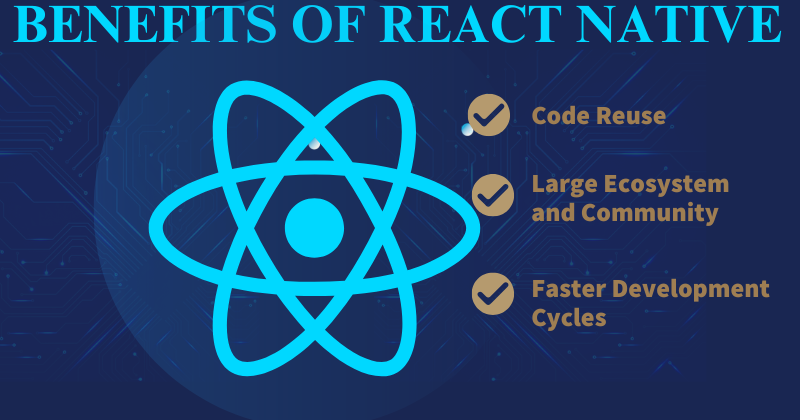
    Benefits of React Native App Development

    1. Cross-Platform Development

    React Native allows you to write code once and run it on both iOS and Android, saving time and effort while ensuring a wider reach.

    2. Faster Development

    With reusable components and pre-built libraries, developers can speed up the app creation process and deliver projects more quickly.

    3. Hot Reloading

    Developers can see changes instantly without rebuilding the entire app, which makes testing and debugging much faster and more efficient.

    4. Cost-Effective

    Since there is only one codebase for multiple platforms, development and maintenance costs are significantly reduced.

    5. Strong Community Support

    React Native is backed by Facebook (Meta) and a huge open-source community, offering plenty of resources, plugins, and ongoing updates.

    6. Native-Like Performance

    By using native components, React Native delivers performance that is very close to fully native apps.

    7. Easy Third-Party Plugin Integration

    It supports third-party plugins for functionalities like maps, payments, or analytics without needing heavy native development.

    8. Modular Architecture

    React Native uses a modular architecture that makes apps easier to upgrade, maintain, and scale as business needs grow.

    9. Rich UI Capabilities

    The framework provides flexible and customizable UI components, allowing developers to build responsive and visually engaging apps.

    10. Backed by Big Brands

    Many leading companies—such as Facebook, Instagram, Walmart, and Airbnb—trust React Native, proving its reliability and scalability.

    Typical Services Offered

    Here’s a professional breakdown of the typical services offered by a React Native development company, written for agencies and businesses looking for such expertise:

    1. Custom React Native App Development

    Building tailor-made mobile applications that meet unique business needs and ensure seamless performance across iOS and Android.

    2. Cross-Platform App Development

    Creating apps that run on multiple platforms with a single codebase, reducing time-to-market and costs.

    3. UI/UX Design for Mobile Apps

    Crafting engaging, responsive, and intuitive user interfaces optimised for different devices and screen sizes.

    4. App Integration Services

    Integrating third-party APIs, plugins, and tools such as payment gateways, maps, analytics, AI/ML models, and social media platforms.

    5. React Native App Migration & Upgradation

    Helping businesses migrate existing apps to React Native or upgrade them to the latest framework version for better performance and security.

    6. App Maintenance & Support

    Providing ongoing support, bug fixing, updates, and performance monitoring to ensure smooth operations post-launch.

    7. MVP Development

    Developing Minimum Viable Products (MVPs) to test ideas quickly in the market before committing to full-scale development.

    8. Enterprise Mobility Solutions

    Creating secure, scalable, and enterprise-grade mobile apps tailored for businesses and large organisations.

    9. App Testing & Debugging

    Ensuring quality assurance through manual and automated testing to deliver bug-free, stable applications.

    10. Cloud Integration & Hosting

    Connecting React Native apps with cloud platforms (AWS, Azure, Google Cloud, Firebase) for better scalability, security, and real-time data sync.

    11. IoT & Wearable App Development

    Developing apps that integrate with IoT devices, smart wearables, and connected ecosystems using React Native.

    12. Consulting & Strategy

    Offering expert consultation and roadmap planning for businesses to maximise ROI with React Native technology.

    To grasp a deeper insight into these services, explore resources like Clutch and DesignRush.

    Cost of React Native Development

    Cost Breakdown

    The cost of React Native development can vary widely and is influenced by numerous factors:

    • Project complexity: More complex apps require more time and expertise, increasing the cost.
    • Development timeline: Faster development can often cost more due to the need for more resources to meet tight deadlines.
    • App features: More features mean more work, which can increase the cost of the app.

    For detailed cost factors and examples, visit DesignRush.

    Regional Cost Comparison

    While React Native development costs can differ based on geographic location, you might find comparable levels of expertise across various regions. For instance:

    • US agencies might charge between $25 – $50/hr.
    • Eastern European firms often offer rates from $25 to $49/hr, but can deliver similar quality at potentially lower costs.

    Budgeting Tips

    To effectively manage your React Native development costs:

    • Account for all services: Consider costs beyond just the initial development, such as ongoing maintenance and updates.
    • Plan for the unexpected: Always have a buffer in your budget for unforeseen expenses.
      react native flawless app

    Hiring Expert React Native Developers

    Benefits of Hiring Experts

    Expert React Native developers for hire bring numerous advantages:

    • Access to best practices: Experienced developers are well-versed in the dos and don’ts of React Native development.
    • High-quality code: Experts produce clean, maintainable code that adheres to industry standards.
    • Up-to-date knowledge: Professionals keep up with the latest developments and features in the React Native framework.

    Expertise in React Native development is crucial, as noted in references like GeeksforGeeks.

    Qualifications and Skills

    When seeking skilled React Native developers, look for:

    • Experience with cross-platform frameworks: Demonstrated ability through past projects.
    • Proficiency in JavaScript/TypeScript: Essential for React Native development.
    • Strong communication skills: Important for teamwork and understanding project requirements.
    • Portfolio of published apps: Evidence of their capability to deliver end-to-end solutions.

    Hiring Models

    Different hiring models for React Native developers suit different project needs:

    • Freelancers: Offer flexibility and competitive rates, but might include risks regarding reliability and continuity.
    • Full-time developers: Provide dedication and stability, but come with higher costs and responsibilities.
    • Agency teams: Deliver comprehensive expertise and streamlined project management, but at a premium.

    The pros and cons of each hiring model are examined more closely in resources like Clutch.

    Identification of Top Agencies

    In 2025, the top React Native agencies include celebrated names such as MindSea, Innowise, Ninehertz, Droids on Roids, PagePro, and AgileEngine. These agencies have been recognised for their innovative solutions and robust technical prowess in React Native development.

    Agency Overviews

    Each top agency has its unique strengths:

    • MindSea: Known for exceptional user experience designs.
    • Innowise: Offers robust solutions for scalable applications.
    • Ninehertz: Excels in delivering cost-effective projects on time.
    • Droids on Roids: Specialises in dynamic and engaging apps.
    • PagePro: Focuses on minimalist and clean design principles.
    • AgileEngine: Renowned for its agile methodologies and rapid deployment capabilities.

    Further insights about these agencies can be found on GeeksforGeeks and Clutch.

    Criteria for Excellence

    To stand out as a top React Native agency, several factors are pivotal:

    • Transparency in processes and communications: Ensures that clients are always informed and engaged.
    • Track record of successful cross-platform apps: Demonstrates capability and reliability.
    • Ability to handle complex integrations: Illustrates advanced skills and technical depth.
    • Ongoing support: Shows commitment to client success beyond the app launch.

    high performance React Native For web workflow

    React Native Consulting Services

    Role of Consulting Services

    React Native consulting services play an essential role in the app development process by providing strategic insights and expert recommendations on:

    • Architecture: Ensuring the app’s structure is robust and scalable.
    • Technology choices: Selecting the right stack to meet both current and future needs.
    • Scaling strategies: Planning for growth to accommodate more users or new features.

    The impact of consulting services is profound and can fundamentally enhance the efficiency and outcome of a project, as described in sources like GeeksforGeeks.

    Benefits of Consulting

    Consulting services bring several key benefits:

    • Streamlining the development process: Reducing time to market and optimising resource use.
    • Minimising technical debt: Ensuring that decisions made today don’t lead to significant rework tomorrow.
    • Adherence to best practices: Keeping the project aligned with industry standards and regulations.

    For scenarios in which consulting can significantly add value, refer to the details in GeeksforGeeks.

    Evaluating React Native App Development Companies

    Comprehensive Evaluation Guide

    When evaluating React Native app development companies, consider these key areas:

    • Experience and expertise: The company’s history with similar projects can indicate their suitability for yours.
    • Portfolio and client testimonials: Validate their claims of expertise and customer satisfaction.
    • Technical proficiency: Ensures that the team has the skills needed to overcome technical challenges.

    Thorough evaluation is crucial to selecting the right partner, and tools for this process can be sourced from Clutch.

    Checklists and Key Questions

    During the evaluation process, ask potential companies:

    • Experience with similar projects: Have they tackled similar challenges before?
    • Case studies and references: Can they demonstrate their successes through tangible examples?
    • Development process and project management approach: How do they ensure project success from start to finish?
    • Post-launch support: What kind of ongoing assistance do they offer?

    For a detailed checklist and more questions, consider insights from Clutch.

    Alignment with Project Requirements

    Ensuring that a company’s capabilities align with your project requirements is vital for success. Discuss your specific needs and expectations to find a partner who can not only meet but exceed them.

    Comparing Costs and Value Offered

    Cost vs. Quality Analysis

    While cost is a significant factor, it’s crucial to balance it with the quality of service provided. Higher costs might lead to better quality and smoother project execution, but it’s important to verify that this is the case. Review past project outcomes to gauge whether a higher cost is justified.

    For more on how cost correlates with quality in React Native development, check resources like GeeksforGeeks and Clutch.

    Negotiation Strategies

    When discussing pricing, consider negotiating for:

    • Flexible pricing models, Such as phased payments or performance-based contracts.
    • Phased development approaches: Allowing you to evaluate progress and impact at each stage.

    Conclusion: Selecting the Best React Native Development Partner

    In conclusion, choosing the right React Native development partner is a balanced approach between assessing capabilities, aligning costs with budget, and ensuring long-term support. As React Native continues to thrive as a premier choice for cross-platform app development in 2025, selecting a company that matches your needs not only ensures your project’s success but also sets the stage for future innovations. Consider these factors critically and begin evaluating your options to embark on a successful development journey. Explore top agencies, ask the right questions, and prioritise your project’s specific needs for a partnership that exceeds expectations.

    For starting your project and further inquiries, don’t hesitate to reach out to the top React Native development firms recommended here, ensuring a partnership that aligns with your visions and goals.

    Frequently Asked Questions

    1. What is React Native?

    React Native is a cross-platform framework developed by Meta that allows developers to build mobile apps for both iOS and Android using a single codebase in JavaScript/TypeScript.

    2. Why should I choose React Native over native development?

    React Native reduces development time and cost by using one codebase for multiple platforms. It also offers faster updates, reusable components, and strong community support, making it ideal for businesses that want efficient, scalable apps.

    3. What kind of apps can be built with React Native?

    React Native is suitable for:

    • E-commerce apps

    • Social networking platforms

    • On-demand services (food delivery, ridesharing)

    • Educational and e-learning apps

    • Enterprise apps

    • Healthcare and fitness apps

    4. Is React Native suitable for large-scale enterprise apps?

    Yes. React Native supports enterprise-grade solutions with modular architecture, strong integrations, and scalability features. Many global brands (e.g., Facebook, Instagram, Walmart) use React Native successfully.

    5. Can React Native apps integrate with third-party tools and APIs?

    Absolutely. React Native seamlessly integrates with APIs, third-party libraries, and backend services like Firebase, AWS, or custom APIs to add features such as authentication, payments, and real-time chat.

    6. How much does it cost to build a React Native app?

    The cost depends on app complexity, features, design, integrations, and timeline. Generally, React Native development can save 30–40% of costs compared to building separate native apps for iOS and Android.

    7. How long does it take to build a React Native app?

    A basic app may take 6–8 weeks, while a complex app (with advanced features like real-time chat, payments, or third-party integrations) may take 3–6 months. Timelines vary depending on project scope.

    8. Is React Native secure for mobile apps?

    Yes, provided best practices are followed. Security can be enhanced by using Firebase/third-party authentication, SSL pinning, secure storage, and regular code audits.

    9. Will my React Native app perform as well as a native app?

    In most cases, yes. React Native apps provide near-native performance and can handle heavy UI/UX features. For extremely performance-critical apps (e.g., high-end 3D gaming), native development may be better.

    10. Do React Native apps support push notifications?

    Yes. React Native integrates with Firebase Cloud Messaging (FCM), OneSignal, and APNs to provide push notifications across iOS and Android.

    11. What post-launch support do React Native development companies provide?

    Most companies offer maintenance, updates, bug fixing, performance monitoring, and feature enhancements as part of ongoing support.

    12. Can an existing native app be migrated to React Native?

    Yes. Companies can migrate specific modules or entire apps to React Native to save costs and unify codebases while maintaining performance.

    13. How do you ensure React Native app quality?

    React Native development companies use testing strategies like unit testing, integration testing, UI testing, and QA automation to ensure the app runs smoothly across devices.

    14. Will my React Native app be future-proof?

    React Native has a strong community, constant updates from Meta, and wide industry adoption, ensuring your app remains reliable, up-to-date, and future-ready.

    react native flawless app
    AI integration react native project
  • How To Do Web Development with React Native?

    How To Do Web Development with React Native?

    Key Takeaways

    • Cross-Platform Development: React Native enables seamless development across iOS, Android, and web platforms from a single codebase.
    • Code Reusability: Significant portions of code can be reused across mobile and web applications, enhancing efficiency.
    • Enhanced Performance: Advanced rendering optimisations and native UI components ensure superior performance.
    • Responsive Design: Supports Flexbox and mobile-first design for adaptable web applications.
    • Integration with Web Technologies: Combines React Native components with traditional web elements.

    Harnessing the Power of Web Development with React Native

    In today’s rapidly evolving digital landscape, web development with React Native is emerging as a pioneering strategy for crafting scalable, performant, and cross-platform web applications. With the advent of React Native Web, the significance of React Native has surged, marking its transition from a mobile-centric technology to a versatile tool capable of powering robust web projects. This technology enables developers to utilise a familiar framework to deliver seamless user experiences across all platforms, YouTube Source, React Native App Development Services

    Understanding Web Development With React NAtive

    Originally developed by Facebook, React Native was designed to build native mobile applications using JavaScript combined with React’s proven component-based architecture. The extension of React Native into the realm of web development through React Native Web allows developers to apply the same code constructs and development practices to create React Native web apps, effectively merging the workflows of mobile and web projects. YouTube Source, Prerequisites for React Native Development.

    Advantages of React Native development services For android

    Benefits of Building Websites with React Native

    Building websites with React Native, specifically using the react-native-web library, offers a unique set of benefits by extending the “learn once, write anywhere” philosophy to the web. This approach is not a replacement for traditional web development with React but a powerful strategy for teams that need to maintain a presence across multiple platforms.

    1. Code Reusability and Efficiency

    The most compelling benefit is the ability to share a significant portion of the codebase between mobile (iOS/Android) and web applications. This is a game-changer for several reasons:

    • Reduced Development Time and Cost: Instead of maintaining separate teams and codebases for mobile and web, a single team can work on both. This dramatically shortens the time-to-market and reduces overall development costs.

    • Streamlined Development Process: With a unified approach, developers can work on features and bug fixes once, and the changes can be deployed across all platforms simultaneously. This makes the development cycle more agile and efficient.

    • Consistent UI/UX: Sharing UI components ensures a consistent look, feel, and user experience across all platforms, which is crucial for brand consistency.

    2. Access to a Rich Ecosystem

    React Native for Web benefits from the robust and mature ecosystem of both React and React Native.

    • Vast Library of Components: Developers can use a wide range of pre-built components and third-party libraries for things like navigation, state management (e.g., Redux, Zustand), and more, many of which have been adapted for web use.

    • Strong Community Support: With a large and active community, developers can easily find solutions, tutorials, and support for any challenges they face.

    3. High Performance and Optimisation

    React Native for Web is designed for performance, leveraging modern web technologies.

    • Optimised Styling: The framework uses a “CSS-in-JS” approach that converts JavaScript styles into highly optimised, production-ready CSS.

    • Server-Side Rendering (SSR): It supports SSR, which is essential for improving initial load times and boosting Search Engine Optimisation (SEO). This is a critical advantage for web applications that need to be discoverable by search engines.

    4. Simplified Maintenance

    With a single codebase, maintaining the application becomes much simpler. Bug fixes and updates only need to be applied in one place, reducing the chance of inconsistencies and errors across platforms. This also makes scaling the application and adding new features a much more straightforward process.

    5. Benefits for React Developers

    For teams already familiar with React, the transition to React Native for Web is seamless. The core concepts of components, JSX, state, and props are the same, allowing web developers to quickly become productive in a cross-platform environment without a steep learning curve.

    6. Progressive Web App (PWA) Support

    React Native for Web can be used to build Progressive Web Apps. PWAs are web applications that provide a native app-like experience, including offline support, push notifications, and home screen installation. This allows businesses to provide a high-quality experience to users on a mobile browser without requiring them to download a separate app.

    Key Features of React Native Web Apps

    Many well-known companies have successfully adopted React Native for Web to create cross-platform experiences, allowing them to share a single codebase between their mobile apps and web platforms. This approach significantly streamlines development, reduces costs, and ensures brand consistency.

    React Native For web workflow

    Case Studies and Examples

    • Twitter: Twitter used React Native for Web for its mobile web experience. This strategic decision allowed the company to improve performance and consistency across different platforms, including iOS, Android, and the web, using a single set of tools and components.

    • Discord: The Discord team leveraged React Native for Web to power its web application. Because of the shared codebase, Discord can maintain a consistent user experience and quickly roll out new features to both its mobile and web users with minimal extra effort.

    • Major League Soccer (MLS): The official MLS app uses React Native for Web to provide a consistent experience across its mobile app and website. This ensures that users, whether on their phone or a desktop, get the same high-quality, up-to-date content and functionality.

    • Flipkart: India’s leading e-commerce company, Flipkart, has used React Native for Web to improve the performance and user experience of its mobile website. This move helped them to create a faster, more responsive shopping experience while managing a massive volume of users and products.

    Use Cases

    • Rapid Prototyping and MVP Development: Startups and development teams can use React Native for Web to build and launch a Minimum Viable Product (MVP) simultaneously on multiple platforms (iOS, Android, and web). This allows them to get to market faster and validate their idea with a wider audience.

    • Web Companion to a Mobile App: For businesses with an existing React Native mobile app, integrating a web version using React Native for Web is an efficient way to expand their reach to desktop users. This is a common strategy for e-commerce, content, and social media platforms.

    • Internal Tools and Dashboards: Many companies use React Native for Web to build internal tools, such as dashboards for monitoring data or administrative panels for managing content. The ability to use the same codebase for both a mobile app (for on-the-go access) and a web version (for desktop use) simplifies development and maintenance.

    Getting Started with Web Development with React Native

    Setting Up the Development Environment

    Embarking on your React Native web development journey begins with setting up essential tools such as Node.js, npm, and the Expo CLI, along with the React Native Web library YouTube Source.</p>

    Step-by-Step Guide

    1. Initialisation: Begin by installing Expo CLI or React Native CLI (npm install -g expo-cli or npx react-native init).
    2. Project Creation: Create a new project using npx create-expo-app or npx react-native init ProjectName.
    3. Web Integration: Add react-native-web to your project’s dependencies.
    4. Configuration: Adjust configuration files to support web functionalities.
    5. Testing: Ensure the application operates correctly on both web and mobile platforms. YouTube Source: How to Build a React Native App.

    Recommended Resources

    <p>For further exploration and mastery, delve into resources like JavaScript Mastery, Expo documentation, and comprehensive YouTu

    be tutorials that cater to both beginners and advanced developers. YouTube Source.

    Case Studies and Examples

    Successfully adopted React Native for Web to create cross-platform experiences, allowing them to share a single codebase between their mobile apps and web platforms. This approach significantly streamlines development, reduces costs, and ensures brand consistency.

    Examples For  React Native Web

      • Twitter: Twitter used React Native for Web for its mobile web experience. This strategic decision allowed the company to improve performance and consistency across different platforms, including iOS, Android and web, using a single set of tools and components.
      • Discord: The Discord team leveraged React Native for Web to power its web application. Because of the shared codebase, Discord can maintain a consistent user experience and quickly roll out new features to both its mobile and web users with minimal effort. features to both its mobile and web users with minimal extra effort.
      • Major League Soccer (MLS): The official MLS app uses React Native for Web to provide a consistent experience across its mobile app and website. This ensures that users, whether on their phone or a desktop, get the same high-quality, up-to-date content and functionality.
      • Flipkart: India’s leading e-commerce company, Flipkart, has used React Native for Web to improve the performance and user experience of its mobile website. This move helped them to create a faster, more responsive shopping experience while managing a massive volume of users and products.

    Use Cases

      • Rapid Prototyping and MVP Development: Startups and development teams can use React Native for Web to build and launch a Minimum Viable Product (MVP) simultaneously on multiple platforms (iOS, Android and web). This allows them to get to market faster and validate their idea with a wider audience.
      • Web Companion to a Mobile App: For businesses with an existing React Native mobile app, integrating a web version using React Native for Web is an efficient way to expand their reach to desktop users.

    Best Practices for Building React Native Web Apps

    Performance Optimization

    To maximise app responsiveness, employ techniques such as profiling, code splitting, and asset optimisation. These strategies are pivotal in maintaining high-performance standards in React Native web applications, YouTube Source.

    Maintainable Code Structures

    Organise your codebase logically with a focus on scalability. Employ a modular structure and share code judiciously to prevent conflicts across different platforms, YouTube Source.

    Security Considerations

    Implement up-to-date security measures, including robust authentication protocols, encrypted data transmission, and regular updates to dependencies.

    high performance React Native For web workflow

    Conclusion

    React Native for Web allows developers to create web applications using the same codebase as their mobile apps. This approach, enabled by the react-native-web library, brings key features of the React Native ecosystem to the web platform.

    Frequently Asked Questions

    1. How does code reusability benefit development?

    Code reusability significantly reduces development time and maintenance efforts by allowing the same code to be used across multiple platforms.

    2. What are the key tools needed to start with React Native Web development?

    Essential tools include Node.js, npm, Expo CLI or React Native CLI, and the React Native Web library.

    3. How does React Native ensure enhanced performance?

    React Native integrates advanced rendering optimisations and native UI components, which often surpass traditional web development performance benchmarks.

    4. What are the common challenges when developing with React Native for the web?

    Common challenges include platform-specific inconsistencies and compatibility issues with third-party modules not designed for the web.

    high performance React Native For web workflow
  • How To Excel Devlopment Of React Native?

    How To Excel Devlopment Of React Native?

    Key Takeaways

    • React Native offers a cost-effective solution for cross-platform mobile app development.
    • Rapid development and deployment are achieved through features like hot reload and reusable components.
    • A robust community and ecosystem support scalable and innovative app solutions.
    • Choosing the right development partner is crucial for aligning with your business goals.
    • Successful case studies from major organisations highlight React Native’s effectiveness in large-scale applications.

    Introduction: Why Choose React Native for Your Mobile App Development?

    In today’s digital landscape, app development with React Native is more than just a trend; it’s a strategic advantage for businesses aiming to broaden their market reach and boost customer engagement. According to WotDev, React Native stands out in 2025 for its ability to provide rapid, cost-effective, and scalable solutions in mobile app development. This post delves deep into the benefits of using React Native, offering detailed insights and actionable steps to create apps using React Native effectively, aligning with both commercial and transactional goals.

    What is React Native?

    React Native is an exceptional open-source framework initiated by Facebook. It enables developers to construct cross-platform mobile apps using JavaScript, which translates into native code, offering near-native performance. Here’s why it’s a top contender against other frameworks like Flutter and Xamarin:

    • JavaScript to Native Bridge: Uniquely designed to convert JavaScript components into native code, enhancing performance and integration with native device functionalities.
    • Cost and Efficiency: The ability to use a single codebase for both iOS and Android platforms significantly cuts down development time and costs.

    For an in-depth comparison and history of React Native’s evolution, check out Hicron Software and this comparison.

    Benefits of App Development with React Native

    React Native is not just popular; it’s highly effective due to its several advantages:

    • Cost-Effectiveness: Leveraging one codebase across multiple platforms reduces both development and maintenance expenses significantly. More details on these savings can be found at WotDev and TekRevol.
    • Cross-Platform Capabilities: Simultaneous development for both iOS and Android platforms shortens the development cycle and broadens market reach (Source: TekRevol).
    • Faster Development and Deployment: With features like hot reload and reusable components, developers can iterate rapidly, debug effectively, and market quicker (Further reading: TekRevol).
    • Robust Community and Ecosystem: A strong support community and a rich library of resources promote scalable development and innovation (WotDev).

    Learn more at Solution Squares and their custom software development services.

    How to Create Apps Using React Native

    Creating apps with React Native is streamlined into a few actionable steps, which we detail below:

    1. Setting Up the Development Environment: For a smooth start, install Node.js, React Native CLI, and the relevant SDKs. Detailed guide available at TekRevol and Solution Squares.
    2. Designing the User Interface: Utilize React Native’s UI components to ensure consistency and intuitive user interfaces across platforms. More on this at TekRevol.
    3. Implementing Functionality and Integrating APIs: JavaScript enables the integration of business logic and network interactions. Tools like Axios for API calls and Redux for state management are essential (TekRevol and SolutionSquares).
    4. Testing and Debugging: Tools like React Native Debugger and Flipper are invaluable for maintaining high-quality software (TekRevol).
    5. Deployment to App Stores: Guidelines for publishing your app on various stores can be streamlined using tools like Fastlane and Bitrise for CI/CD implementations.

    Case Studies: Mobile App Success Stories with React Native

    Major organizations such as Facebook, Instagram, and Walmart have successfully harnessed the power of React Native, witnessing enhanced performance and faster feature iterations (Brainhub and WotDev). These case studies highlight the practical applications and real-world effectiveness of React Native in large-scale scenarios.

    Choosing the Right Partner for Your React Native Mobile App Development

    When selecting a development partner, prioritize experience in React Native and a proven track record. It’s important to review portfolios and evaluate their technical skills, customer feedback, and support services for post-launch phases. For an in-depth guide on selecting the right partner, visit TekRevol and Solution Squares.

    Conclusion: Taking the First Step Towards React Native App Development

    Embracing React Native for your mobile app development is not just about following a trend—it’s about making a strategic decision that aligns with your business objectives to drive growth and customer engagement. Review the significant cost-benefits, robust community support, and cross-platform capabilities that React Native offers.
    Ready to start your mobile app project with React Native? Reach out today for a consultation and let us help you turn your vision into reality.
    Explore more about React Native and enhance your knowledge through the official documentation and getting started guides. Equip yourself with the right tools and insights to ensure your app’s success in the competitive market.

    Frequently Asked Questions

    1. How much does it typically cost to develop a mobile app?
    The cost can range from $5,000 for a simple app to over $300,000 for a highly complex app, depending on various factors like design complexity, features, and development platform.
    2. How long does it take to develop a mobile app?
    The development timeline can vary from a few months to over a year, depending on the app’s complexity and the development process.
    3. Should I choose native or hybrid app development?
    If performance and access to device-specific features are critical, native development is preferable. If budget and development speed are priorities, hybrid development may be suitable.
    4. What are some cost-saving strategies for app development?
    Prioritizing features for an MVP, utilizing cross-platform development, and outsourcing to cost-effective regions are effective strategies to manage costs.
    5. Why is ongoing maintenance important for my app?
    Regular maintenance ensures your app remains competitive, secure, and compatible with the latest devices and operating systems.
    Benefits React Native framwork

  • How to Run a React Native App in Android Studio?

    How to Run a React Native App in Android Studio?

    How to Run a React Native App in Android Studio

    Key Takeaways

    • React Native is a dynamic, open-source framework that allows developers to build high-performance, native mobile apps using JavaScript and React.
    • Android Studio serves as the recommended Integrated Development Environment (IDE) for Android app development, offering essential features for building, testing, and debugging.
    • Ensuring your system meets the prerequisites and installing necessary tools before running your React NAtive App in Android Studio, tools as Node.js, npm, and JDK, is crucial for a smooth development workflow.
    • Properly setting up and configuring the Android SDK and environment variables is vital for running React Native apps effectively in Android Studio.
    • Utilising the Android Emulator allows for efficient testing and debugging of your React Native applications without the need for physical devices.

    Introduction

    Overview of React Native

    React Native is a dynamic, open-source framework crafted to build high-performance, native mobile apps using JavaScript and React. It’s renowned for its ability to handle cross-platform app development with a single codebase, making it a popular choice among developers looking to streamline their development process across iOS and Android. Groove Technology

    Importance of Android Studio

    Android Studio is not just any Integrated Development Environment (IDE); it’s the recommended gear for Android app development, loaded with essential features to aid in building, testing, and debugging Android apps efficiently as part of the React Native development workflow. Groove Technology

    This guide explicates the process to run a React Native app in Android Studio, greatly enhancing your ability to develop and manage cross-platform applications. For a deeper understanding of the prerequisites needed before diving into React Native development, refer to Prerequisites for React Native Application Development: A Comprehensive Guide.

    Prerequisites

    Prerequisites are requirements before beginning a React Native App in Android Studio.

    System Requirements

    Before diving into the technicalities, ensure your system is primed with:

    Installation of Necessary Tools

    • React Native on Android Studio: Knowing how to integrate React Native with Android Studio is pivotal for seamless development.
    • Node.js and npm Installation: Begin by downloading Node.js from its official website, which automatically bundles npm needed for managing project dependencies.
    • Java Development Kit (JDK) Setup: Get JDK version 11 or later installed and configure the environment variables to get up and running. Dev. to

    Setting Up React Native in Android Studio

    Download and Install Android Studio

    Get started by downloading Android Studio from its official page. Follow step-by-step installation instructions pertinent to your operating system to ensure a correct setup. YouTube Tutorial

    Configure Android SDK and Environment Variables

    Next, configure the Android SDK:

    • Launch Android Studio and run the setup wizard.
    • Use the SDK Manager to check and install the necessary SDK platforms and tools.
    • Ensure the ANDROID_HOME environment variable is set to point to your SDK location. Dev. to

    Install Necessary Android SDK Packages

    Choose and install the required platform tools and build tools within Android Studio for a smooth operation. YouTube Tutorial

    Installing React Native on Android Studio

    Initialise a New React Native Project

    Open your terminal or command prompt and execute:

    npx react-native init MyReactNativeApp
    

    For detailed steps on building a React Native app, visit How to Build a React Native App: A Comprehensive Guide.

    Open Project in Android Studio

    Start Android Studio and select “Open an existing Android Studio project”, then proceed to the android directory within your new React Native project. This integrates your project with Android Studio.

    Install Project Dependencies

    In the project root directory, execute:

    npm install
    

    This will install all the necessary dependencies, ensuring your project is set up correctly. Ensure to build the project in Android Studio to verify that everything is configured properly. Alternatively, run:

    npx react-native run-android
    

    to see the app live on an emulator or connected device. Groove Technology, Dev. to

    Configuring the React Native Android Emulator

    Introduction to the Android Emulator

    An Android emulator plays a critical role in testing and debugging your React Native apps without the need for actual hardware.

    Set Up AVDs in Android Studio

    Navigate to the “Device Manager” or “AVD Manager” in Android Studio to create and configure your Android Virtual Device (AVD):

    Launch and Manage the Emulator

    Start your emulator using the green “play” button. Check for hardware acceleration features to ensure smooth emulation performance.

    Conclusion

    We’ve navigated through the crucial steps to run a React Native app in Android Studio, from setting up your development environment, configuring Android Studio and the emulator, to running your application. Harness the full potential of Android Studio to uplift your development skills and productivity. Groove Technology

    Additional Resources

    Keep exploring Android Studio’s features and stay updated with new releases and tools to continually refine your app development workflow.

    Frequently Asked Questions

    1.Do I need Android Studio to run a React Native app?

    Yes, Android Studio is required to set up the Android emulator and configure the Android SDK, which are necessary to run and test React Native apps on Android devices.

    2. Can I run a React Native app without Android Studio?

    Yes, you can run it on a physical Android device using USB debugging or use third-party emulators. However, Android Studio is the most reliable option for development and testing.

    3. How do I connect my physical Android device to run a React Native app?

    Enable USB Debugging from Developer Options on your device, connect it via USB, and then run npx react-native run-android. The app will install and launch on your device.

    4. What are the system requirements for running React Native in Android Studio? At minimum, you need:

    • Windows/macOS/Linux with at least 8GB RAM.
    • Node.js installed.
    • Java Development Kit (JDK).
    • Android Studio with SDK and emulator setup.

    5. Why does my React Native app run slowly on the Android emulator?

    This often happens due to low system resources or unoptimized emulator settings. Allocate more RAM/CPU to your emulator or test on a real device for better performance.

    6. How do I fix the error “SDK location not found” in Android Studio?

    Go to Android Studio > Preferences > Appearance & Behavior > System Settings > Android SDK and ensure the SDK path is correctly set. Then update your local.properties file with the correct path.

    7. Can I use VS Code instead of Android Studio for React Native development?

    Yes, you can use VS Code as your main editor, but you still need Android Studio installed for the Android SDK and emulator setup.

  • How to Integrate React Native Application with AI?

    How to Integrate React Native Application with AI?

    Leveraging React Native with AI: Integrating Machine Learning into Your Mobile Apps

    Key Takeaways

    • React Native and AI Synergy: Combining React Native with Artificial Intelligence (AI) enhances mobile app functionality and user experience.
    • AI-driven Features: Integration enables intelligent features such as image recognition, chatbots, and real-time predictions.
    • Integration Methods: Various methodologies like prebuilt AI APIs, on-device machine learning, and native modules facilitate AI integration with React Native.
    • Challenges: Integrating AI presents challenges, including performance issues and data privacy concerns.
    • Best Practices: Adhering to best practices like code modularity and staying updated with AI advancements ensures efficient AI-powered app development.

    Introduction: Embracing the Power of React Native with AI

    In the rapidly evolving world of mobile app development, the integration of React Native with AI is catapulting developers into a new era of innovation. The synergy between React Native and Artificial Intelligence (AI) empowers developers to create more intelligent, responsive, and user-centric mobile applications with unprecedented ease. Recent trends show a significant surge in machine learning in React Native apps, transforming conventional mobile apps into smart mobile solutions across platforms.

    Artificial Intelligence (AI) has moved from being a buzzword to becoming a core feature of modern mobile applications. From chatbots and voice assistants to predictive analytics and image recognition, AI is transforming the way businesses interact with their customers.

    For agencies building mobile apps with React Native, integrating AI can be the competitive advantage that sets your client’s product apart. In this article, we’ll explore why AI integration matters, how to implement it in React Native, and best practices agencies should follow.

    This blog aims to guide you through the nuances of integrating AI with React Native, enabling you to enhance your app’s functionality exponentially. As AI/ML features like image recognition, chatbots, and real-time predictions become commonplace, leveraging accessible AI APIs and SDKs is more feasible than ever, even for those without deep ML expertise.
    AI to react native project

    Understanding React Native

    React Native, a pinnacle of cross-platform mobile app development, enables developers to deploy iOS and Android apps with a single JavaScript/TypeScript codebase. This framework not only boosts efficiency but also reduces development costs and time. The integration of React Native with AI adds a layer of intelligence to these apps, making them more interactive and engaging. Benefits of React Native:
      • Code reusability and faster deployment reduce time-to-market.
      • Recent architectural upgrades, such as the Fabric and new layout engine, enhance performance and compatibility with native AI modules.
      • An ever-expanding ecosystem, facilitating robust AI/ML integrations.

    The Role of AI and Machine Learning in Mobile Apps

    AI and Machine Learning (ML) redefine mobile app capabilities, introducing features that adapt and respond to user behaviour:
    • Enhanced Functionalities:
      • Intelligent automation for routine tasks.
      • Context awareness for personalised user experiences.
      • Personalisation engines tailor content to user preferences, significantly boosting user engagement and app efficiency.

    Why Integrate AI with React Native?

    Leveraging AI with React Native elevates app functionality, enabling developers to craft exquisite, feature-rich applications across different platforms efficiently.
    • Advantages of AI Integration:
      • Streamlines development processes, allowing for the rapid creation of complex features.
      • Enhances user experience with features like real-time language translations, smart recommendations, and more efficient data handling, courtesy of localised AI computations, which diminish server dependencies.

    Why Agencies Should Care About AI Integration

    • Enhanced User Experience → Smarter recommendations and personalised interfaces.

    • Cost Savings → Automated customer support through AI-driven chatbots.

    • Competitive Edge → AI-powered features help your client’s app stand out in the crowded market.

    • Scalability → AI enables apps to handle complex operations, from voice processing to predictive decision-making.

     According to PwC research, AI could contribute $15.7 trillion to the global economy by 2030, with mobile apps playing a major role.

    Methods for Integrating AI with React Native

    Integrating AI into React Native apps can be accomplished through various methodologies tailored to specific needs and capabilities:
    • Using Prebuilt AI APIs and Services:
      • Utilise platforms like Google Cloud AI, AWS AI, or OpenAI for quick integration of advanced AI features without extensive ML infrastructure.
    • On-Device Machine Learning:
      • Tools such as TensorFlow.js or ML Kit allow AI models to run directly on devices, safeguarding user privacy and ensuring functionality without internet access.
    • Native Modules and Hybrid Approaches:
      • For performance-intensive tasks, native modules provide the necessary horsepower, ensuring that your apps remain swift and responsive.
    ways to integrate AI with react native

    Ways to Integrate AI with React Native

    1. Chatbots and Virtual Assistants

    • Integrate with Dialogflow, Rasa, or OpenAI APIs to enable conversational experiences.

    • Use React Native UI components for seamless in-app chat interfaces.

    2. Voice Recognition and Processing

    • Use Google Speech-to-Text API or Amazon Transcribe.

    • Build voice-enabled features like voice search or smart commands.

    3. Image Recognition and Computer Vision

    • Connect with Google Vision API, AWS Rekognition, or TensorFlow Lite.

    • Use cases: product scanning, face detection, AR experiences.

    4. Predictive Analytics

    • Integrate with Azure Cognitive Services or Amazon SageMaker.

    • Provide data-driven insights, customer behaviour predictions, or recommendation engines.

    5. Natural Language Processing (NLP)

    • Tools like spaCy, OpenAI GPT APIs, and Hugging Face Transformers help with sentiment analysis, text summarisation, and contextual search.

    Common Challenges Agencies Face

    • Data Privacy & Compliance → Ensure GDPR and HIPAA standards where needed.

    • Performance Issues → AI tasks can be resource-heavy; cloud-based APIs help.

    • Integration Complexity → Requires skilled expertise in both React Native and AI frameworks.

    Best Practices for Agencies

    • Use cloud-based AI APIs for faster development.
    • Ensure secure data handling with encryption.
    • Implement caching and offline fallback where possible.
    • Continuously monitor model performance and update as needed.

    Technical Steps for Agencies

    1. Select an AI Service Provider (Google, AWS, Azure, or custom-trained models).

    2. Create API Keys for authentication.

    3. Install Dependencies in React Native (axios, react-native-voice, or @tensorflow/tfjs).

    4. Build Middleware for secure communication with AI APIs.

    5. Optimise for Performance – Offload heavy processing to cloud services.

    6. Test Across Platforms – Ensure AI features run smoothly on both iOS and Android.

    Tools and Libraries for AI in React Native Apps

    Choosing the right tools is crucial for successfully implementing AI features in your React Native apps:
    • TensorFlow.js: Allows you to use pre-trained models or train new models directly in JavaScript.
    • ML Kit by Google: Offers ready-to-use APIs for text recognition, face detection, and more.
    • React-native-ai: (Vercel AI SDK, MLC) facilitates running large language models locally on mobile devices. Callstack.

    Step-by-Step Guide: Building a Machine Learning Feature in React Native

    Implementing a machine learning feature within a React Native app involves several key steps:
    1. Environment Setup:
      • Start by setting up your development environment, choosing between React Native CLI and Expo based on your project requirements.
    2. Model Integration:
      • Integrate ML models using JavaScript libraries or native modules, depending on the complexity and performance needs of your app.
    3. Optimisation and Testing:
      • Optimise the feature for both platforms (iOS and Android), focusing on UI responsiveness and minimising errors during execution.

    Challenges of Integrating AI with React Native

    Despite its advantages, integrating AI with React Native presents certain challenges:
    • Performance Issues:
      • Handling large models and ensuring swift inference times can be problematic on less capable devices.
    • Data Privacy:
      • Securing user data, especially when processing occurs on-device, is crucial for compliance with privacy laws.
    AI integration react native project

    Best Practices for Developing AI-Powered React Native Apps

    To maximise the efficiency and scalability of your AI-powered apps, adhere to these best practices:
    • Code Modularity:
      • Keep your AI features modular, separating them from the core application logic to simplify updates and maintenance.
    • Stay Informed:
      • Regularly update your knowledge base regarding new AI advancements and updates to existing libraries and frameworks.

    Conclusion: The Future of React Native and AI

    Integrating AI with React Native is not just a trend but a significant shift towards more dynamic and intelligent mobile applications. As this technology progresses, it will continue to open new avenues for developers, drastically altering the mobile app development landscape. Encourage yourself to dive into this innovative integration; with the right tools and strategies, your React Native apps will not only fulfil the current demands but also embrace the future of tech.

    Frequently Asked Questions

    1. How can React Native and AI work together to enhance mobile app development?

    The combination of React Native and AI allows developers to create intelligent apps that are both efficient and responsive. React Native provides a robust framework for building cross-platform apps, while AI introduces capabilities like machine learning, natural language processing, and predictive analytics, resulting in more personalised and adaptive user experiences.

    2. What are the best tools for integrating AI into React Native applications?

    Some of the top tools and libraries for integrating AI into React Native apps include TensorFlow.js for machine learning, ML Kit by Google for ready-to-use APIs, and React-native-ai (Vercel AI SDK, MLC) for running large language models locally on mobile devices.

    3. What challenges might developers face when integrating AI with React Native?

    Developers may encounter challenges such as performance issues when handling large AI models, ensuring swift inference times on less capable devices, and maintaining data privacy and security, especially when processing data on-device.

    4. How can data privacy be ensured when implementing AI features in mobile apps?

    Data privacy can be ensured by implementing on-device machine learning, which processes data locally without needing to send it to external servers. Additionally, developers should adhere to privacy laws and regulations, encrypt sensitive data, and use secure APIs to protect user information.

    5. What best practices should be followed for developing AI-powered React Native apps?

    Best practices include maintaining code modularity by separating AI features from core application logic, staying informed about the latest AI advancements and library updates, optimising performance for both iOS and Android platforms, and thoroughly testing AI functionalities to ensure reliability and efficiency.
  • Optimiz and Deploying Your React Native App: The Ultimate Guide to Successful App Deployment

    Optimiz and Deploying Your React Native App: The Ultimate Guide to Successful App Deployment

    Key Takeaways

    • Unified Codebase: React Native allows developers to build high-performance mobile apps for both iOS and Android using a single JavaScript codebase.
    • Optimised Performance: Proper code optimisation, including minification and obfuscation, significantly enhances app responsiveness and reduces size.
    • Up-to-Date Dependencies: Keeping all dependencies current ensures compatibility and smooth runtime performance.
    • Environment Configuration: Correctly setting environment variables is crucial for platform-specific configurations.
    • Robust Deployment Process: Following a structured deployment process, including thorough testing, ensures a successful app launch.
    • CI/CD Integration: Implementing Continuous Integration and Continuous Deployment pipelines automates and streamlines the development workflow.
    • Post-Deployment Monitoring: Continuous monitoring and analytics are essential for maintaining app performance and reliability.

    Overview of React Native

    React Native is an influential open-source framework used globally. It empowers developers to create high-performance mobile apps for both iOS and Android from a unified JavaScript codebase. This feature catapults React Native to the forefront for developers interested in crafting apps with consistent user experiences across multiple platforms while diminishing development times significantly.

    Why Optimisation Matters Before Deployment

    A poorly optimised app can lead to:

    • Slow load times → Resulting in higher uninstall rates.

    • Memory leaks & crashes → Damaging client reputation.

    • App store rejections → Delaying project timelines.

    According to a Statista report (2024), 70% of users abandon apps if they take more than 3 seconds to load. For agencies, this means optimisation is not optional—it’s essential.

    Key Steps for Optimising a React Native App

    1. Reduce Bundle Size

      • Use tools like the Hermes engine to improve startup performance.

      • Remove unused packages and images.

    2. Improve Performance

      • Leverage FlatList instead of ScrollView for large datasets.

      • Use memoisation (React.memo, useCallback) for rendering efficiency.

    3. Enhance Security

      • Use environment variables for API keys.

      • Enable SSL pinning for sensitive apps.

    4. Test Across Devices

      • Simulate iOS and Android environments.

      • Automate testing with tools like Detox and Jest.

    Deployment Checklist for Agencies

    • Prepare the App Store & Play Store Accounts – Ensure your client has active developer accounts.
    • Configure App Icons & Splash Screens – A consistent brand experience is crucial.
    • Generate Release Builds – Use gradlew assembleRelease for Android and Xcode archive for iOS.
    • Code Signing & Certificates – Secure deployment with correct provisioning profiles.
    • Continuous Integration (CI/CD) – Automate build pipelines using GitHub Actions or Bitrise.
    • Post-Deployment Monitoring – Use tools like Firebase Crashlytics for error tracking.

    Importance of Deploying a React Native App

    Deploying your React Native app is pivotal. It enables your application to reach a vast audience, delivering the intended functionality and seamless user experience on their devices. The success of its deployment is closely tied to these goals, ensuring the app performs optimally in live environments. 

    Deployment of a React Native App refers to the process of:

    • Building your app into a final, production-ready version (APK for Android or IPA for iOS).

    • Uploading it to app stores like the Google Play Store or Apple App Store.

    • Making sure it runs properly on real devices.

    • Optionally, hosting backend services or APIs that your app depends on.

    In simple terms, deploying is the final step that takes your app from your computer to your users’ devices

    Preparing Your React Native App for Deployment

    After building your React Native App, it’s time to deploy it. You have built your application, developed and tested all features. Now it’s time for the next big milestone, Deployment. A React native application is a widely used framework as it offers a single code for cross-platform, such as iOS and Android

    Developing a React native application is easy, but deployment is a bit complex step to perform. Deployment is not about building and publishing your application. Deployment involves navigating platform-specific requirements, using the appropriate deployment tools, following app store guidelines, and meeting industry standards to avoid rejections or delays.

    Optimising Your Code for Production

    To start, it’s crucial to optimise your React Native app’s code before launching. Streamline your app by eliminating unused components and implementing techniques like minification and obfuscation. These steps significantly reduce your app’s size, making it quicker and more responsive for users.

    Ensuring All Dependencies Are Up-to-Date

    Ensure that your app’s dependencies are current to avoid any compatibility issues during runtime. Use package managers like npm or yarn to check and update your project dependencies as necessary.

    Configuring Environment Variables for Different Platforms

    Environment variables play a crucial role in setting up platform-specific configurations, such as API endpoints or credentials. For Android developers, make sure to set ANDROID_HOME and append platform-tools to your system PATH. For iOS, the configuration can be managed directly through Xcode settings.

    How React Native App Deployment Works?

    After coding your mobile application, deployment is the next crucial step to perform. Deployment includes steps such as packing, distributing, and publishing your app to end users via a platform like the Google Play Store or Apple App Store.

    The beauty of React Native is that a single JavaScript or TypeScript codebase can be deployed to multiple platforms such as Android, iOS, Web, Windows, and macOS. To deploy your application, you must navigate specific configurations and toolchains.

     Strategies for Deploying React Native Applications

    Deployment of a React Native App gives you two different approaches:

    1. Managed Workflow
    2. Bare Workflow

    Usually, a managed workflow is used with Expo. This key feature of realising your app with Expo without diving into  Android Studio, Gradle, or native dependencies, Xcode. This approach will allow you to build your applications without worrying about the development and deployment complexities.

    The bare workflow provides you with full access and control of your project details, platform-specific behaviour, third-party SDK integrations, and build optimisations. In this approach where you manage the entire native project yourself, without relying on managed services.

    react native app perfomance increace
    react native app perfomance increace

    Creating a Release Build for React Native

    • Step-by-Step Guide to Generate a Release Build

    Here is a step-by-step guide to generate a release build for a react native application:

    • For Android:

    Generate a signed APK or Android App Bundle (AAB) using CLI or Expo EAS Build. These files are essential for the next steps in deploying your app to the Google Play Store (Bugsee Guide).

    • For iOS:

    Utilise Xcode or CLI to archive and prepare your iOS app for release. This process includes the setup of necessary signing certificates and provisioning profiles (Comprehensive Guide to Building a React Native App for iOS).

    Differences Between Debug and Release Builds

    Release builds are optimised for your end-users, stripping away development tools and enabling performance enhancements not present in debug builds. Debug builds include additional tools to aid developers in testing and debugging during development phases.

    Testing the Release Build Locally Before Deployment

    It’s critical to test the release build on local or test devices. This helps catch any potential issues that could adversely affect user experience post-deployment (Bugsee Guide, React Native Publishing).

    Deployment Steps for React Native Apps

    After coding, developing features, building an application, and testing features, it’s now time for deployment. 

    Detailed Outline of the Deployment Steps

    Deploying a React Native app involves several key stages that need careful attention to detail. First, configure your environment and credentials accurately for the intended platform. Following this, utilise platform-specific tools such as Android Studio or Xcode for building the app. Final steps involve signing the app and ensuring all configurations are verified to be correct across platforms (Bugsee Guide, 30 Days Coding).

    Deploying a React Native App to the Google Play Store

    • Preparing Your App for the Play Store

    Prepare your app by generating a signed APK or AAB. Set up a developer account on Google Play and populate your app’s listing with all the necessary metadata, screenshots, and privacy policies (30 Days Coding).

    • Uploading the Release Build and Managing App Versions

    Upload your prepared release build via the Google Play Console. It’s vital to manage and adhere to your app versioning to avoid conflicts with future updates.

    • Reviewing and Publishing the App on the Play Store

    Once uploaded, your app will go through a review process. After approval, your app will be available to the public, marking the successful deployment of your React Native app to the Google Play Store.

    Implementing CI/CD for React Native

    • Importance of Continuous Integration and Continuous Deployment

    CI/CD introduces automation in building, testing, and deploying your app, which enhances both reliability and project velocity. Automating these steps reduces human error and streamlines the release process, making updates and maintenance more manageable and less risky.

    • Setting Up CI/CD Pipelines for Automated Building and Testing

    Tools like GitHub Actions, CircleCI, and Bitrise are great for setting up CI/CD pipelines. They handle automation for building, testing, and even deploying your app based on the latest codebase commits, providing a robust workflow that continuously checks integration and deployment stages for errors or conflicts. To leverage advanced integration techniques, explore Unleashing the Potential of React Native App GitHub Repositories for Developers.

    Best Practices for Deploying React Native Apps

    • Ensuring App Performance and Reliability Post-Deployment

    Monitor your app’s performance continually using tools like Sentry or Bugsee. These tools help in capturing real-time crash reports and performance bottlenecks, allowing you to respond swiftly to any issues that might impact user experiences (Bugsee Guide). For comprehensive security measures, refer to Mobile App Security Best Practices: Protecting User Data and Enhancing App Performance.

    • Monitoring and Analytics to Track App Usage and Issues

    Implementing analytical tools helps monitor user interactions and system performance, enabling proactive management of any identified issues. This approach helps in maintaining a smooth operational profile for your app post-launch.

    Common Challenges and Troubleshooting

    • Addressing Common Issues Faced During Deployment

    Common deployment issues can range from build failures to sign-in certificate problems. Thoroughly checking your app’s dependencies, environment setups, and testing outputs is essential for troubleshooting and clearing these hurdles effectively.

    • Tips for Debugging Deployment Problems

    Establish clear, concise, and documented guessing mechanisms. Use logging extensively to understand and pinpoint failures accurately. Community forums and official documentation are invaluable for finding solutions to tricky problems .

    react native expert advice
    react native expert advice

    Conclusion

    Deploying your React Native app successfully involves meticulous preparation, optimisation, and implementing a robust set of deployment strategies. It’s important to leverage CI/CD for maintaining ongoing quality, and post-deployment analytics will help in keeping your app relevant and functioning optimally. Following the guidelines and strategies mentioned here will aid in the smooth deployment of your React Native app, ensuring a wide reach and consistent user experiences across all platforms (Bugsee Guide, React Native Publishing, 30 Days Coding). Stay vigilant and proactive by integrating user feedback and updates to continuously improve and adapt your app to meet user needs.

    Frequently Asked Questions

    1. What are the main benefits of using React Native for mobile app development?

    React Native enables developers to build high-performance apps for both iOS and Android using a single codebase, reducing development time and ensuring a consistent user experience across platforms.

    2. How do I optimise my React Native app for better performance?

    Optimise your app by removing unused components, implementing code minification and obfuscation, and ensuring that all dependencies are up-to-date.

    3. What is the difference between a debug build and a release build in React Native?

    Release builds are optimised for end-users, removing development tools and enhancing performance, whereas debug builds include additional tools for testing and debugging during development.

    4. Why is Continuous Integration and Continuous Deployment important for React Native apps?

    CI/CD automates the building, testing, and deployment processes, increasing reliability, reducing human error, and speeding up the release cycle.

    5. How can I monitor my React Native app’s performance post-deployment?

    Use monitoring tools like Sentry or Bugsee to capture real-time crash reports and performance metrics, allowing you to address issues proactively.

  • How To Devlop and Setup A React Native App for Linux?

    How To Devlop and Setup A React Native App for Linux?

    Key Takeaways

    • Linux provides a stable and efficient environment for React Native development.
    • Setting up React Native on Linux requires essential tools like Node.js, npm, Java, and Android Studio.
    • React Native on Linux allows for streamlined development across iOS and Android platforms with a single codebase.
    • Leveraging Linux’s powerful tools enhances productivity and customisation in React Native development.
    • Troubleshooting common issues effectively ensures a smooth development workflow in React Native on Linux.

    Introduction to React Native on Linux

    React Native, a robust open-source framework, enables developers to build mobile applications using JavaScript and React. It uniquely allows a single codebase to target both iOS and Android platforms. This blog post delves into how you can develop and run a React Native app for Linux, leveraging the strengths of both React Native and the Linux environment.

    Why Choose React Native for Linux?

    Choosing Linux as the development environment for your React Native app brings several advantages:

    • Stability and Efficiency: Linux is renowned for its stability and efficiency, making it an excellent environment for software development.
    • Customisation and Flexibility: The customisation options available in Linux surpass those in other operating systems, which is crucial for tweaking the development environment to your needs.
    • Powerful Tools and Resources: Linux users benefit from access to powerful terminal-based tools and a vast array of open-source package management options.
    • Open-Source Ecosystem: Linux provides a robust open-source environment, aligning seamlessly with React Native’s open-source nature.
    • Resource EfficiencyLinux is known for its efficient resource management, ensuring smoother development processes.
    • Community SupportA vibrant community contributes to a wealth of resources and support for developers.
    • Expanded Reach: Tap into a significant user base that prefers or requires Linux-based solutions.
    • Unified Technology Stack: Leverage your existing React Native expertise to build desktop applications, reducing development costs and time.
    • Consistent User Experience: Maintain a consistent look and feel across mobile and desktop platforms, strengthening brand identity.
    • Catering to Specific Niches: Address the needs of organisations and users in sectors where Linux is the standard.

    Linux’s performance, when compared to macOS and Windows, stands out significantly, especially in terms of flexibility and resource management, which are critical in a development setting. Moreover, both Linux and React Native are open-source, fostering a vibrant community that collaborates and shares valuable troubleshooting resources freely.

    Linux = Developer’s Choice

    While direct market share data for desktop Linux application usage can be fragmented, studies consistently show a strong presence of Linux in developer communities and server infrastructure. For instance, the Stack Overflow Developer Survey 2023 highlights the significant percentage of developers using Linux as their primary operating system. This indicates a substantial potential user base for developer-focused or enterprise-grade Linux applications.


    react native for linux on android
    react native for linux on android app development

    System Requirements for React Native on Linux

    To set up your Linux system for React Native development, ensure you meet the following hardware and software prerequisites:

    • Hardware: A 64-bit distribution of Linux (Ubuntu LTS recommended), at least 8GB RAM, and a multi-core processor.
    • Software:
      • Node.js (LTS version)
      • npm or yarn
      • Git
      • JDK for Android builds
      • Android Studio for access to the Android SDK and emulator

    Consider using nvm to manage Node.js versions, and ensure all dependencies are fully updated before proceeding with installations

    Setting Up Your Development Environment for React Native Linux

    Developing for React Native Linux requires a few additional steps compared to mobile development. Here’s a breakdown of the setup process:

    1. Ensure Core React Native Setup is in Place: Begin with a properly configured React Native development environment for iOS and Android. This includes Node.js, npm or Yarn, and the React Native CLI. Refer to the official React Native documentation for detailed instructions based on your current operating system.

    2. Install Dependencies for Desktop Support: To enable Linux support, you’ll primarily rely on community-driven projects. One of the most prominent is react-native-windows, which, while named for Windows, provides the foundational architecture for desktop support that can be adapted for Linux.

      Install the necessary dependencies within your React Native project:

      npm install --save-dev react-native-windows or yarn add --dev react-native-windows

    3. Initialize Desktop Support: Link the native modules for desktop support:

      npx react-native-windows-init --platform linux

      This command sets up the necessary files and configurations within your project structure to target Linux.

    4. Install Linux-Specific Build Tools: Depending on your Linux distribution, you might need to install additional build tools. These typically include compilers (like GCC), build systems (like CMake), and other development libraries. Consult the documentation of react-native-windows for specific prerequisites for your Linux distribution.

      For Debian/Ubuntu-based systems, this might involve:

      sudo apt-get update sudo apt-get install -y build-essential cmake libgtk-3-dev libwebkit2gtk-4.0-dev

      For Fedora/CentOS/RHEL-based systems:

      sudo dnf install -y gcc-c++ cmake gtk3-devel webkit2gtk3-devel

    5. Configure Native Linux Modules (if needed): For more advanced functionalities or platform-specific features, you might need to interact with native Linux APIs. This will involve writing C++ code and bridging it with your React Native JavaScript code using the native modules system. This step requires a deep understanding of both React Native’s architecture and native Linux development.

    Developing Your React Native App for Linux

    The core development process for a React Native Linux app largely mirrors mobile development. You’ll be using JavaScript and the React Native component library to build your user interface and application logic. However, there are platform-specific considerations:

    • UI Adaptability: Ensure your UI components and layouts adapt well to the larger screen sizes and interaction paradigms of desktop environments. Consider using responsive design principles.

    • Input Methods: Handle mouse and keyboard input effectively, in addition to touch-based interactions.

    • Window Management: Implement features like resizing, maximising, and minimising windows, which are standard for desktop applications.

    • Platform-Specific APIs: If your application requires access to specific Linux functionalities (e.g., system notifications, file system integration beyond basic capabilities), you’ll need to create or utilise native modules that interact with these APIs.

    • Testing on Linux: Rigorous testing on various Linux distributions and desktop environments is crucial to ensure broad compatibility and a consistent user experience.

    Running Your React Native Linux App

    Once your application is developed, you can run it on your Linux machine using the following command:

    npx react-native run-windows --platform linux

    This command will build your Linux application and launch it in a dedicated window.

    Expertise and Proficiency for Agency Clients

    For agencies offering React Native Linux development services, it’s crucial to demonstrate expertise in the following areas:

    • Cross-Platform Development: A deep understanding of the principles and best practices for building applications that function seamlessly across different platforms.

    • React Native Ecosystem: Proficiency in using the core React Native framework, popular libraries, and community resources.

    • Native Development (C++): Expertise in writing and bridging native C++ modules for Linux to access platform-specific functionalities.

    • Linux Development Environment: Familiarity with various Linux distributions, build tools, and development workflows.

    • Desktop UI/UX Principles: Understanding the nuances of designing user interfaces and user experiences for desktop applications.

    • Testing and Quality Assurance: Implementing comprehensive testing strategies to ensure stability and performance on different Linux environments.


    react native for linux cross platform

    Drawbacks of Linux for React Native

    Linux development with React Native, while possible, has several drawbacks that make it a less-than-ideal choice for a production-focused workflow. The primary issues stem from a lack of official support and certain technical challenges inherent to the platform.

    Limited Official Support

    The React Native core team at Meta (formerly Facebook) primarily focuses on iOS and Android development, with a strong preference for macOS and Windows for the development environment. This results in the following:

    • Community-Driven Tools: Linux support for React Native is largely maintained by the community, not the core team. This can mean that documentation, troubleshooting, and bug fixes for Linux-specific issues may be less frequent or reliable compared to other operating systems.

    • iOS Development: The most significant drawback is the inability to build and test iOS apps on Linux. Apple’s strict ecosystem requires Xcode, which only runs on macOS. This means that to develop for iOS, developers on Linux must use workarounds like virtual machines or cloud-based build services, which can introduce performance issues and violate Apple’s licensing agreements.

    Technical & Performance Issues

    Even for Android development on Linux, there can be specific technical hurdles:

    • File Watching: Linux’s file system monitoring tool, inotify, has a default limit on the number of files it can watch. This can cause the React Native bundler to fail or perform poorly on large projects. A developer must manually increase this limit, which can be a point of friction during setup.

    • Debugging: While debugging is a challenge in any cross-platform framework, the combination of JavaScript and native code on an unofficial platform like Linux can make it more complex. It can be difficult to pinpoint whether a problem is within the JavaScript layer or a native Linux component.

    • Build Performance: Build times on Linux can sometimes be slower than on other platforms. This is often related to the specific tooling and configurations required to set up the Android development environment on Linux. Optimizing builds may require a deeper understanding of tools like Gradle.

    Ecosystem Fragmentation

    While many React Native libraries and components are cross-platform, some may have limited or no support for Linux. This can force a developer to either find an alternative library, create a custom native module, or fork and modify the existing library to add Linux support. This process requires a strong understanding of native Linux development and can increase technical debt.

    In summary, while React Native can be made to work on Linux, the process is far from seamless and is better suited for a developer who is already deeply familiar with the Linux ecosystem. For a business or agency, the lack of official support, iOS limitations, and potential for a more cumbersome development experience make it a significant drawback compared to the more mature macOS and Windows development environments.

    Troubleshooting Common Issues

    React Native development on Linux can sometimes run into common issues:

    • Emulator not starting: Check if KVM is enabled.
    • npm or node command not found: Ensure Node.js and npm directories are added to your PATH.
    • Permission issues on Ubuntu: Avoid sudo with npm installs. Configure for local user installs as shown earlier.
    • Slow build times: Allocate more RAM to your emulator or use a physical device for faster testing.

    For any uncommon problems, community forums, Stack Overflow, and the official React Native GitHub repository are excellent resources for finding solutions.

    Additional Resources

    To further assist with your React Native development on Linux, explore these resources:

    Conclusion

    Developing React Native applications for Linux presents a significant opportunity for agencies to leverage their existing expertise and cater to a broader audience. While the ecosystem is still evolving, the foundational tools and community support are growing rapidly. By mastering the setup process, understanding platform-specific development considerations, and showcasing your proficiency in both React Native and native Linux development, your agency can position itself as a leader in delivering cutting-edge cross-platform solutions.

    This guide has covered the key steps and resources for developing React Native apps on Linux, highlighting the platform’s stability, efficiency, and flexibility. With these step-by-step instructions and best practices, you are now well-prepared to start your React Native development journey on Linux. Take advantage of the robust Linux environment paired with the cross-platform power of React Native to maximise your productivity and reduce development friction.

    Begin your development adventure today, and remember to continuously engage with the community and additional resources to overcome any challenges and enhance your development skills in React Native on Linux.

    Frequently Asked Questions

    1. Can I run iOS builds on Linux with React Native?

    No, due to Apple’s licensing restrictions, running iOS builds on Linux is not supported.

    2. What are the essential tools required for React Native development on Linux?

    You need Node.js, npm or yarn, Git, JDK for Android builds, and Android Studio for the Android SDK and emulator.

    3. How can I manage different Node.js versions on my Linux machine?

    Using nvm (Node Version Manager) is recommended for managing multiple Node.js versions efficiently.

    4. What should I do if the Android emulator is not starting?

    Ensure that KVM is enabled on your system, as it is required for running Android emulators efficiently on Linux.

    5. How can I improve build times for my React Native app on Linux?

    Allocating more RAM to your emulator or using a physical device for testing can significantly speed up build times.

    6. Is Linux stable for React Native development?

    Yes, Linux provides a stable and resource-efficient environment for mobile app development.

    7. Can I use other code editors besides VS Code?

    Yes, editors like Sublime Text, Atom, or IntelliJ IDEA also work perfectly.

    react native for linux cross platform
    react native for linux cross platform app development