


React Native has revolutionised the way developers build mobile applications, combining the best aspects of native performance with the agility of JavaScript development. Now, this versatile framework is expanding its horizons beyond mobile, offering robust solutions for desktop application development on Windows and macOS platforms. In this post, we will delve into the technical feasibility of using Windows apps with React Native and explore React Native macOS applications, highlighting the growing trend towards unified codebases that transcend individual platforms. Overview of React Native
Overview of React Native
React Native is an open-source JavaScript framework developed by Facebook, enabling developers to create native applications for multiple platforms using a single codebase of React and JavaScript. Originally targeted at iOS and Android, its capabilities have extended thanks to a vibrant community contributing to its expansion. The key advantages of React Native include:
- Unified development workflow that promotes code reuse across iOS, Android, and now desktop platforms
- A large open-source community that drives continuous innovation and extension of the framework
React Native’s adaptability now includes support for desktop environments, paving the way for applications that run seamlessly across mobile devices and desktop computers. More information about React Native’s core features can be found on the Creole Studios website. Additionally, for a comprehensive understanding of multi-platform development with React Native, visit Harnessing React Native App Development Services for Seamless Multi-Platform Mobile Apps.
Why Build with React Native for Windows?
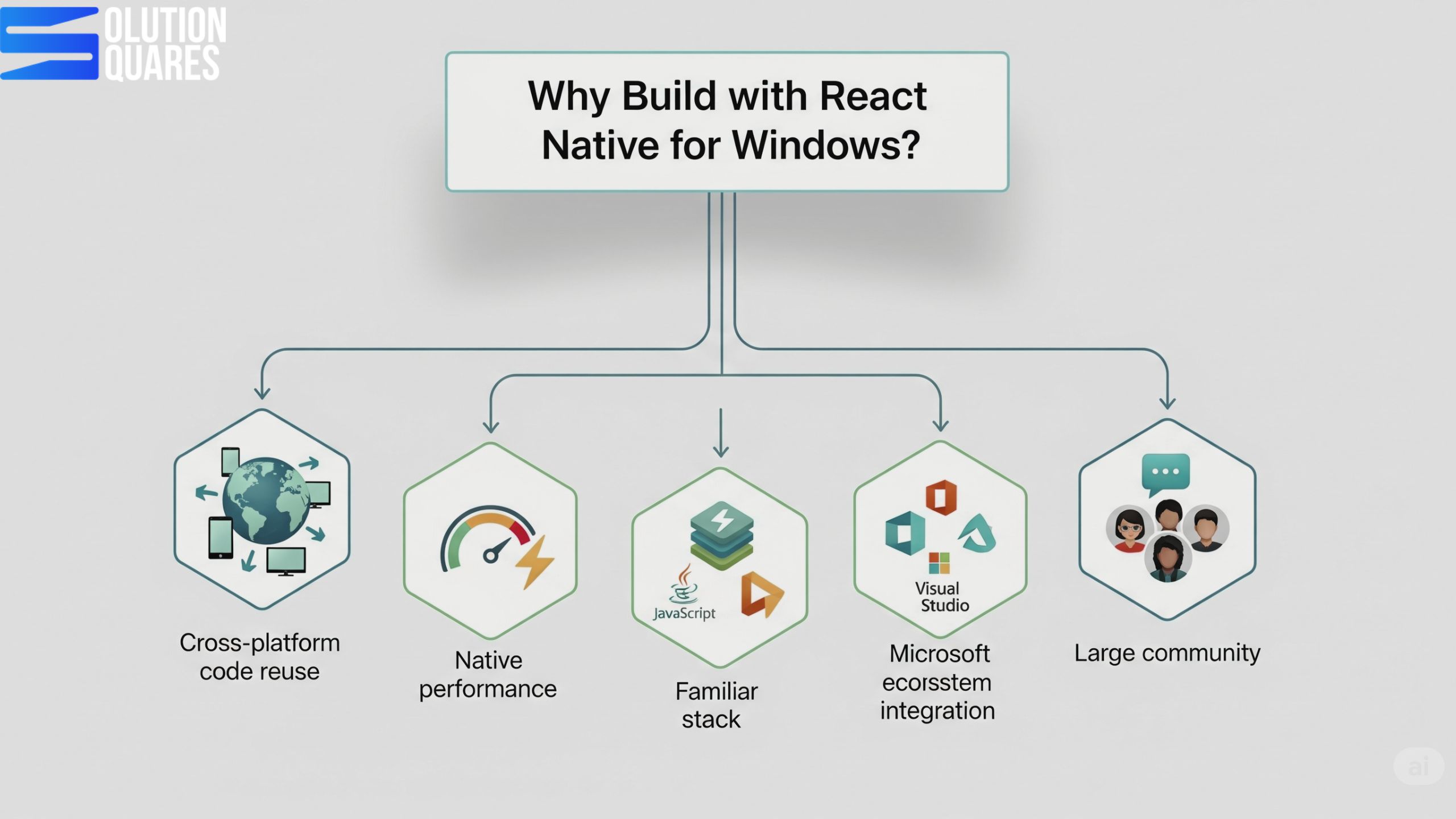
| Advantage | Benefit |
|---|---|
| Cross-platform code reuse | Share logic & UI components across mobile and desktop |
| Native performance | Uses native Windows APIs for smooth rendering |
| Familiar tech stack | JavaScript, TypeScript, React |
| Microsoft ecosystem integration | Access Windows-specific APIs (file system, notifications, etc.) |
| Large community | Backed by Microsoft + React Native community |
React Native for Windows
Windows apps with React Native are developed through React Native Windows, a Microsoft-supported extension. This allows developers to adapt their existing React Native code for the Universal Windows Platform (UWP) and Win32 applications, making it possible to maintain a unified codebase. Essential tools for setting up a React Native for Windows project include:
- Node.js and the React Native CLI
- Visual Studio 2022, equipped with the necessary workloads for Windows and C++ development
Developers are provided the tools to build applications compatible with both recent versions of Windows 10 and Windows 11, leveraging the latest Windows APIs. Examples of successful implementations include Microsoft’s own products and numerous enterprise applications that take advantage of this cross-platform approach. Learn more about this from Shivlab and the detailed guides on React Native for Windows Documentation. For an ultimate guide on building cross-platform desktop applications, refer to Solution Squares.

React Native for macOS
Similarly, React Native macOS extends the framework’s capabilities to Apple desktop environments. With tools such as Xcode and the react-native-macos CLI developers can bring their applications to macOS, supported by active community projects and Microsoft’s support initiatives. Compatible with the latest macOS versions, this extension allows the development of native macOS applications using the familiar React Native components and APIs. For implementation examples and further info, check Creole Studios.
Prerequisites
Before starting, make sure you have:
| Requirement | Notes |
|---|---|
| Windows 10 or 11 | 64-bit, Version 1809 (Build 17763) or later |
| Node.js | LTS version (e.g., 18.x) |
| Yarn | Optional but recommended |
| Visual Studio 2022 | With Desktop development with a C++ workload |
| React Native CLI | For project creation |
| Windows SDK | Comes with Visual Studio |
Developing Windows Apps with React Native
Building Windows applications with React Native involves specific setup steps:
- Install Node.js and the React Native CLI.
- Set up the development environment in Visual Studio with the necessary workloads.
- Initialise your React Native project and add Windows compatibility with specific commands designed to streamline the process.
- Extensive testing across different Windows versions ensures compatibility and optimises performance.
This process, detailed React Native for Windows Documentation, underscores the adaptability and potential of React Native in creating desktop applications. For additional optimisation and deployment strategies, visit Solution Squares.
Comparing React Native Windows and React Native macOS
Both extensions offer tailored experiences for their respective platforms, but they share a unified approach to React Native development. Key differences lie in supported platforms, toolchains, community support, and the specific use cases they cater to, as demonstrated in the following table:
| Aspect | React Native Windows | React Native macOS |
|---|---|---|
| Supported Platform | Windows 10, 11, UWP, Win32 | Current macOS releases |
| Toolchain | Visual Studio 2022, Windows Build Tools | Xcode, macOS CLI |
| Community Support | Strong (Microsoft-backed, official docs) | Growing (community-driven, some Microsoft support) |
| Platform APIs | Windows APIs, C++, UWP components | macOS APIs, Swift/Obj-C native modules |
| Use Cases | Enterprise desktops, utilities, and productivity tools | Creative tools, utilities, and cross-device apps |
| Limitations | Mobile APIs not mapped to desktop equivalents | Additional Apple platform restrictions |
For a deeper comparison between React Native and other frameworks, explore React Native vs ReactJS: Navigating the Differences for Your Next Project.
Why React Native for Desktop Matters
Traditionally, businesses had to develop separate applications for Windows, macOS, and mobile platforms—a process that was costly, time-consuming, and complex. With React Native for Desktop, agencies can:
Use a single codebase → Develop apps that work across mobile, web, and desktop.
Reduce costs → Faster development cycles lower project budgets.
Ensure consistent UX → Unified interfaces across all platforms.
Tap into a growing ecosystem → Backed by Microsoft (React Native Windows + macOS) and community-driven efforts.
Useful Libraries for Windows Development
| Library | Purpose |
|---|---|
| react-native-windows | Core Windows integration |
| react-native-fs | File system access |
| react-native-vector-icons | Icons |
| react-navigation | Routing/navigation |
| react-native-device-info | System info |
Building desktop applications with React Native is technically feasible if developers possess proficiency in React Native and JavaScript/TypeScript, along with access to platform-specific build tools like Xcode for macOS and Visual Studio for Windows. The performance of apps can be akin to native applications for several use cases, especially when employing optimisation techniques like the Hermes JavaScript engine.
Future of React Native in Desktop Development
React Native has long been the go-to framework for building high-quality cross-platform mobile apps. But in recent years, it has evolved beyond mobile—expanding into desktop development for Windows, macOS, and even Linux. For agencies, this evolution opens the door to faster delivery, broader reach, and cost savings for clients who want multi-platform solutions with a single codebase. So, what does the future of React Native in desktop development look like, and why should agencies care?
Cross-Platform Strategy
You can target:
Android + iOS → Mobile
Windows + macOS → Desktop
Web → Browser (using React Native for Web)
By structuring your app with shared logic + platform-specific components, you can cover all platforms with a single codebase.

Conclusion
The potential for building feature-rich, native desktop applications with React Native is immense. With strong community and official support, the framework is well-positioned to become a staple in the toolbox of developers aiming to leverage a unified codebase for mobile and desktop environments. As the ecosystem continues to expand, React Native appears increasingly capable of meeting the intricate demands of modern software development.
Additional Resources
For developers eager to dive deeper, the following resources are invaluable:
- Official Documentation: Comprehensive guides and updates are available at React Native Windows and related Microsoft documentation.
- Community Tutorials and Forums: Engage with other developers and find solutions through community-driven resources and forums.
- Essential Tools and Plugins: Node.js, Visual Studio, Xcode, plus various React Native packages, are essential for developing robust applications.
Whether you’re planning a new project or scaling an existing one, React Native offers a compelling framework for creating seamless and efficient cross-platform applications.
- React Native for Desktop docs
- React Native docs
- React docs
- Install NodeJS on Windows
- Try the React learning path
Frequently Asked Questions
1. What are the main benefits of using React Native for desktop application development?
React Native allows developers to use a unified codebase for both mobile and desktop applications, which reduces development time and maintenance efforts. Additionally, it leverages the performance of native applications while providing the flexibility and ease of JavaScript development.
2. What tools are required to develop React Native applications for Windows?
To develop React Native applications for Windows, you’ll need Node.js, the React Native CLI, and Visual Studio 2022 with the necessary workloads for Windows and C++ development.
3. How does React Native ensure performance comparable to native desktop applications?
React Native leverages native components and APIs, which allows applications to perform similarly to native desktop applications. Additionally, using optimisation techniques like the Hermes JavaScript engine can further enhance performance.
4. Is it necessary to have separate codebases for Windows and macOS applications in React Native?
One of the key advantages of using React Native for both Windows and macOS is the ability to maintain a unified codebase. This approach simplifies development and maintenance, allowing developers to reuse most of the code across both platforms.
5. What are the limitations of using React Native for desktop applications?
One limitation is that mobile APIs are not always mapped to their desktop equivalents, which can require additional custom implementations. Additionally, there may be platform-specific restrictions, especially on macOS, that developers need to navigate.